

- Mark as New
- Bookmark
- Subscribe
- Permalink
- Report Inappropriate Content
Account management
Let me guide you on what report to use and how to customize it to get the information you need, sgray98660.
You can use the Transaction List By Date report and customize them so it will only show the columns that you want to view. Here's how:
- Go to the Reports menu, then locate the Transaction List By Date report.
- Select the correct Report period.
- Select Customize in the upper-right corner. Under the Layout section, select the columns that you don't want to show.
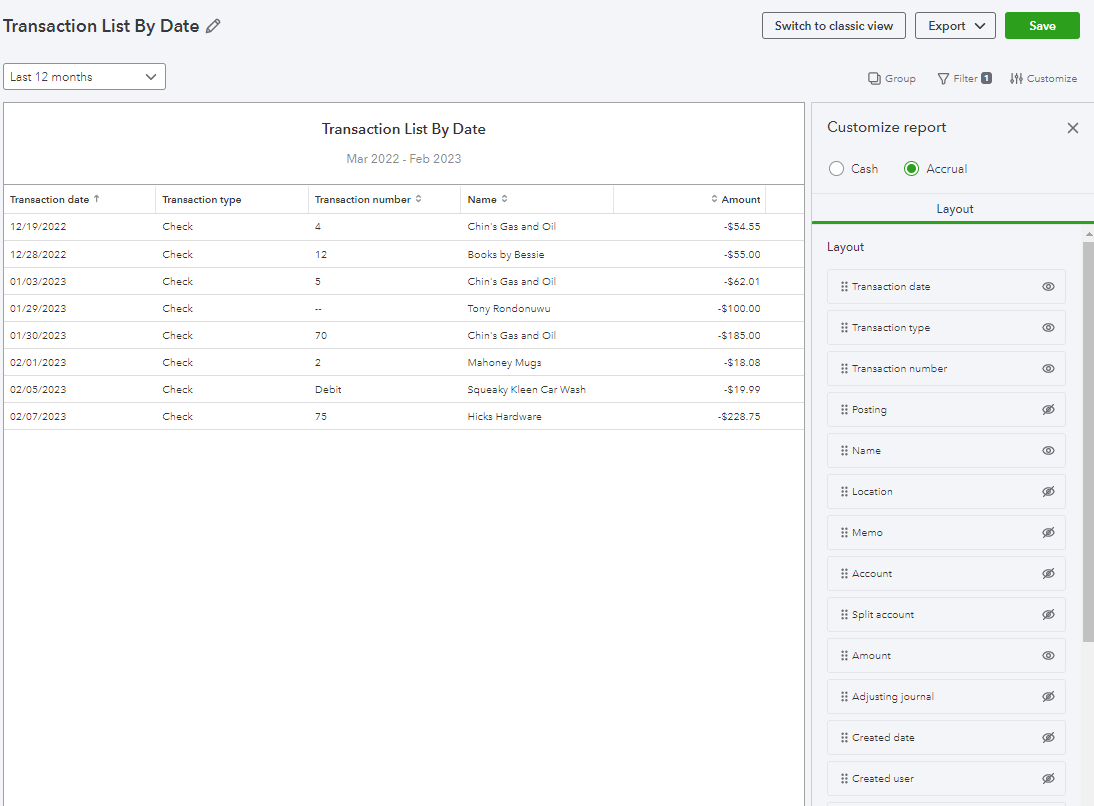
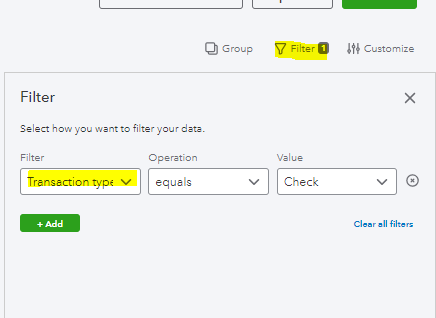
- Select Filter, then choose the Transaction type on the drop-down.
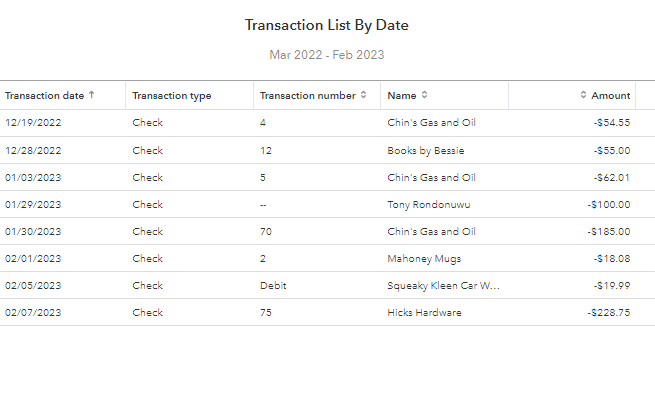
Once done, the report should show all the columns you want. I've attached a screenshot for your reference:
Furthermore, QuickBooks offers a variety of reports that are available for all QuickBooks Online (QBO) users. However, reports are only available for certain subscription levels. To know more, check out this article for your reference: Reports Included In Your QuickBooks Online Subscription.
Keep in touch if you have any concerns or questions about customizing reports. I'll always be right here to help you.
