

- Mark as New
- Bookmark
- Subscribe
- Permalink
- Report Inappropriate Content
Banking
Welcome to the Community, Danielle Rosa. I appreciate your detailed information.
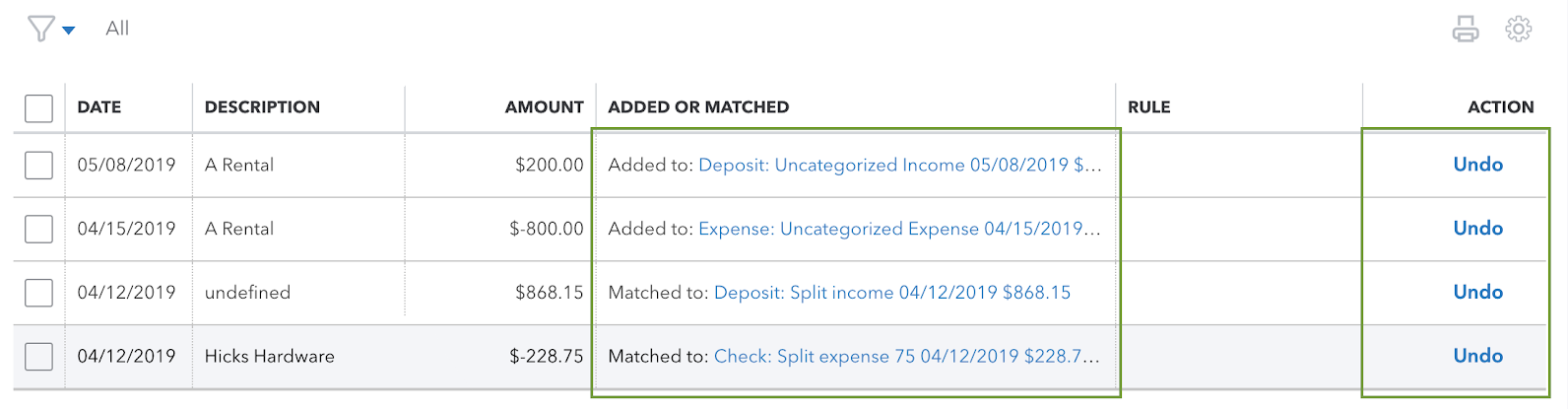
If transactions are missing from the For review tab on your Bank transactions screen, I'd recommend checking the Categorized tab. This is where transactions you've already categorized will appear. Specifically, you'll want to review your Added or Matched column. This will tell you which account each transaction record was categorized into.
In the event you find what you're looking for, but it's in an incorrect account, you can unmatch and move it to its appropriate account using your Undo option in the Action column. This will disconnect your two transactions. The downloaded record will go back to your For review screen where it can be matched.
If you don't recall categorizing these transactions yourself, you may want to check if there's any active bank rules causing transactions to be auto-categorized.
Since you're working with transactions and reconciling, I'd like to mention an awesome tool on our website called QuickBooks Live Expert Assisted. This service gives you access to a dedicated bookkeeper who can help you manage your books.
I've also included a detailed resource about reconciliation which may come in handy moving forward: Reconcile an account
If there's any additional questions, I'm just a post away. Have a wonderful Wednesday!
