

- Mark as New
- Bookmark
- Subscribe
- Permalink
- Report Inappropriate Content
Banking
I understand it can get frustrating having to go through multiple troubleshooting steps and not having any of them work can be a real pain, jehaccounting.
If you encounter an error File not imported, QuickBooks gives you the option to review it. Then, make corrections of the errors found in the .IIF file.
Here's how:
- Click Review now link.
- Search for the ERROR to see what the problem(s) with the file is.
- Make corrections to the error.
- Tap the Save button.
- Select Yes if you want to keep the file type.
- Close the File not imported window.
Then, Import the new and corrected .IIF file to QuickBooks Desktop.
For more details about importing your lists and transactions, check out these articles:
If the same thing happens, I'd suggest contacting our Technical Support Team. They'll pull up your account in a secure environment and investigate what's causing this issue.
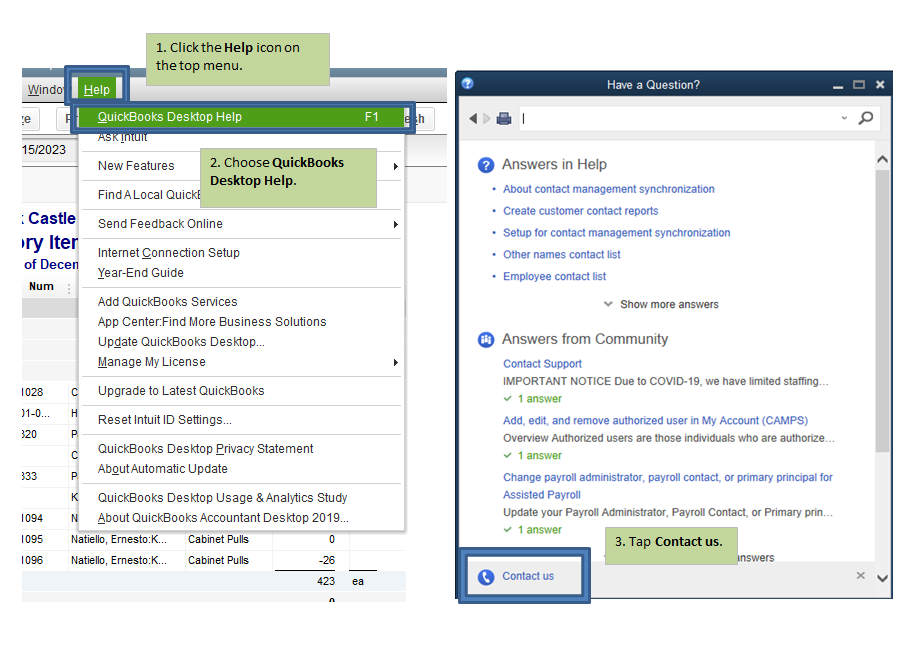
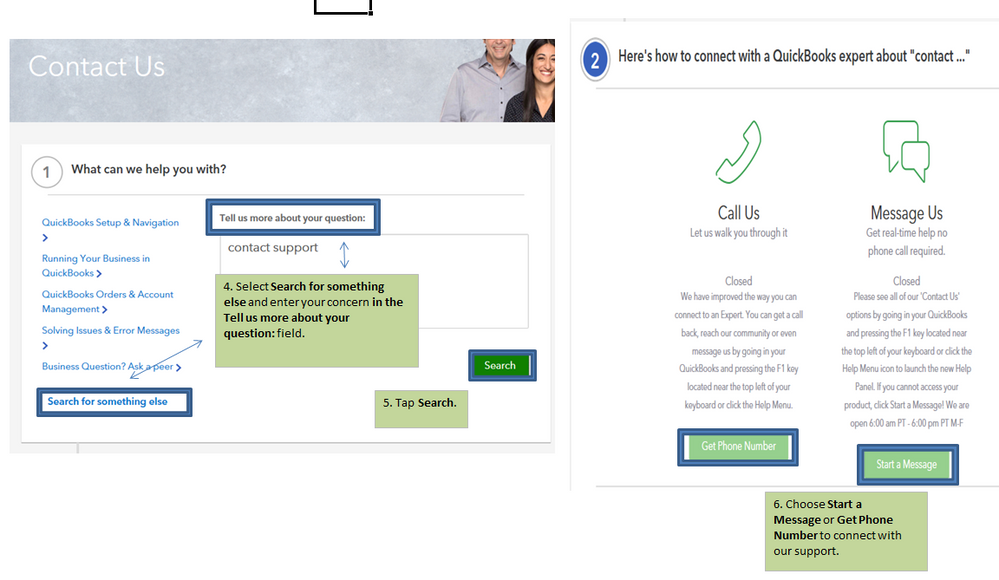
Here's how to reach them:
- Click the Help icon on the top menu.
- Choose QuickBooks Desktop Help.
- Tap Contact us.
- Select Search for something else and enter your concern in the Tell us more about your question: field.
- Tap Search.
- Choose Start a Message or Get Phone Number to connect with our support.
I have a link here where you can find articles about managing your business in QuickBooks: https://quickbooks.intuit.com/learn-support/en-us/get-started/07?product=QuickBooks%20Desktop.
Feel free to go back to this thread if you need anything else in QuickBooks. I'll be here to ensure your success. Take care always.
