

- Mark as New
- Bookmark
- Subscribe
- Permalink
- Report Inappropriate Content
Banking
I've got you covered, Darryl @dholley328.
I have just the steps you'll need to remove these transactions by batch
This can be accomplished by following these steps:
To ignore transactions by batch in the Bank Feeds Center
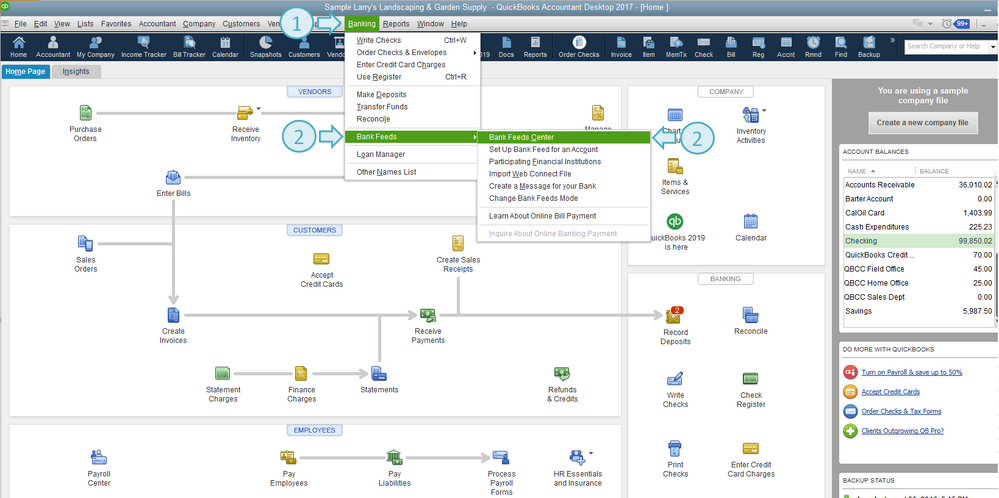
- Click the Banking menu at the top.
- Select Bank Feeds, then Bank Feeds Center.
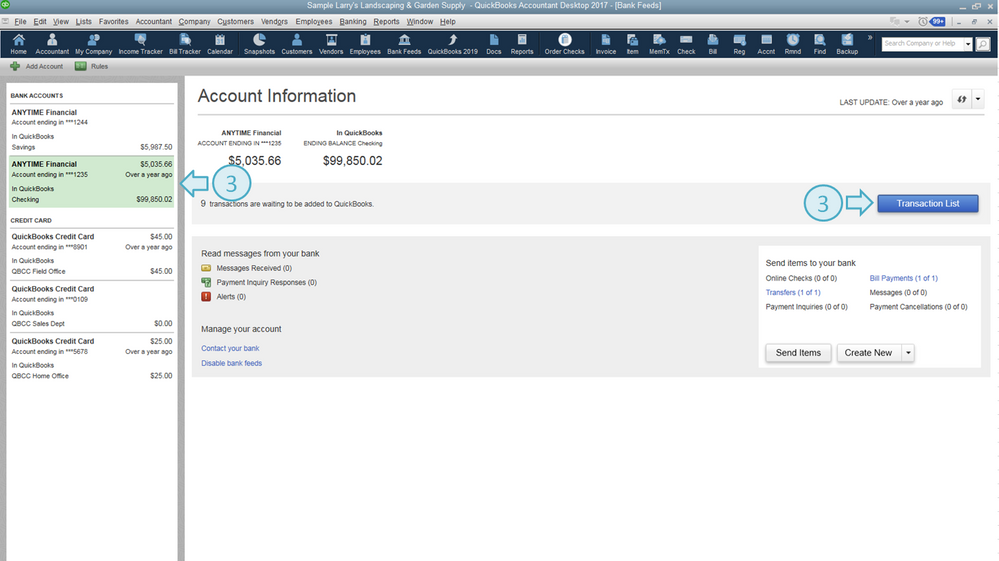
- Choose the bank account, then click Transaction List.
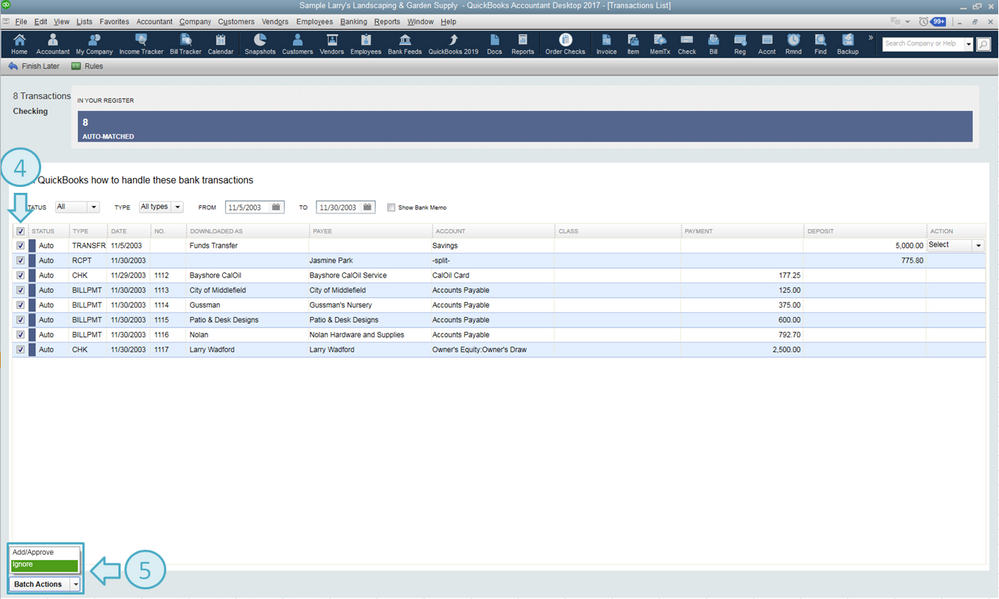
- On the Transaction List page, put a check mark on the checkbox column to select all the transactions you need to ignore.
- From the Batch Actions drop-down menu, choose Ignore.
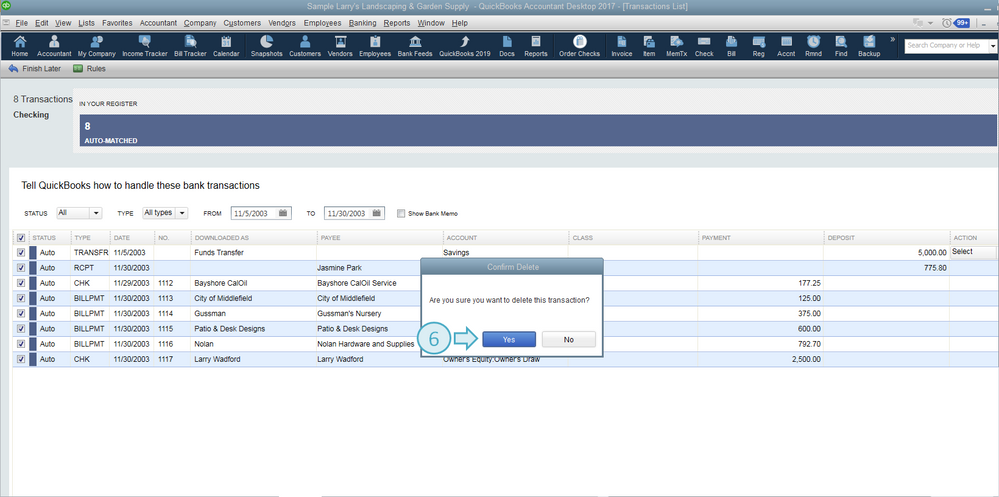
- Click Yes.
All of this information and more is available in our guide on how to handle bank transactions. Just go to the last section, Do you need to delete unmatched transactions from your Bank Feeds, and click Yes.
That should do it. With these steps, you'll be able to get rid of those transactions like a pro in no time!
Keep in touch with me here should you have any additional questions or concerns. I'm always available here for all questions and concerns. Thanks for coming to the Community, cheers to continued success.
