

- Mark as New
- Bookmark
- Subscribe
- Permalink
- Report Inappropriate Content
Employees and payroll
Thanks for chiming in this thread, ckroot.
We can import employee list into QuickBooks Desktop, however, we're unable to import their earnings and deductions. You'll have to manually enter them into QuickBooks, and I'm here to guide you.
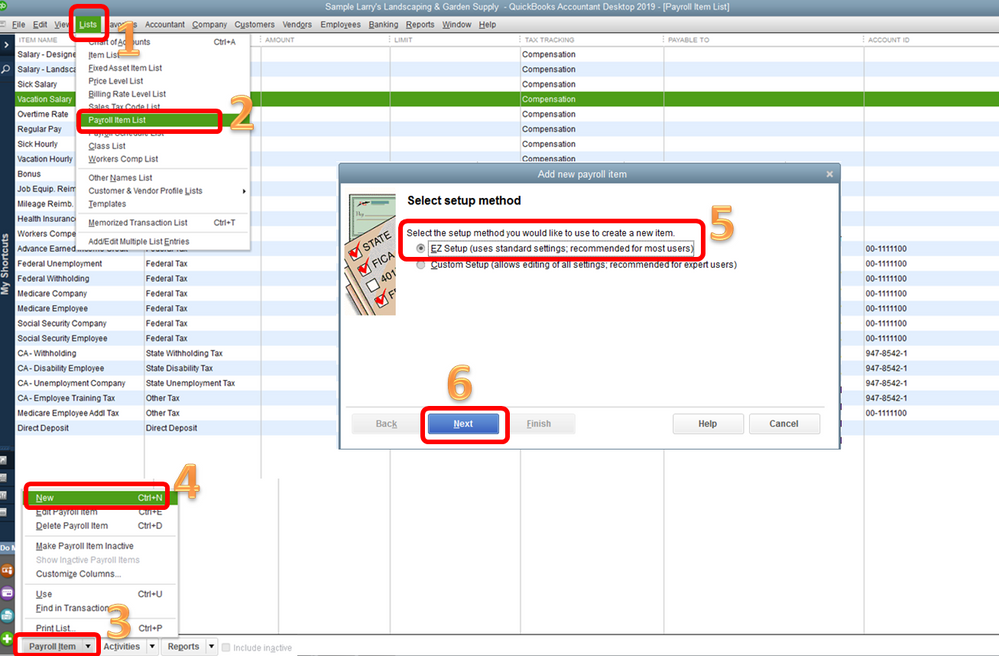
To add a salary item:
- Go to Lists at the top.
- Choose Payroll Item List.
- Click the arrow beside Payroll Item at the bottom.
- Select New.
- Tick the radio button for EZ Setup.
- Choose Next.
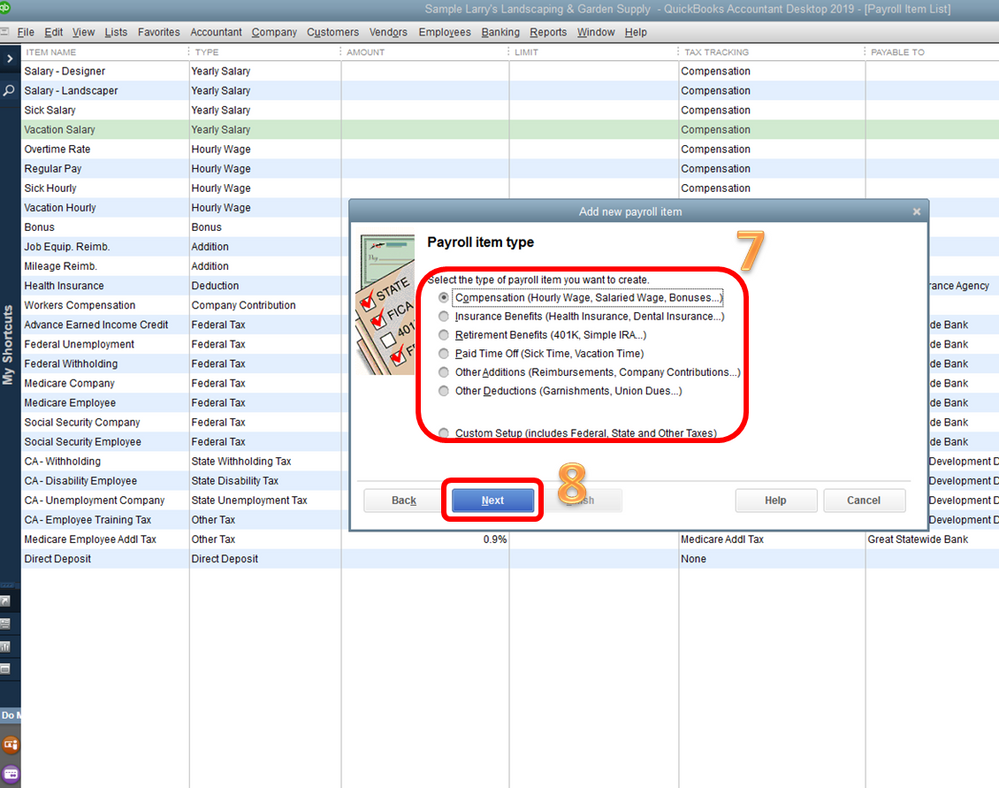
- Select a payroll item type.
- Click Next.
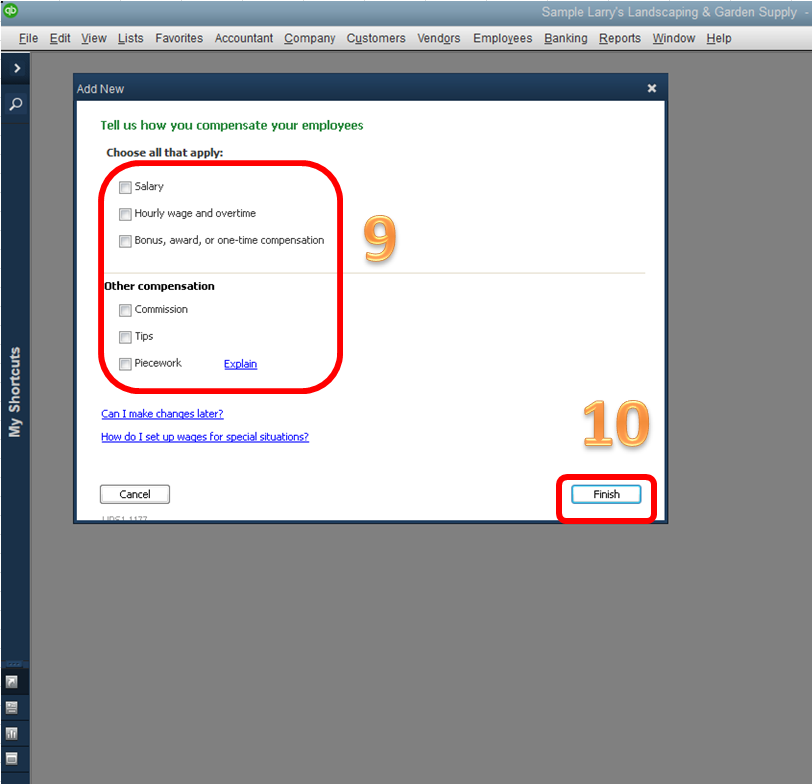
- Choose the earning type.
- Select Finish.
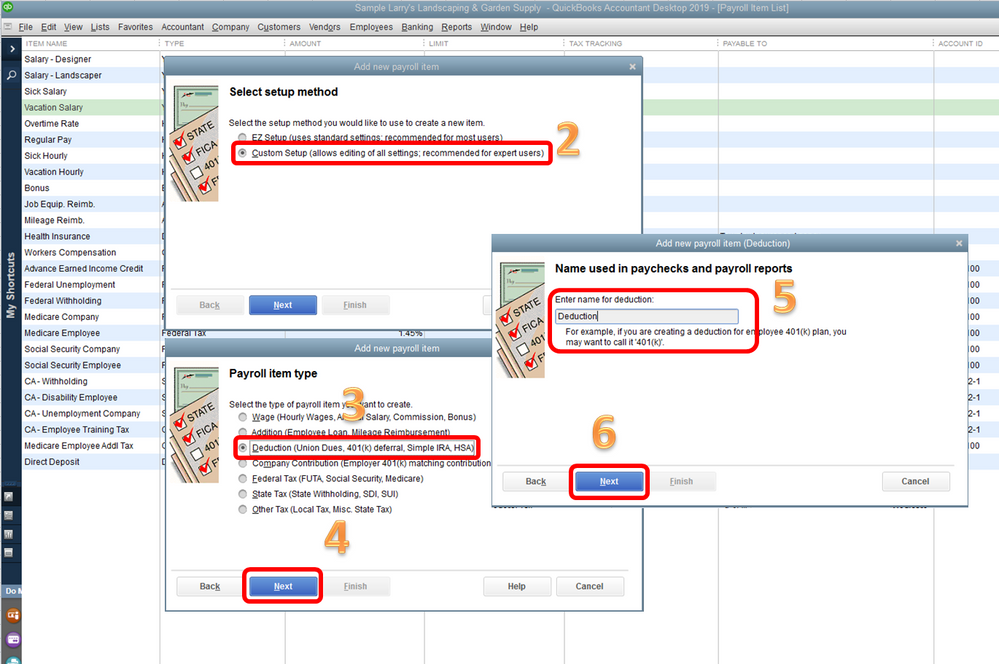
To add a deduction item:
- Follow the first three steps above.
- Choose Custom Setup and click Next.
- Select Deduction.
- Click Next.
- Enter a name for the deduction.
- Click Next twice.
- Choose a Tax tracking type.
- Click Next four times.
- Select Finish.
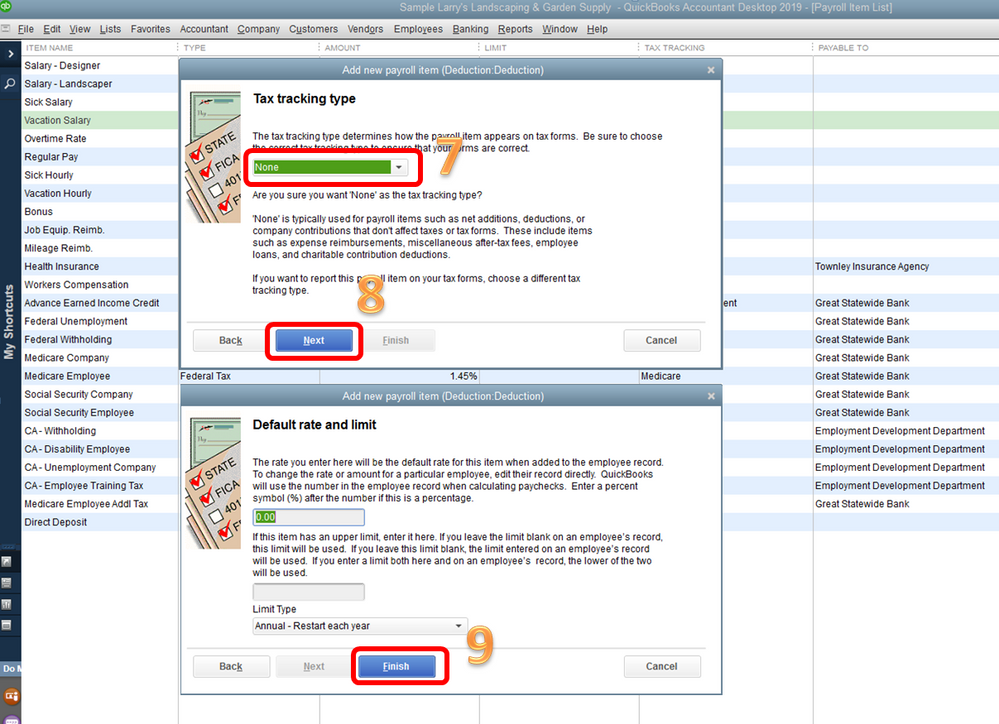
In case you want to assign the item to the employee, follow these steps:
- Click Employees at the top, choose Employee Center.
- Double-click the employee name.
- Add the item on the Earnings or Additions, Deduction and Company Contributions table.
- Click OK.
Let me share this article too for future reference: Set up a new employee in QuickBooks Desktop Payroll.
That should get you on the right track.
Please let me know how that works for you. I'm to here provide any additional assistance if you need anything else. Have a good one.
