

- Mark as New
- Bookmark
- Subscribe
- Permalink
- Report Inappropriate Content
Employees and payroll
Thanks for joining us, ReboundPT.
You can definitely unselect a specific employee when running a scheduled payroll in QuickBooks Desktop (QBDT).
Let me show you how:
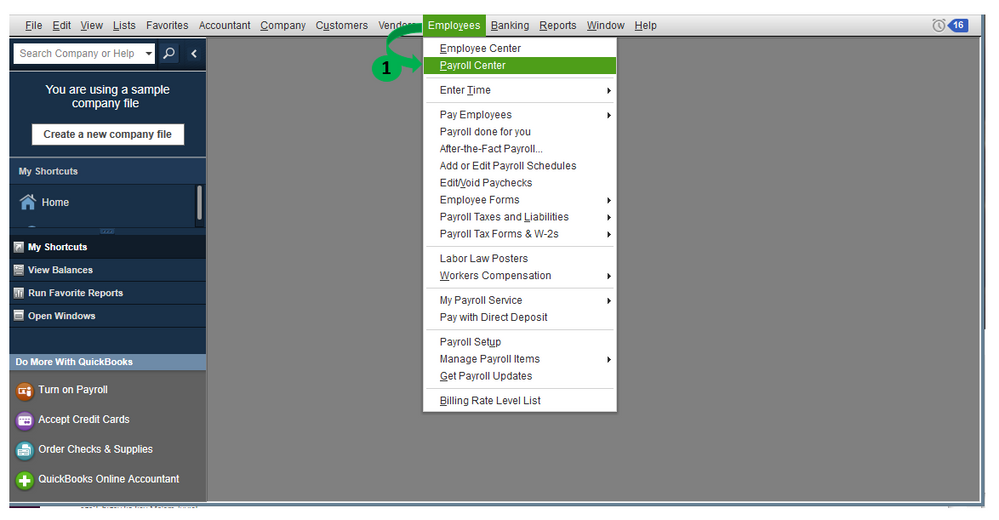
- Go to Employees and Payroll Center.
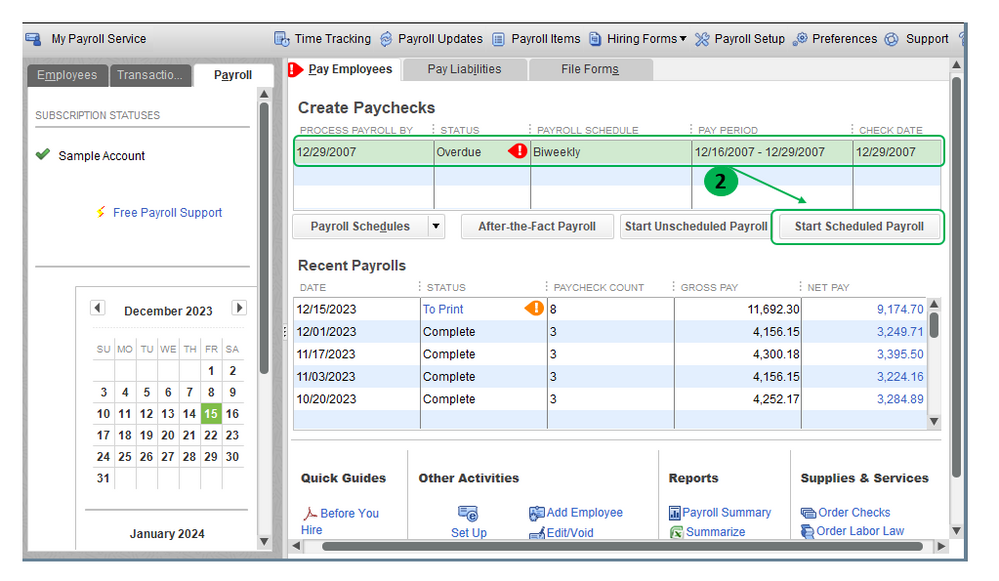
- In the Pay Employees tab, highlight the payroll schedule and click on Start Scheduled Payroll.
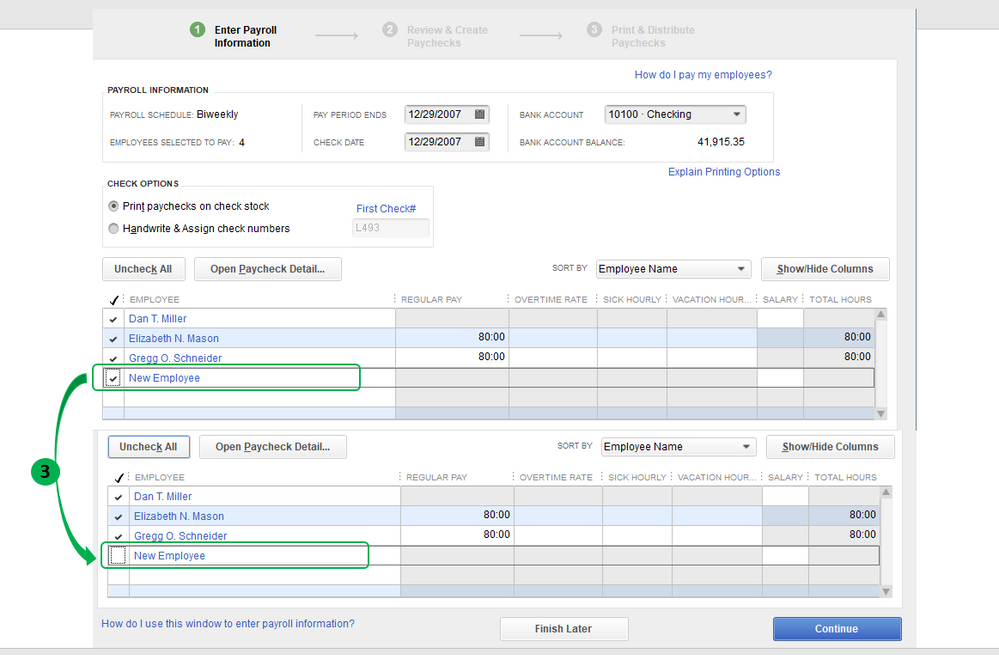
- Uncheck the employee's name and continue to run payroll.
For visual reference, I've attached some screenshots below.
I'm linking some of our great resources about payroll in QBDT:
Let’s me know if you need anything else. I’m always glad to help. Have a wonderful day!
