

- Mark as New
- Bookmark
- Subscribe
- Permalink
- Report Inappropriate Content
Employees and payroll
Thank you for providing more details, 1231.
From what you’ve shared, it looks like you’re in the Transactions menu for a specific project. The filters in this menu work a bit differently, and the Time filter isn’t available here.
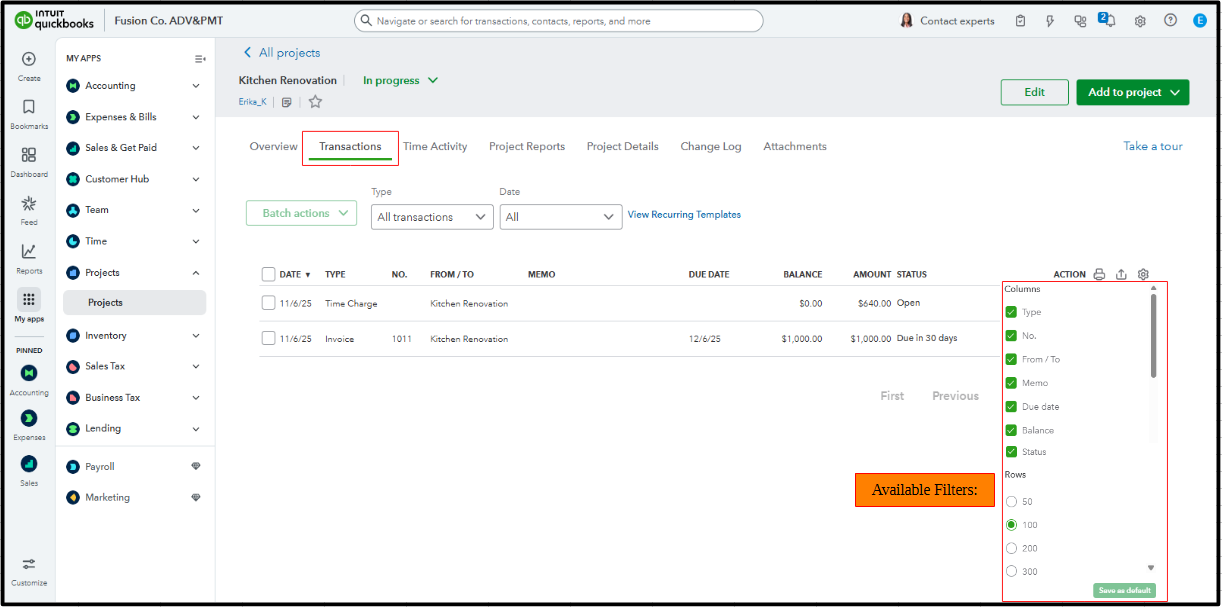
Now, what my colleague mentioned above refers to the main Projects page rather than the Transactions menu located within a specific project. That’s why the Time filter is available there. For time entries to appear in the Transactions menu, the related transactions must be marked as Billable. They will then show up as Time Charges. 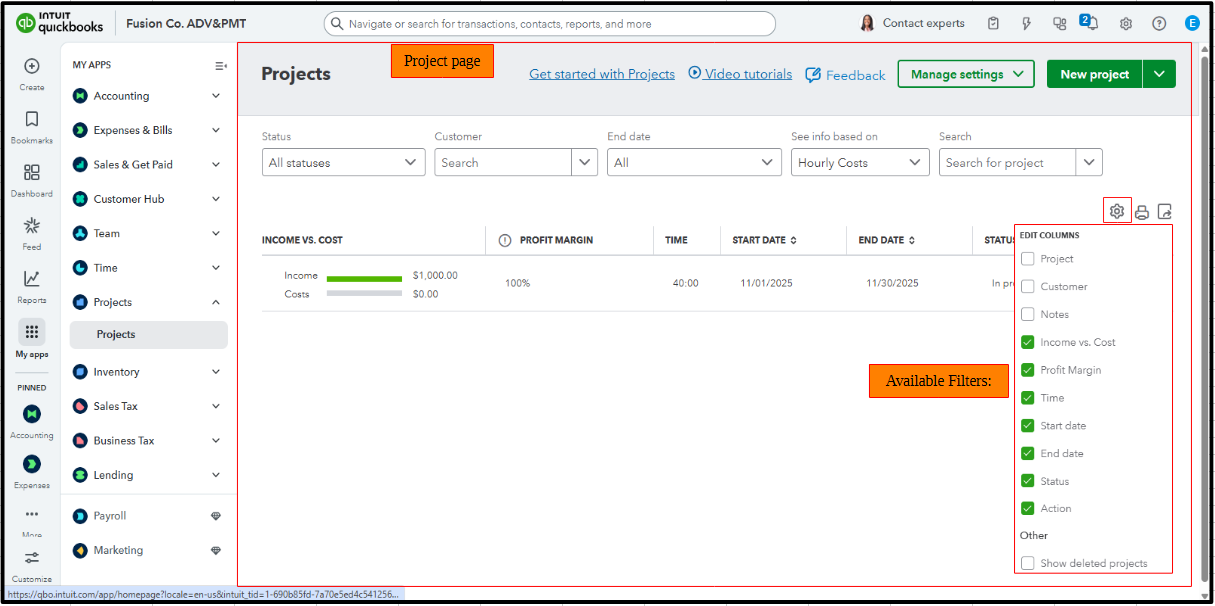
On top of that, I recommend checking out Time Activity. It allows you to view all time entries for a specific project, whether they are marked as billable or not. 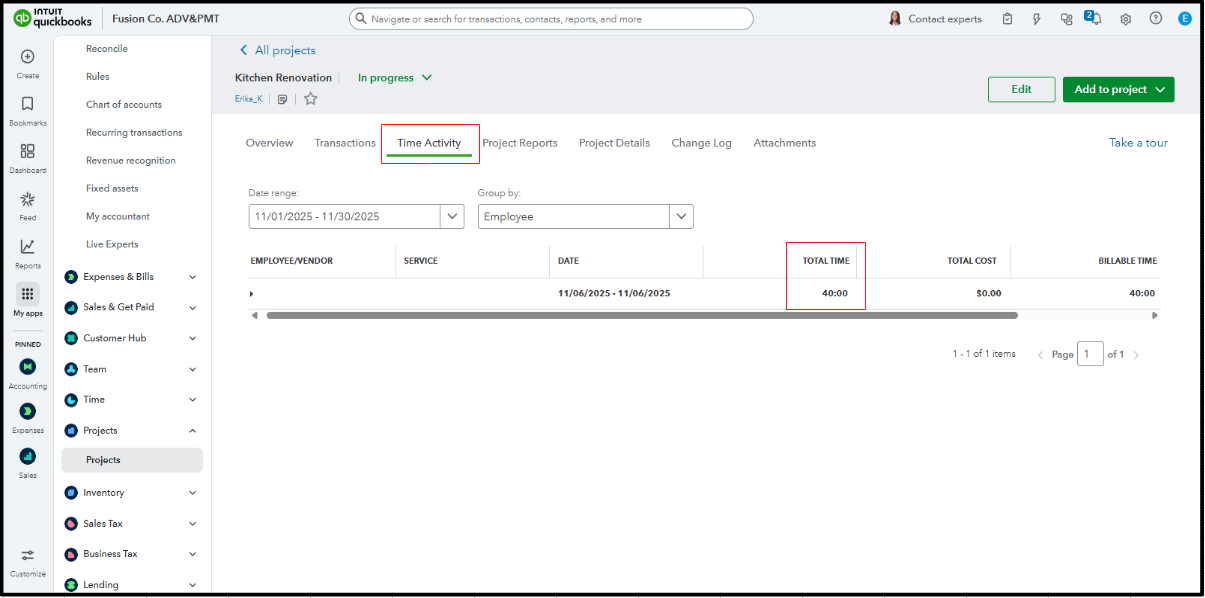
Add a Reply below if you have follow-up questions about your employee's time entries within your projects.
