

- Mark as New
- Bookmark
- Subscribe
- Permalink
- Report Inappropriate Content
Employees and payroll
I understand your need to view employee time entries directly within the Transactions page of a specific project. I'm here to provide clarity and options to address this.
For the time entries to appear on the Transactions page, you can mark them as Billable. Here's how to do it:
- Open a specific project, then head to Time Activity.
- Locate your employee and click the amount.
- In the Timesheet page, mark it as billable so that this entry will appear on your Transactions page.
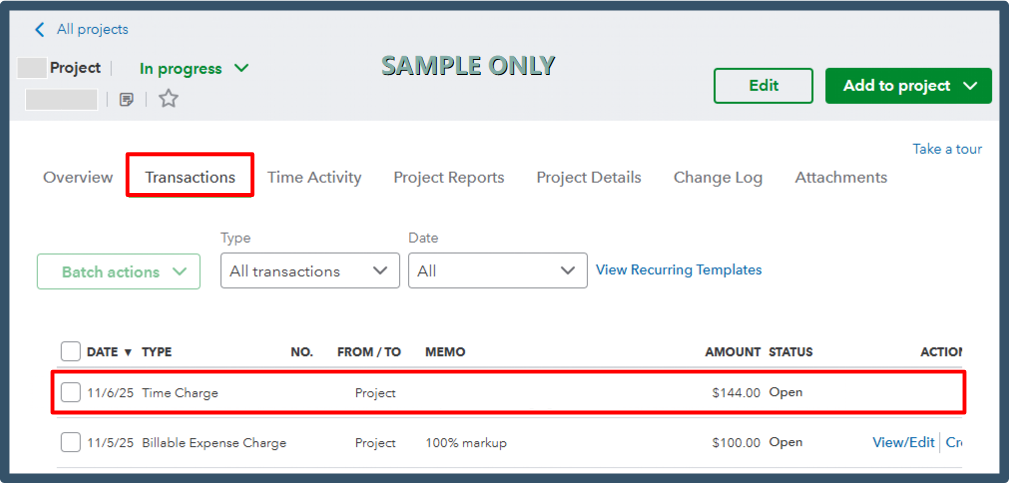
When a time entry is marked as billable for a project, this will display as a Time Charge in the Transactions column. Please see the attached screenshot for visual reference.
To track the total time associated with a project, you can also use the Time Activity section.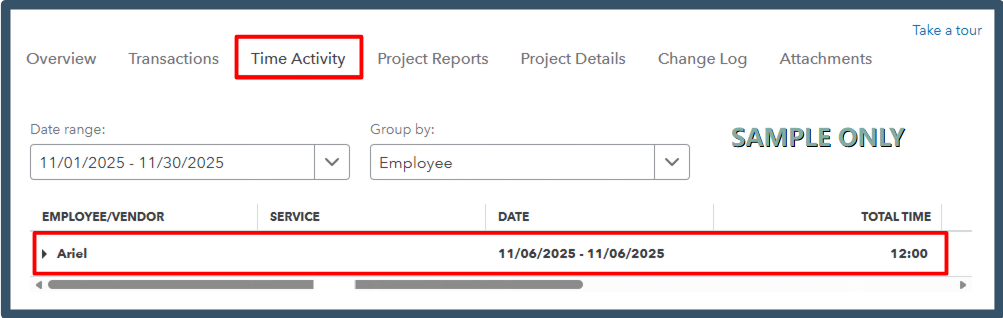
Please let us know if you need assistance with anything else. We're always here to help.
