

- Mark as New
- Bookmark
- Subscribe
- Permalink
- Report Inappropriate Content
Manage your account
That's a great question, Treecotrees. It's essential to get this right to ensure your record-keeping complies with regulations.
As mentioned by SIAB, QuickBooks Online supports one business entity per subscription.
Combining financials from two businesses in a single bookkeeping system can lead to several issues, including inaccuracies in tax reporting, mismanagement of income and expenses, higher audit risks, and difficulty in evaluating the performance of each business separately.
To avoid these issues, it’s best to maintain separate QuickBooks Online subscriptions for your company and sole trader operations. This ensures both entities remain organized and compliant with tax laws, making financial management smoother and reducing the chances of potential problems.
You can use the same email and login credentials for both accounts. This makes it easy to manage and toggle between them. Here’s how:
- Log in to your QuickBooks Online account.
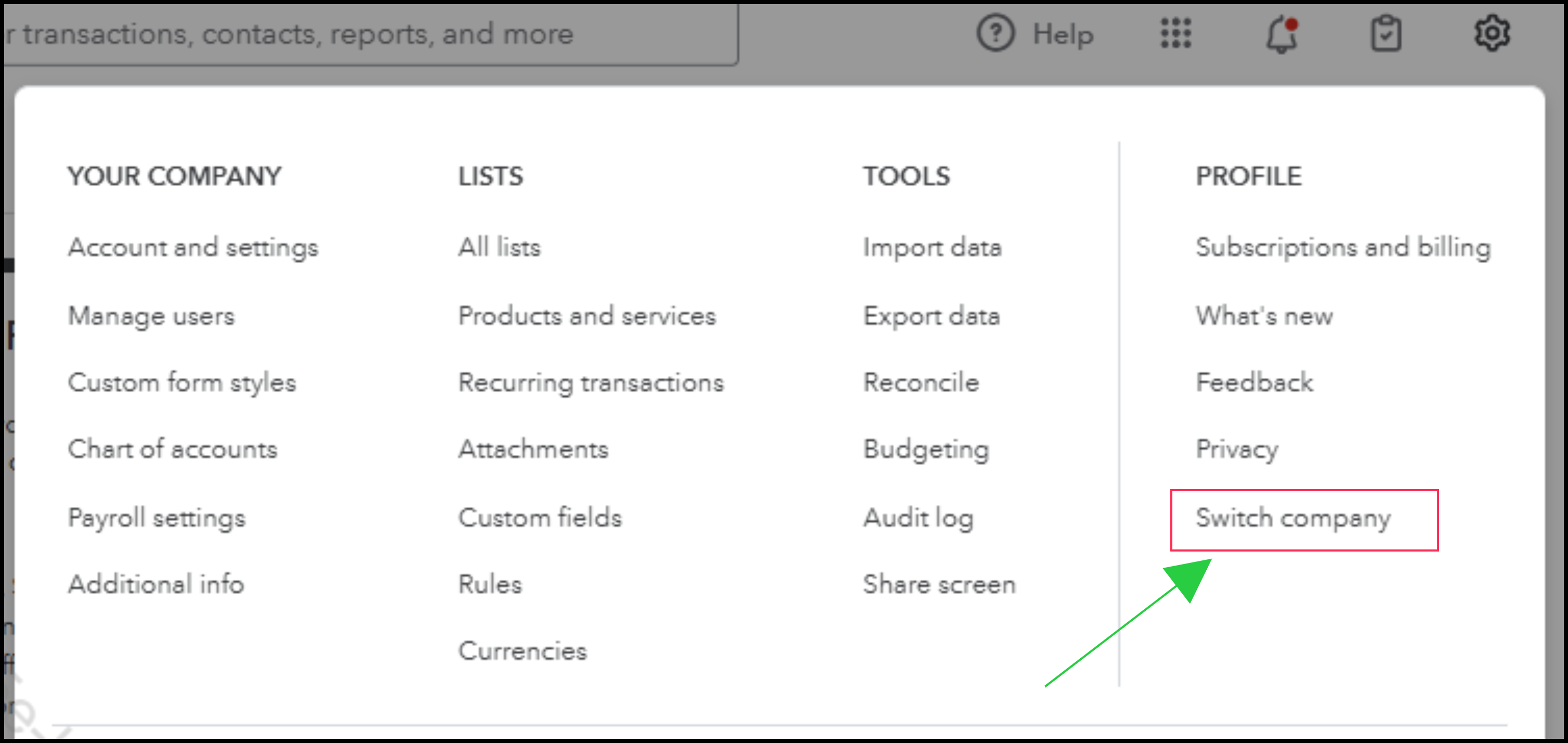
- Click the Gear icon.
- In the PROFILE section, select Switch company.
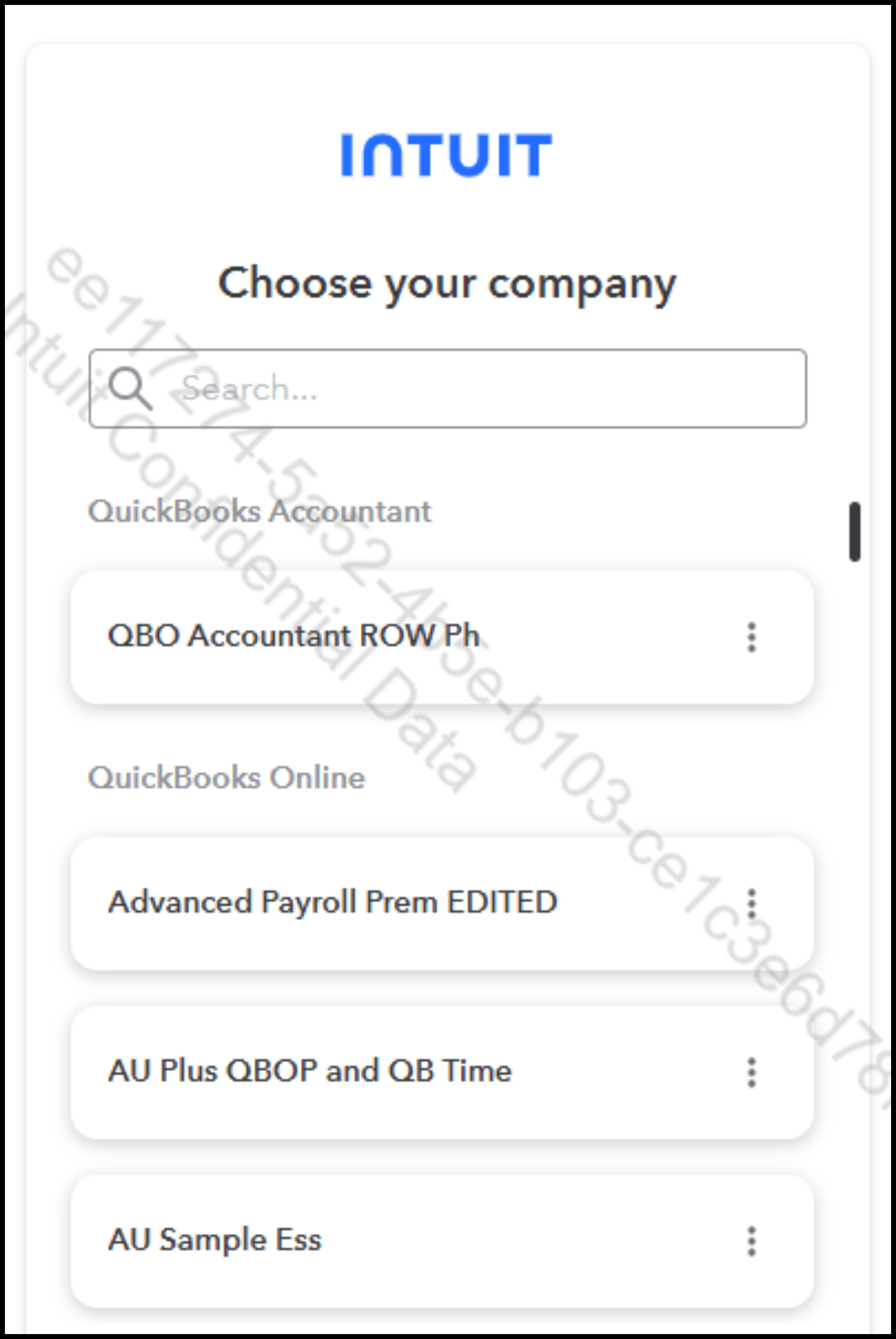
- Choose the company you wish to access.
This approach keeps your finances structured and separate while still allowing you to manage both accounts efficiently with a single login.
If you have any further questions or require additional assistance, please add a comment below. We are here to help.
