

- Mark as New
- Bookmark
- Subscribe
- Highlight
- Report Inappropriate Content
Other Questions
Let me provide some of the differences between business and accountant view, Mark Armistead.
QuickBooks Online (QBO) provides certain views where in you can display your account information. Business view, is usually recommended to those who are brand new to accounting. This simplifies your workspace so day-to-day tasks like sales and billing are easier. Aside from that, this also let you do your accounting without learning complicated accounting terms and processes.
On the other hand, if you have accounting experience and wants to complete control over features, you can use the accountant view. This uses standard accounting language. If you've used QuickBooks Online for a while, accountant view is most likely what you're used to seeing.
Also the key difference between business and accountant view is that, in business view, cash flow chart is visible on the accountant dashboard but not not accountant view. In business view, accounting language is simplified and the names of some features, buttons, and menus differ from accounting view. To change your view between Business and Accountant view, follow the steps below:
- Select Settings ⚙.
- Select Switch to Business view or Switch to Accountant view.
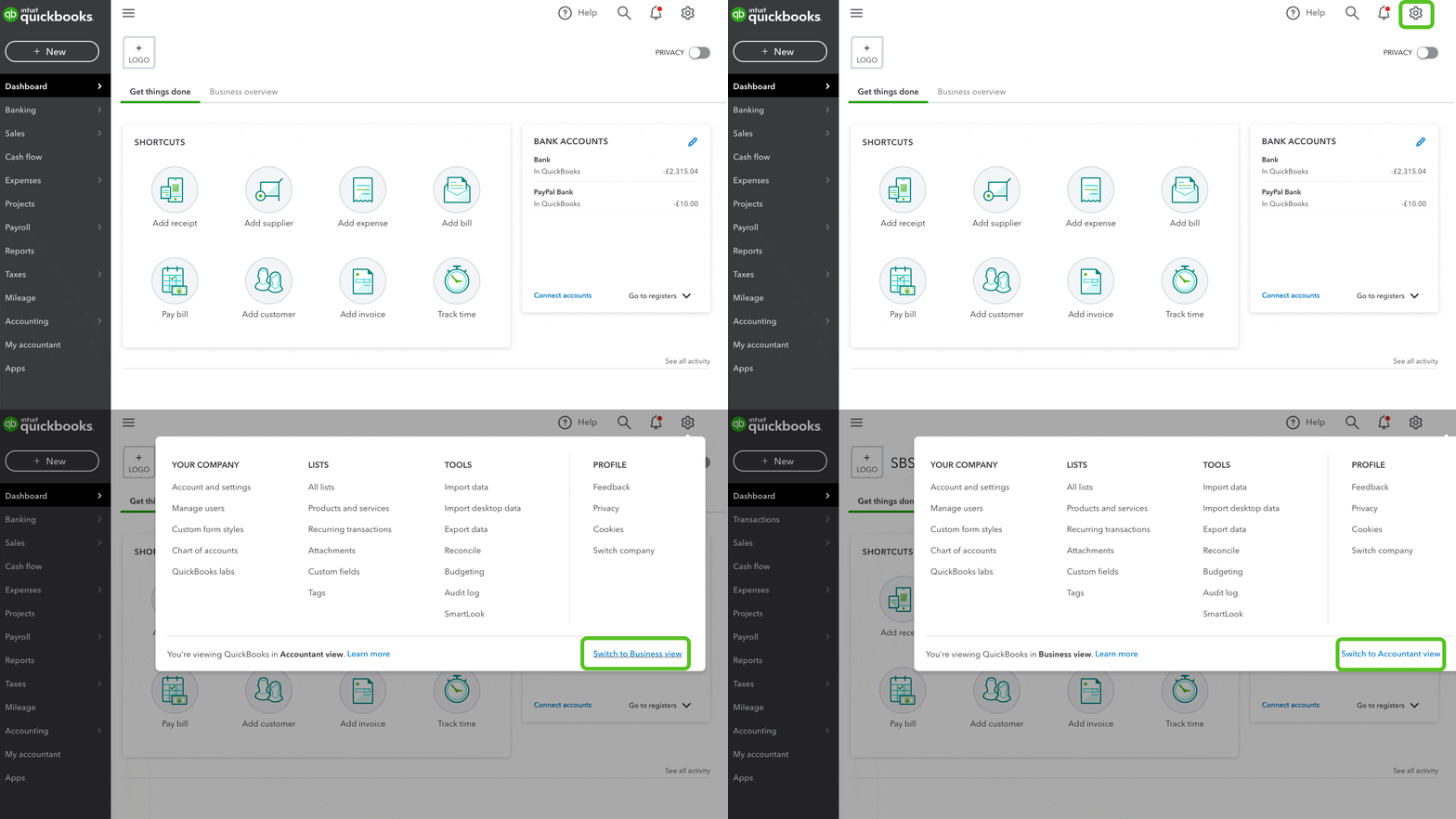
Furthermore, QuickBooks allows you to invite different users through the Manage Users page. You may want to give access to your accountant, I've added this article for your guide: Managing Accountant Users In QuickBooks Online.
Please get back to us if you need further assistance with the different kinds of view in QBO. We're here to make sure you get what you need.
