

- Mark as New
- Bookmark
- Subscribe
- Permalink
- Report Inappropriate Content
Other questions
You can review the accounts tied to the products and services you're attempting to import in the Chart of accounts and make it active, Gage B.
The error you've encountered usually arises due to account-related settings or mismatches during the import process.
Here's how to make an account active:
- Go to Settings in the upper right corner.
- Under Your Company, select Chart of accounts.
- Click Make active next to the account name.
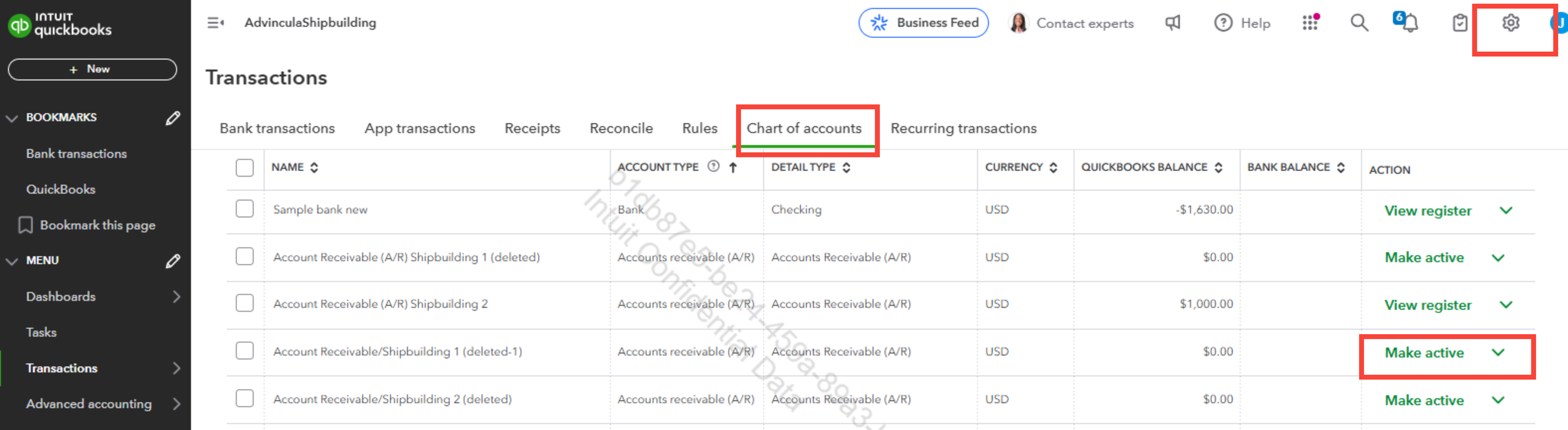
If the option Make active doesn't appear in the Chart of Accounts, click the small gear icon in the upper-right corner and select Include inactive to display inactive accounts.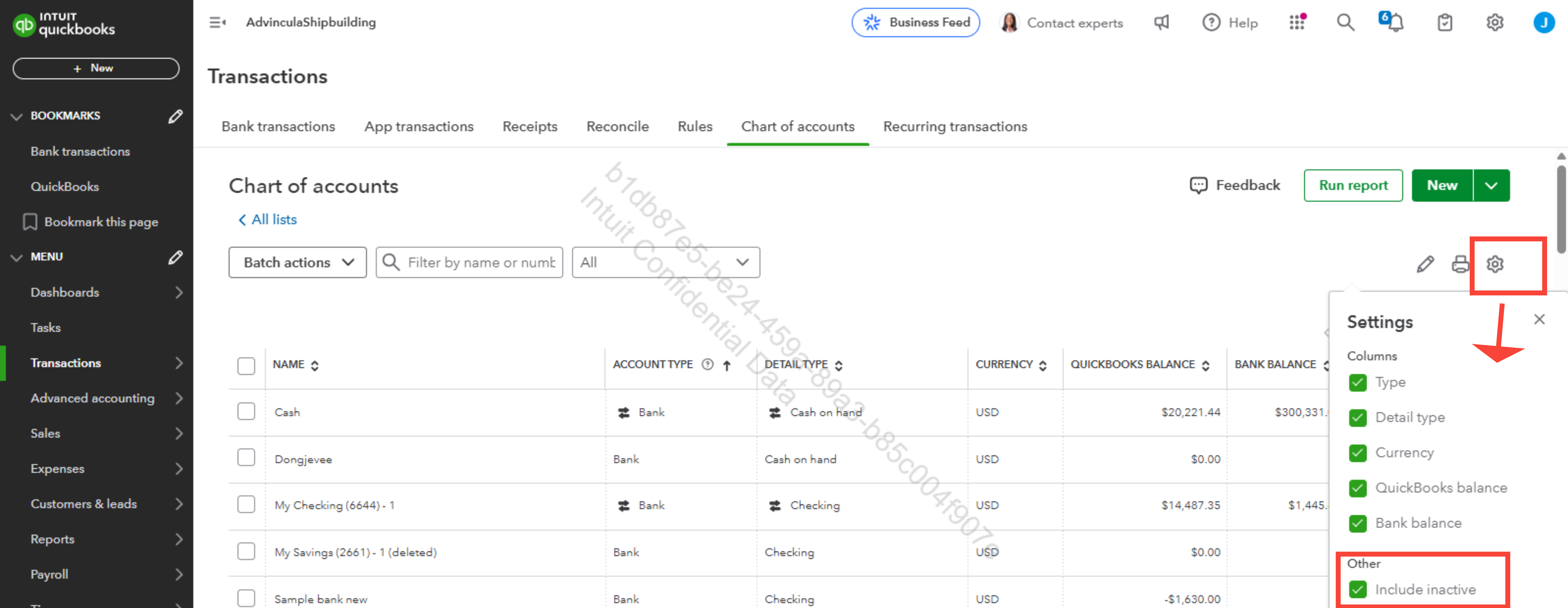
You can refer to this article on how to make accounts inactive from your chart of accounts: Make an account inactive on your chart of accounts in QuickBooks Online.
Also, you can check out this resource on how to organize your products and services in QuickBooks Online: Group products and services into different categories in QuickBooks Online.
Please feel free to reach back out if you have any other questions. We're here to provide continuous assistance.
