

- Mark as New
- Bookmark
- Subscribe
- Permalink
- Report Inappropriate Content
Other questions
Thanks for getting back here, @jeffbean.
I'm here to help you edit your recurring invoice that includes next month's Billable Expenses. Here's how:
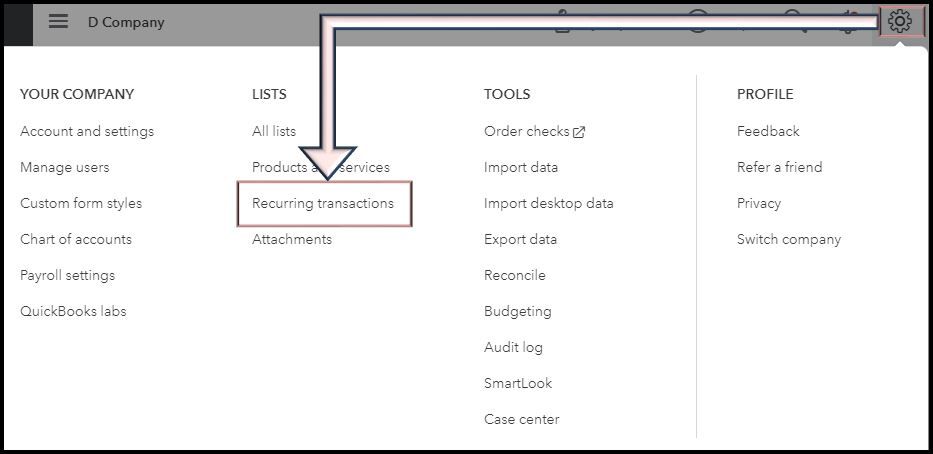
- In QuickBooks, go to the gear icon and select Recurring transactions.
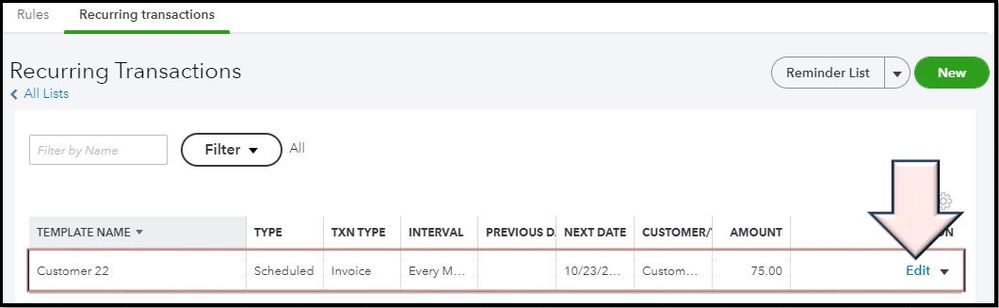
- Select the recurring template you want to change and click Edit.
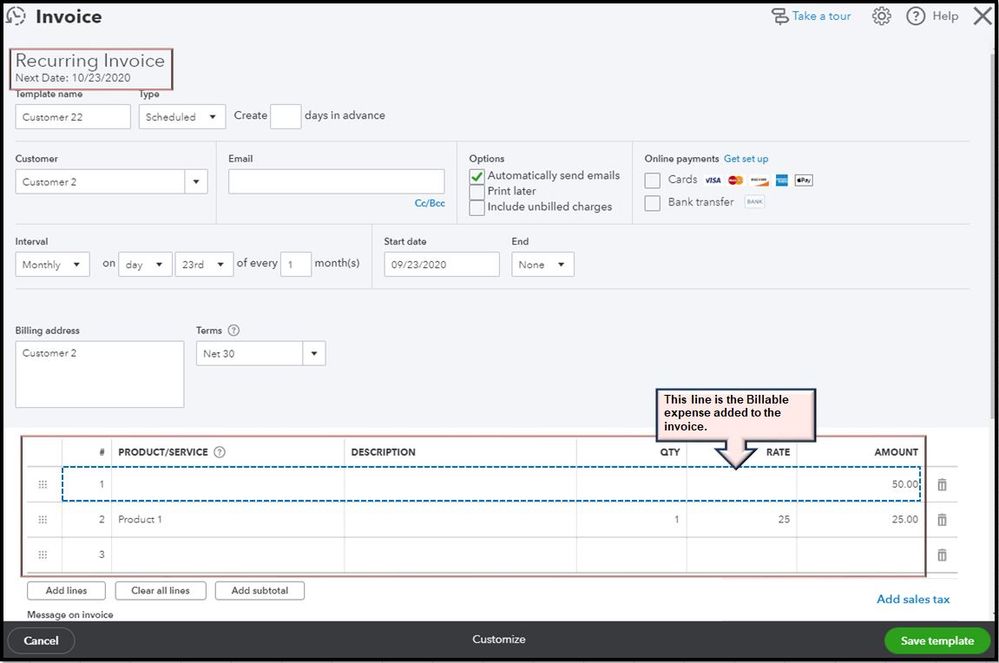
- Once the transaction is opened, update the necessary info.
- Hit Save template when done.
To know more about managing your recurring invoice in QBO, please visit this article: Create recurring transactions in QuickBooks Online.
Also, you may consider reading helpful articles that can guide you in managing your books in QuickBooks Online: QBO help articles. This includes topics such as setting up and connects apps, track employees' time, set up online payments, etc.
You can always get back here if you have other concerns or questions about invoices in QBO. I'll be here to help you. Stay safe.
