- Mark as New
- Bookmark
- Subscribe
- Permalink
- Report Inappropriate Content
How to add a delayed credit to a customers account, something like pre-paying ahead of time

- Mark as New
- Bookmark
- Subscribe
- Permalink
- Report Inappropriate Content
Sales & Customers
Greetings, @miltduquette,
Thanks for the time you've given checking this with our forum. I'm here to help you record a delayed credit in QuickBooks.
Great news! Applying a delayed credit for you clients in QBO can be done in just a few clicks. Here's how:
- Click the Plus icon (+).
- Select Delayed Credit.
- Fill out all necessary fields on the transaction.
- Hit Save and close.
Once done, apply the delayed credit to the invoice to update the customer’s balance. Follow the steps below:
- From the Toolbar, click the Plus icon (+).
- Choose the Invoice.
- Select the customer name and complete form.
- All available delayed credits are listed on the right pane.
- Click Add to include the delayed credit to the invoice.
- Tap Save and close.
You may want to check out this article to learn more about processing delayed credit in QuickBooks: Enter and apply a credit note or delayed credit
That should get your work done for today, @miltduquette. Let me know if you have any questions about the steps by leaving a comment below. Have a great day!
- Mark as New
- Bookmark
- Subscribe
- Permalink
- Report Inappropriate Content
Sales & Customers
Thanks for responding.


- Mark as New
- Bookmark
- Subscribe
- Permalink
- Report Inappropriate Content
Sales & Customers
Hello there, Miltduquette.
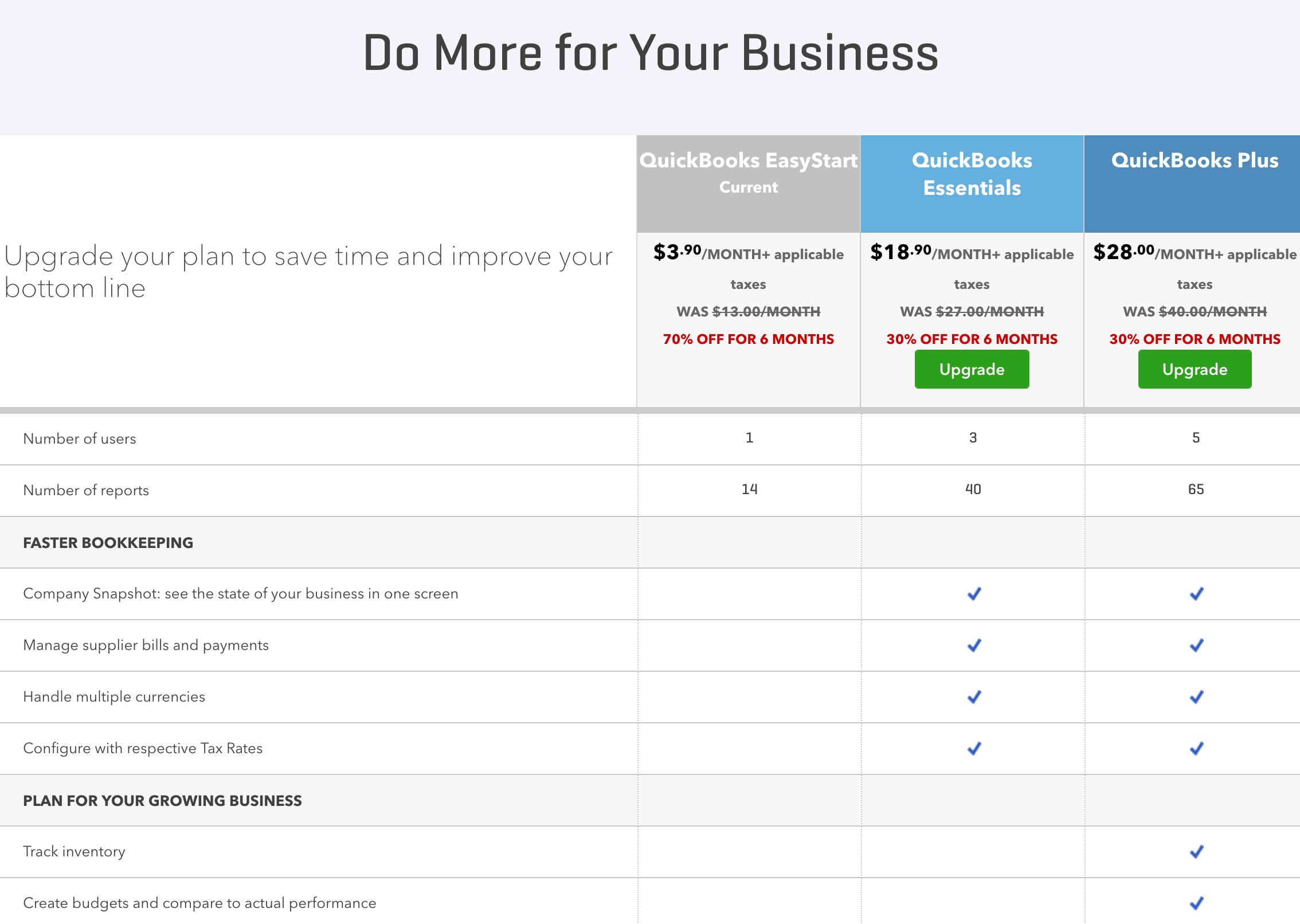
I see that you're using QuickBooks Online EasyStart. The Delayed Credit feature is only available in the Essentials and Plus versions.
I suggest recording a retainer instead. You record this if your customer makes an advanced payment. For the detailed steps, please check this article: How to record a retainer or deposit.
We're just around if you need more of our help. Have a nice day!