

- Mark as New
- Bookmark
- Subscribe
- Highlight
- Report Inappropriate Content
VAT
I appreciate you following the troubleshooting, MickP.
Since the steps provided has the same result, I recommend contacting our QuickBooks Desktop support. They can check your account and provide an alternative on how you can export the VAT Detail report with the data you want.
Here's how:
Within your QuickBooks Company file, select QuickBooks Desktop Help from the Help menu

Alternatively, you can also press F1 on your keyboard to bring up the same Help Panel below:
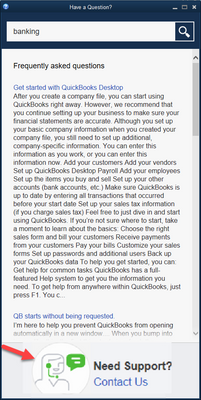
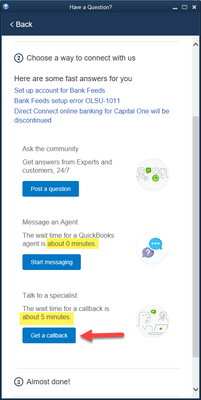
In order to route you to the correct support expert, we need to know what type of question you have. Give a brief description of your issue and click Continue.
- Message an Agent – Allows you to chat directly to a support agent.
- Talk to a Specialist – Arranges a callback from a support agent.
You can also go to our contact web page intuit.me/qbdt to message us if you cannot open your product.
Let me know if you need anything else, I'll be right here to help.
