
No results found
No results found



Automate your inventory in 3 simple steps
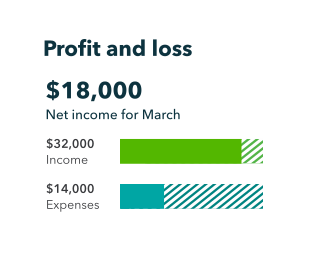
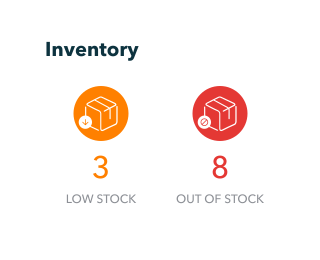
3. Integrate Stockpit or Erplain seamlessly
Link Stockpit or Erplain to QuickBooks to automatically track and report on your inventory.
Streamline your inventory management, income & expense tracking & more with QuickBooks, Stockpit or Erplain.
| Features and Functions | Quickbooks Simple Start | Quickbooks Essentials | Quickbooks Plus and Advanced | Stockpit Smart | Erplain Premium | ||||
| Track income and auto-sort expenses | |||||||||
| Send custom invoices & quotes | |||||||||
| Connect your bank | |||||||||
| Track GST and VAT | |||||||||
| Insights & reports | |||||||||
| Progress invoicing | |||||||||
| Manage bills & payments | |||||||||
| Track employee time | |||||||||
| Multi-currency | |||||||||
| Basic inventory tracking | |||||||||
| Track project profitability | |||||||||
| Manage budgets | |||||||||
| Stock levels | |||||||||
| Inventory valuation | |||||||||
| Synchronising sales from QuickBooks | |||||||||
| Multiple stock locations | |||||||||
| Shipping orders | |||||||||
| Barcode scanning | |||||||||
| Custom price levels | |||||||||
| Multiple currencies for inventory | |||||||||
| Product bundles / kitting | |||||||||
| Batch / lot tracking | |||||||||
|
Free 30-day trial
See pricing below |
Free 30-day trial
See pricing below |
Free 30-day trial
See pricing below |
Free 14-day trial
$39 per month Integrates with all QuickBooks plans |
Free 14-day trial
$134 per month Integrates with QuickBooks Online Plus and Advanced only |
|||||
Choose a QuickBooks plan to suit your business
Please note, Stockpit works with all QuickBooks plans. However, Erplain only integrates with the Plus and Advanced plans.
Reviews that speak volumes
Discover what makes QuickBooks Online the #1 accounting software for small businesses.1


★★★★★
QuickBooks makes it easy to manage the finance operations of our business! We use QuickBooks daily to track expenses, revenue and to invoice our customers! It’s easy-to-use and allows us to easily collaborate with our bookkeeper!
★★★★★
I use QuickBooks on a daily basis for invoicing clients, bank reconciliation as well as looking at the various reports. I have customised the reports to show the time period and categories that are useful for our business.
Call sales: +65 31633422

