 QuickBooksHelpIntuit
Getting started with Pro Tax
by Intuit• Updated 5 months ago
Below are steps on how to access Pro Tax through:
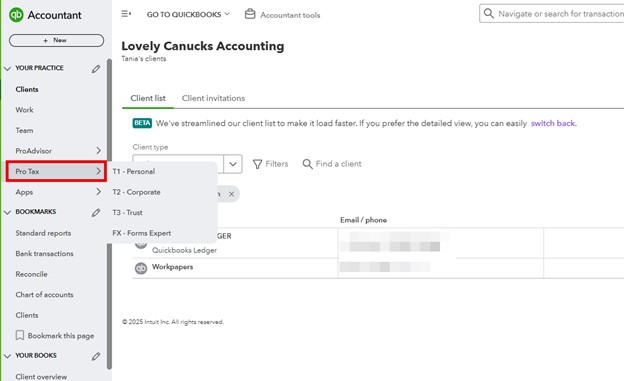
Accessing Pro Tax via QuickBooks Online Accountant (QBOA)
- Login to QBOA.
- Select Pro Tax. It's accessible on the navigation bar, under the heading Your Practice.
- Hover over and select a module (T1, T2, T3, or FX)
- By default, if you select Pro Tax, it'll take you directly to the T1 module.
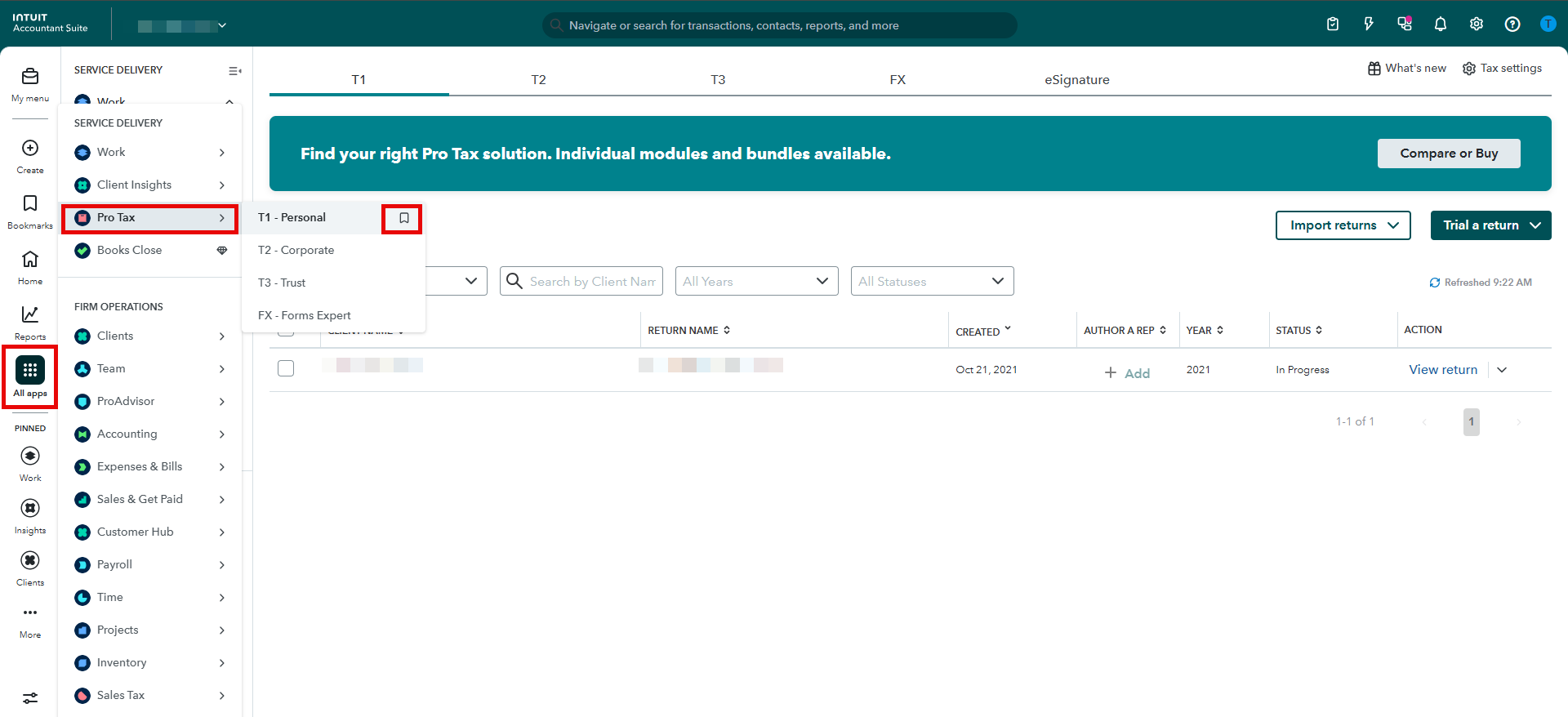
Accessing Pro Tax via Intuit Accountant Suite (IAS)
- Toggle to and select Work.
- Select Pro Tax.
- Hover of the specific module you want to work on, for example T1 - Personal.
- Use the bookmark icon to save this page for quick access later.
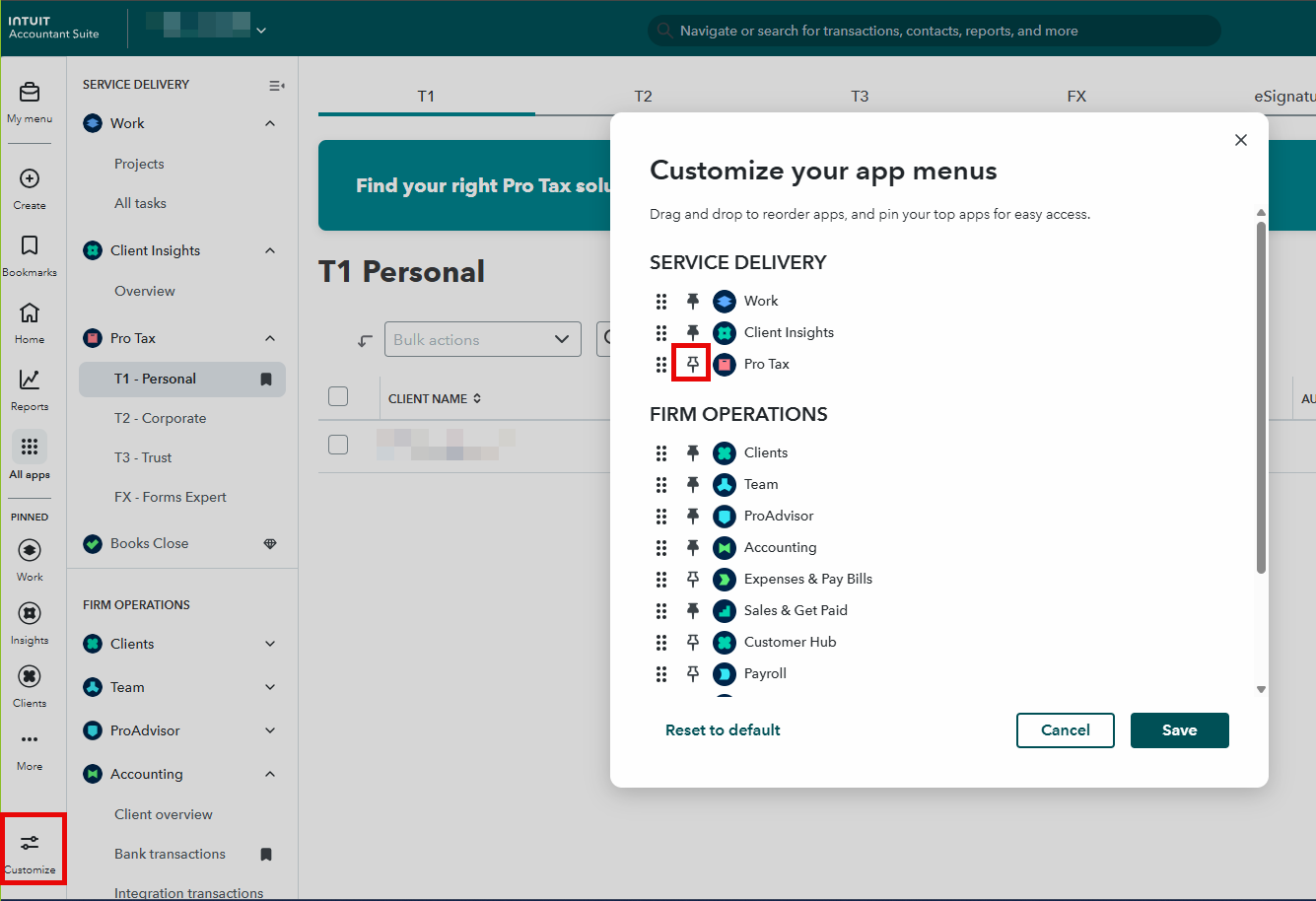
Tip: You can also pin Pro Tax to the left navigation bar by choosing Customize and then activating the pin next to Pro Tax.
More like this
- Start a new return in Pro Taxby QuickBooks
- Pro Tax frequently asked questionsby QuickBooks
- How to contact Intuit Accountant Suite Pro Tax and Workpapers supportby QuickBooks
- EFILE a T1 T1134 return in Pro Taxby QuickBooks