 QuickBooksHelpIntuit
Entering General Index of Financial Information (GIFI) codes in Pro Tax
by Intuit•1• Updated 2 months ago
GIFI stands for General Index of Financial Information. It's a list of common financial statement items, with each item having its own code. The CRA's goal in developing the GIFI is to provide a list of financial statement items that'd let corporations to report information from their balance sheets, income statements, and statements of retained earnings.
Corporations make use of GIFI codes when preparing balance sheets (S100), or financial statements (S125).
In either the S100 or S125, a GIFI code is selected by using dropdown boxes under each code: Assets, Liabilities, Equity, and Revenue.
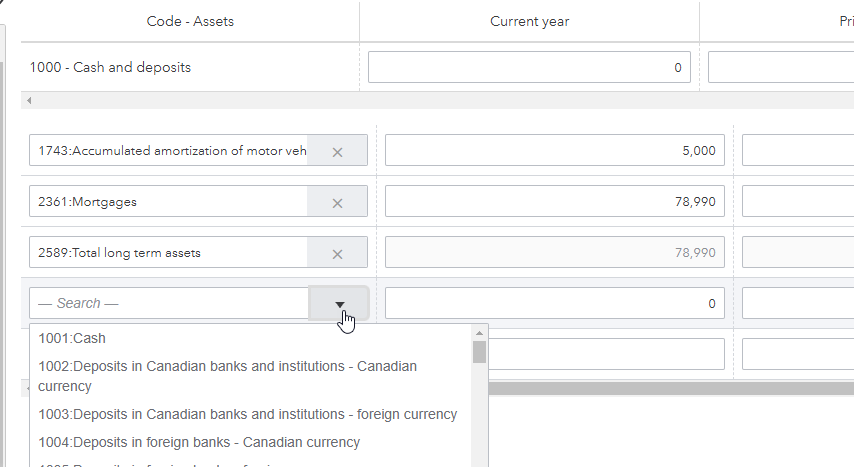
Due to CRA software specifications, some GIFI codes will only be entered as a sum of other codes and amounts cannot be manually entered. They will be calculated automatically by Pro Tax. See here for a list.
How to find correct GIFI codes based on Keywords
To locate GIFI codes that may need to be used in a return, you may refer to the CRA’s GIFI code list here.
Within the GIFI code list, you can search for specific keywords to find GIFI codes. This can be done by selecting CTRL + F on your keyboard. A search bar will appear.
Further support
For more information on finding which GIFI codes to use, please contact the CRA’s business tax support line at 1-800-959-5525.
More like this