 QuickBooksHelpIntuit
QuickBooks Online Accountant left navigation panel changes for Pro Tax
by Intuit• Updated 5 days ago
We've changed the left panel menu to make it easier to find the tools you need from QuickBooks Online. This makes it easier to access QuickBooks Online Accountant Pro Tax.
If you are in your QuickBooks Online Accountant client, you can access Pro Tax directly from Books to Tax in the left pane. This creates a better streamlined workflow from book review, to Workpapers and then to create a return.
Table of contents:
| ‣ How can I access this tab? |
| ‣ Is there anything I need to do? |
| ‣ Changes to tax mapping |
| ‣ Start your return from tax mapping |
How can I access this tab?
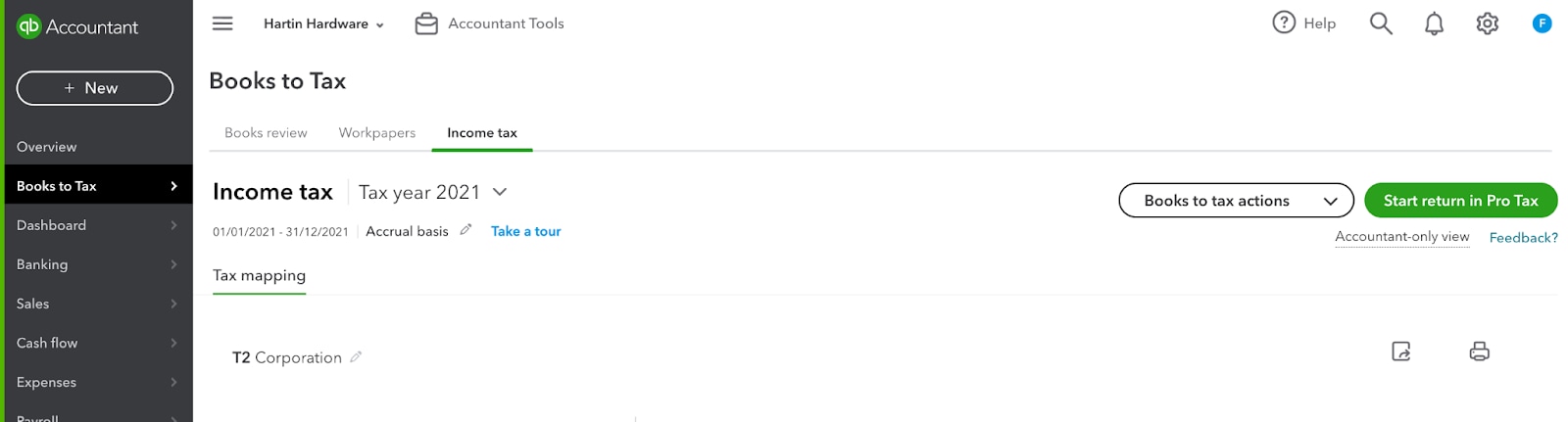
- Log into a QuickBooks Online Accountant attached client file (ensure the clients file is set to accountant view).
- From the left navigation select Books to Tax.
- Select Income tax.

Is there anything I need to do?
Not at this time. You now have the option to access Pro Tax directly from QuickBooks Online Accountant. Your entries and data will remain the same.
Changes to tax mapping
- The tax mapping feature has been removed from Workpapers in Canada only.
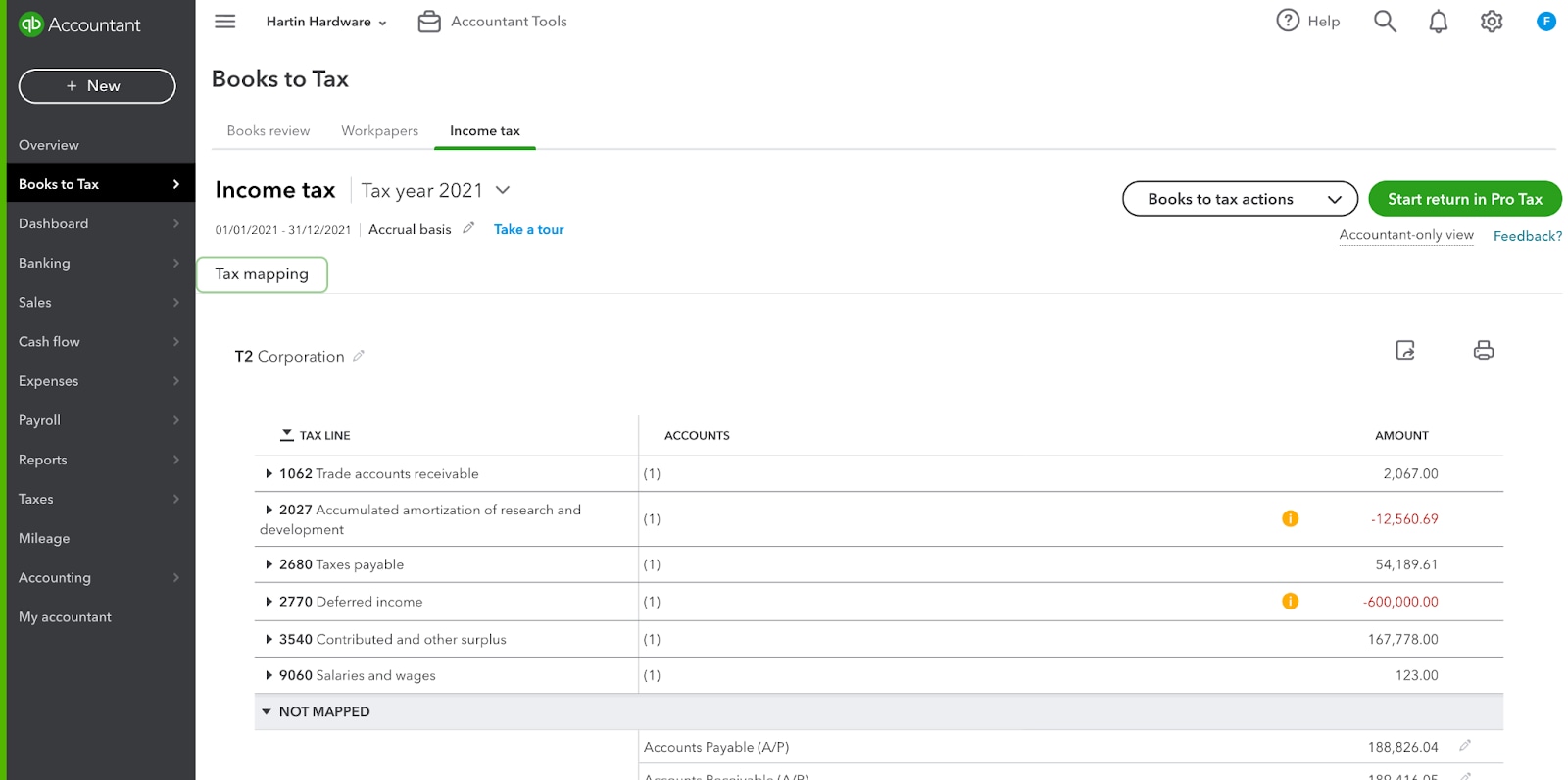
- The tax mapping feature is added to the new Tax mapping tab in the Income tax area.
- Tax mapping behaves the same as it did in workpapers, unless otherwise specified.
Start your return from tax mapping
Users can click a button in the tax mapping area that will take them to the Start a return in Pro Tax experience.
More like this
- Pro Tax release notesby QuickBooks
- Pro Tax frequently asked questionsby QuickBooks
- Create new T1, T2, T3, and FX returns in Pro Taxby QuickBooks
- We've updated your view of Workpapersby QuickBooks