 QuickBooksHelpIntuit
Request a refund for your product
by Intuit•1749• Updated 2 weeks ago
Learn how to request a refund for a QuickBooks product you purchased, including desktop software, subscriptions, hardware, and app store purchases. Eligibility usually depends on the product type, purchase source, and time since purchase.
Eligibility for a refund
In most cases, if you purchased a QuickBooks Desktop product or an annual subscription for QuickBooks Online, and it’s within 60 days of the purchase date, you’re eligible for a refund under our satisfaction guarantee. There are some exceptions, so check our return policy for details.
Note: The 60-day money-back guarantee does not apply to monthly QuickBooks Online subscriptions.
Purchases via mobile app store
If you made a purchase through an app store (Google Play or Apple's App Store), you need to request a refund through the app store.
Option 1: Fill out the request form here
You can use this form to request a refund for these products:
- QuickBooks Desktop
- QuickBooks Online
- QuickBooks Solopreneur
- Any Intuit or Intuit QuickBooks Workforce or QuickBooks Desktop Payroll product
Note: You can use this option even if you purchased from a retailer like Amazon or eBay.
To request a refund for other QuickBooks products, use option 2.
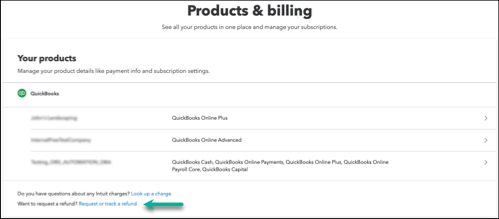
Option 2: Request a refund for other products and situations
Select your product or situation for detailed steps.
Common questions about refunds
More like this