

- Mark as New
- Bookmark
- Subscribe
- Permalink
- Report Inappropriate Content
Account management
This is just the place to get the answers you're looking for, @jbutler-lifefuels!
Yes, you can map a separate COGS account for SKUs B, C, and D that you've set up as a single item and as a bundle. All you have to do is choose the appropriate COGS account for each setup. I'll guide you how.
- Go to Lists and select Item List.
- Right-click on the item name and choose Edit Item.
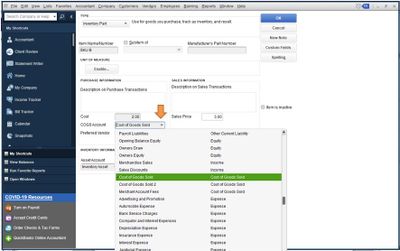
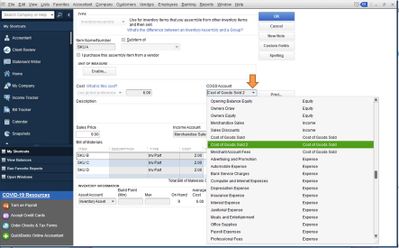
- Select the appropriate COGS account from the COGS Account drop-down. Refer to these screenshots.
- For the Inventory Part item type:
- For the Inventory Assembly (bundle) item type:
- For the Inventory Part item type:
- Click OK.
Let me also add these articles to learn more about managing your items and cost of good sold in QuickBooks Desktop:
I'm always here if you have other questions. Have a wonderful day!
