

- Mark as New
- Bookmark
- Subscribe
- Permalink
- Report Inappropriate Content
Banking
Hi luxurytoyx,
I guess there was a misunderstanding in the replies above.
A Sales Order (S/O) is a non-posting transaction, meaning it doesn’t affect your balances. Thus, it shouldn’t be a matching entry to your bank feed entries. It has a similar effect to an estimate, purchase order and vendor credit. They are non-posting transactions, and you won’t see them in your bank register.
On the other hand, a Sales Receipt is a posting entry and can be matched to your bank feed entries.
I’m wondering if the “order” you mentioned in number 3 is a sales receipt or a sales order. However, you kept on mentioning the word sales order (S/O), so I’ll take the missing entry as an S/O.
Let’s go back to the information above:
- Sale $100
- Reserve $10
- Bank Deposit of $90
Our goal here is to show a $90 deposit into your bank register, so it can be matched to your bank feed entry ($90).
In QuickBooks:
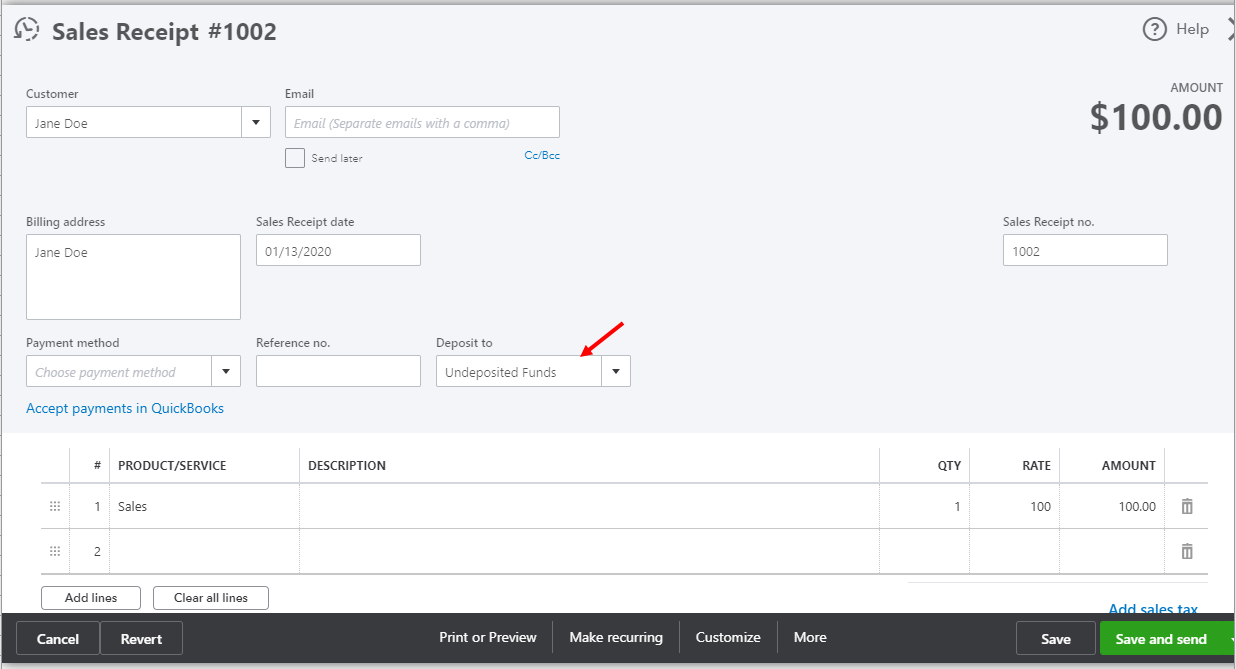
- Open your sales receipt ($100) and change the Deposit to field to Undeposited Funds.
- Deposit the sales receipt. New+ > Bank Deposit. Please have this checked by your accountant.
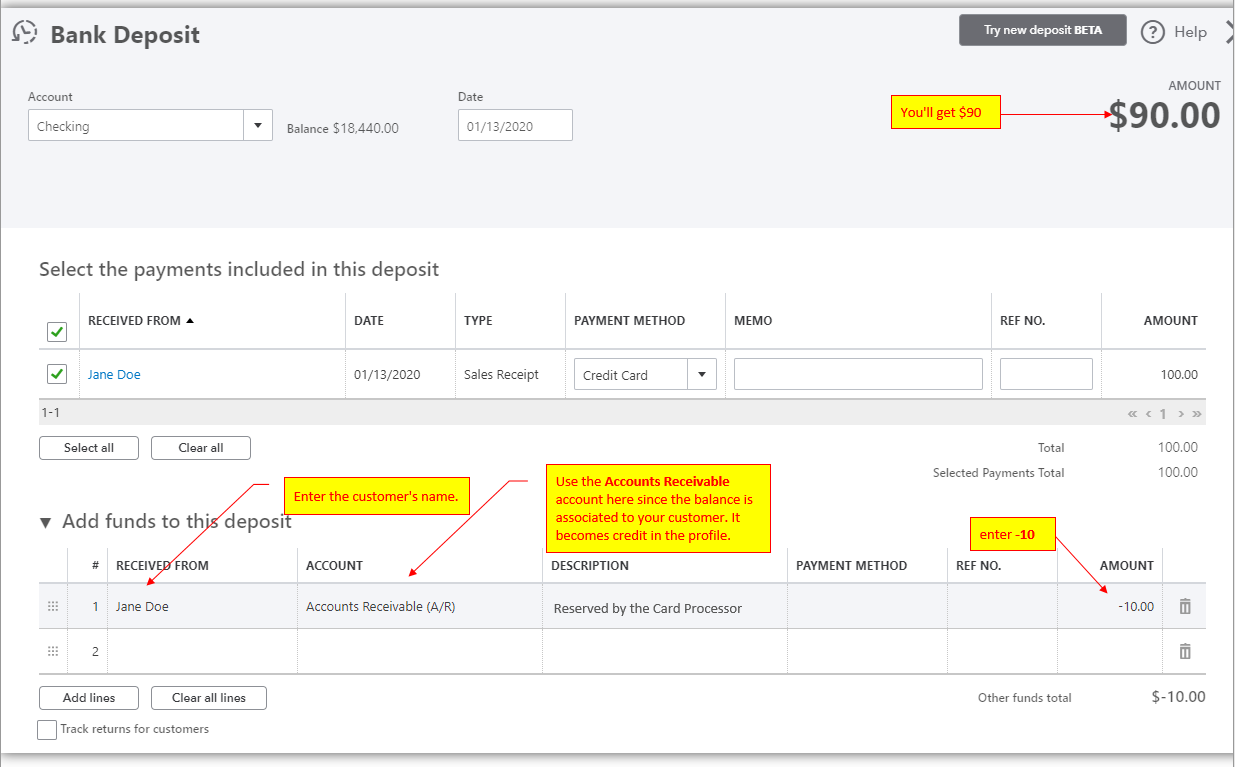
Now that you have a $90 deposit, you can match it to your bank feed entries.
On the other hand, the $10 stays as an open deposit (credit) on your customer's Transaction List. When the actual $10 is deposited to your actual bank account, you can make a Receive Payment entry. Then, select that deposit.
Feel free to let me know if you have other questions in mind.
