

- Mark as New
- Bookmark
- Subscribe
- Permalink
- Report Inappropriate Content
Employees and payroll
Let's make sure you'll be able to correctly record and match transactions, jna41.
A matched transaction is one that QuickBooks has recognized from the bank feeds that matches an existing transaction. Once employees are paid via Electronic Fund Transfer (EFT), transactions downloads automatically from the bank website to QuickBooks Online (QBO).
You can create a check or expense transaction. To do so, you can follow the steps below:
- Click + New.
- Select Check or Expense.
- Choose the Payee ▼ dropdown and find the name of your employee.
- Under the Category ▼ dropdown, select a liability account. Note: If you don't have one yet, you can add a new account. If you're using Online payroll, here's how you can create a reimbursement account.
- Enter the other information:
- Amount: Enter the amount owed to your employee. (Break down the amount into different line items if tracking or making billable for multiple customers.)
- Billable: (Optional) Check the box under Billable if you wish to offset the expense onto your customer's invoice.
- Customer: (Optional) Select a customer from the dropdown menu if you are looking to track the expense for a specific customer or customers. (Note: The Customer and Billable fields are not available in QuickBooks Online Simple Start, but in QuickBooks Online Plus and Advanced you may turn on the feature. See How do I turn on Billable Expenses?)
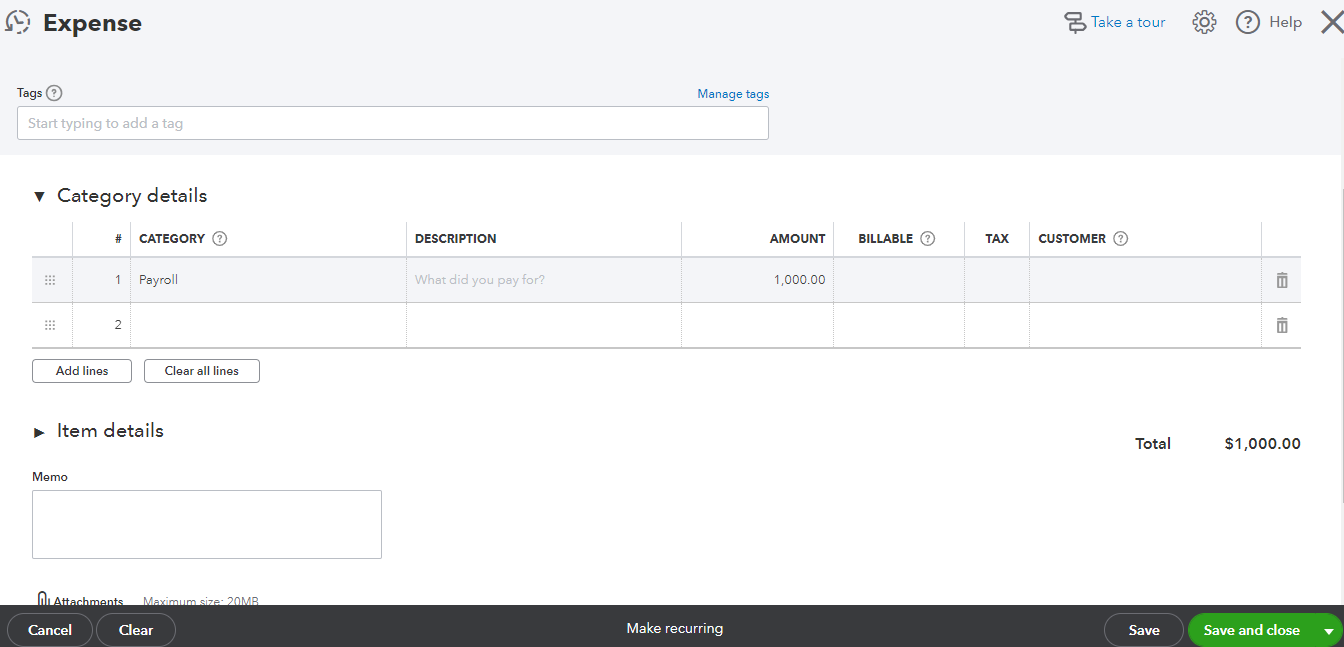
- Press Save or Save and close.
Once done, you can now match your expense transaction to your downloaded transactions.
To know more on how you can reimburse an employee in QuickBooks Online, go through this article for the detailed process: Reimburse An Employee In QuickBooks Online.
Moreover, you may want to review your accounts in QuickBooks to make sure they match your bank and credit card statements. To learn more, I've got this article for more details: Reconcile An Account In QuickBooks Online.
Keep in touch if you have any questions when matching transactions. I'll be right here to help you anytime.
