

- Mark as New
- Bookmark
- Subscribe
- Permalink
- Report Inappropriate Content
Employees and payroll
It's nice to have you here in the Community JANICEEEEE.
Authorized users are individuals who are authorized to access your company's Customer Account and represent your company when interacting with Intuit.
The steps below will help you with logging into My Account page:
- Sign in to your Intuit account.
- Select how you would like to receive your confirmation code. And select Continue. If you no longer have access to the email listed, select the option Confirm my account a different way.
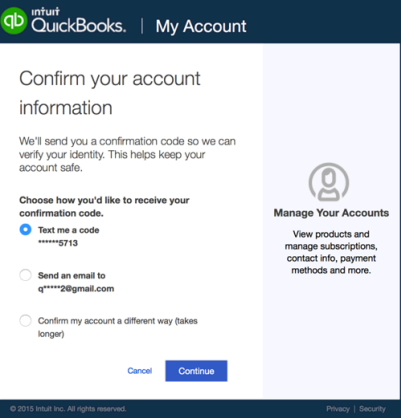
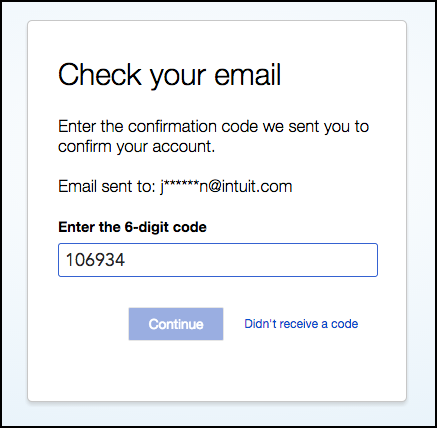
- Retrieve the confirmation code. It can sometimes take a few moments for the code to arrive. You may also want to check your bulk/junk/spam mail folder to see if the code went there. If the code does not arrive, you can select the Didn't receive a code link in the Check your email window to generate another code.
- Enter the confirmation code. And select Continue.
You can get more details in this article about login issues with My Account page: Resolve issues with My Account login.
The following articles will help guide you more about viewing your employee's paychecks online:
- Set up QuickBooks Workforce for your QuickBooks Desktop.
- Troubleshoot Payroll Service Server Error or Payroll Connection Error.
Let me know if you have any other questions. I'll be around to help.
