

- Mark as New
- Bookmark
- Subscribe
- Permalink
- Report Inappropriate Content
Install
Thanks for getting in touch with us here, @PhastPhil
QuickBooks for Mac 2016 only supports Mac OS X v10.14 (Mojave), 10.13 (High Sierra), Mac OS 10.11 (El Capitan), and Mac OS X v10.12 (Sierra). For more information, see this article: QuickBooks for Mac 2016 User’s Guide.
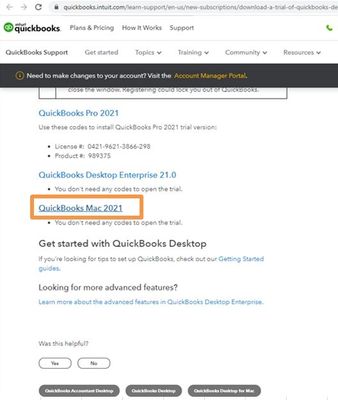
If you're interested, you may try the 30-day trial of QuickBooks Mac 2021. However, before installing the QuickBooks trial version, ensure that the system meets the proper configurations to run the QuickBooks smoothly. Once done, you can now start installing the latest trial version of QuickBooks Mac version.
Here's how:
- Go to this link: Download a trial of QuickBooks Desktop.
- Select QuickBooks Mac 2021.
- Open the QuickBooks.exe file you downloaded.
- Close all running applications.
- Double-click the downloaded installer The QuickBooks installation window opens automatically.
- Drag the QuickBooks icon to the Applications folder. The Applications folder opens automatically.
- Double-click the QuickBooks icon to open the application.
Check out this article for your reference: Install and set up QuickBooks Desktop for Mac.
Keep me posted if you need a hand with running your business in QuickBooks. Assistance is just one click away. Have a great day.
