

- Mark as New
- Bookmark
- Subscribe
- Permalink
- Report Inappropriate Content
Other questions
Thanks for the detailed info of your concern, @SallyA.
Let me share with you some info about downloading transactions using bank feeds in your test company file.
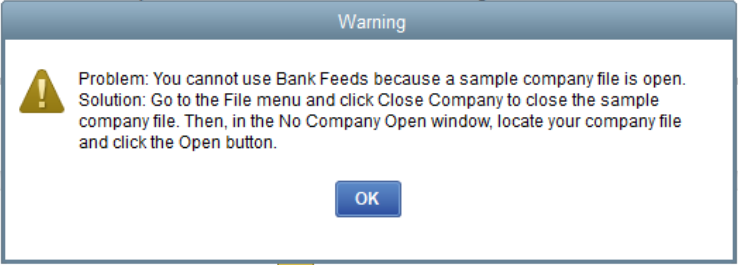
To answer your first question, using the Bank Feeds feature in your test file isn't possible. Once you set this up in your sample file, you'll receive a notification that Bank Feeds is only applicable in your actual company file. See the screenshot below for your reference.
Also, a sample file will auto-revert even if you make some changes. If you want, you can create a backup copy of the old file for record-keeping.
Otherwise, you can create a new company file from existing ones in QuickBooks Desktop. You have an option to copy and use accounts, lists (customers, vendors, items, etc.), templates, and preferences from an existing company file to get started. For more info, feel free to review this article: Use an existing company file.
Additionally, you can open this link to guide you to restore a company file in QuickBooks Desktop.
Finally, I'll be sharing this resource to help manage and use the Bank Feeds feature in QuickBooks: Get started with Bank Feeds for QuickBooks Desktop.
Keep me posted if you have additional questions about managing company files in QuickBooks Desktop. I'll get back to you as soon as I can. Have a nice day.
