 QuickBooksHelpIntuit
Export returns from Pro Tax to ProFile
by Intuit• Updated 6 months ago
Here’s how to export a tax return from Pro Tax in QuickBooks Online Accountant to ProFile.
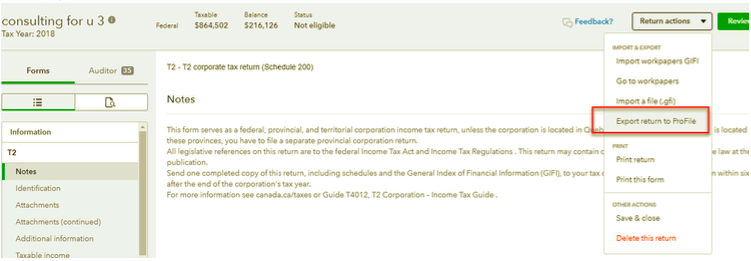
- Open the return in QuickBooks Online Accountant Pro Tax.
- Select the Return actions tab.
- Select Export return to ProFile.
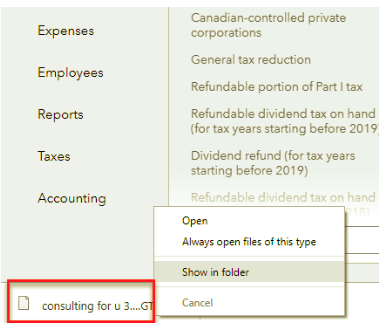
The file will save to your default download folder.
Important: You must have ProFile installed on your computer to open the downloaded file. Check out this site to download ProFile.
More like this
- How to import and export ProFile returns into and out of Pro Taxby QuickBooks
- QuickBooks Online Accountant Pro Tax Billing FAQby QuickBooks
- Using the Pro Tax QuickBar search boxby QuickBooks
- Printing barcodes for T1 in Pro Taxby QuickBooks