
Choose your...
No results found
No results found


Effortlessly manage your business operating cash flow right in QuickBooks
QuickBooks delivers comprehensive cash flow accounting software tailored for European businesses. Our intuitive tools offer real-time visibility into your cash position, empowering you to make well-informed financial decisions. With QuickBooks, you can effortlessly track income, expenses, and cash flow projections, all integrated into your existing accounting framework.

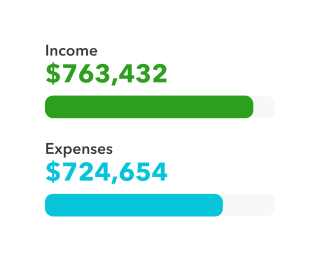
Take control of your cash flow
QuickBooks' cash flow software for small business provides you with a clear understanding of their financial position, allowing you to implement strategic measures to enhance your cash flow.

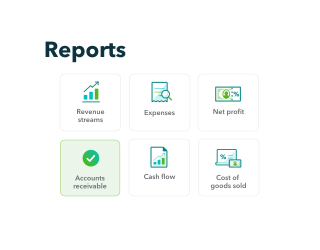
See the future of your cash flow
Take advantage of our advanced cash flow modelling tool to predict upcoming scenarios and plan your way to success. Make evidence-based decisions to maximise your business's financial efficiency in the dynamic European market.

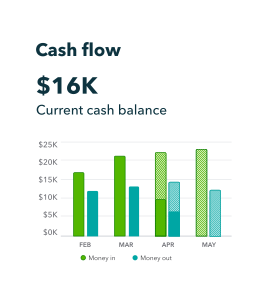
See your cash flow projection
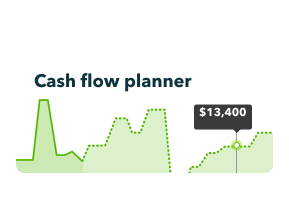
QuickBooks' cash flow forecast tool allows you to visualise your financial future. Our cash flow projection software leverages past performance data and upcoming financial commitments to create accurate predictions for the next three months. Quickly identify possible cash shortages or excesses, enabling you to strategise in advance. Adjust parameters to see how different scenarios impact your cash position, supporting informed business choices for your European enterprise.

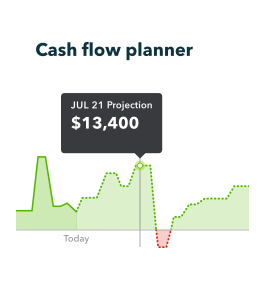
What is the cash flow planner?
The QuickBooks Cash Flow Planner serves as an innovative financial forecasting instrument designed specifically with European businesses in mind. This cash flow tool offers a comprehensive overview of your monetary movements, both incoming and outgoing, for the upcoming quarter. By analysing your past financial performance and factoring in scheduled future transactions, the planner generates crucial insights about your liquidity status. Leverage this sophisticated cash flow management solution to foresee potential obstacles, seize promising prospects, and sustain a healthy financial flow for your company.

How does the forecast work? What data is included?
QuickBooks' cash flow prediction system utilises your past financial records and connected banking information to project upcoming monetary patterns. The forecast incorporates classified and unclassified financial activities, regular income and expenditures, as well as any user-added future occurrences. This all-encompassing method guarantees a precise estimation of your cash flow. It's important to be aware that credit card operations, manually input QuickBooks entries, and transactions involving multiple currencies are not factored into the forecast calculations.

How do I add events for possible money in or money out?
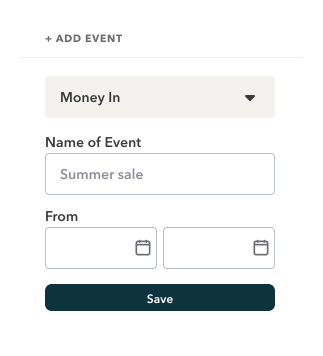
QuickBooks makes it simple to customise your cash flow projections. To include potential income or expense events:
- Click the ‘Add Event’ button
- Select ‘Money in’ for income or ‘Money out’ for expenses
- Assign a name to the event and input the amount
- Choose the date of occurrence
- Save the event
These events will be integrated into your cash flow forecast without impacting your actual financial records. You can easily modify or remove events as needed, allowing you to explore various financial scenarios for your European business.


