Thanks for bringing this to our attention, @IGCPA,
Normally, when using rules in QuickBooks, all money in transactions should not be converted as checks or expenses. If this odd behavior keeps happening, you can delete and recreate the rule to get rid of any damaged template.
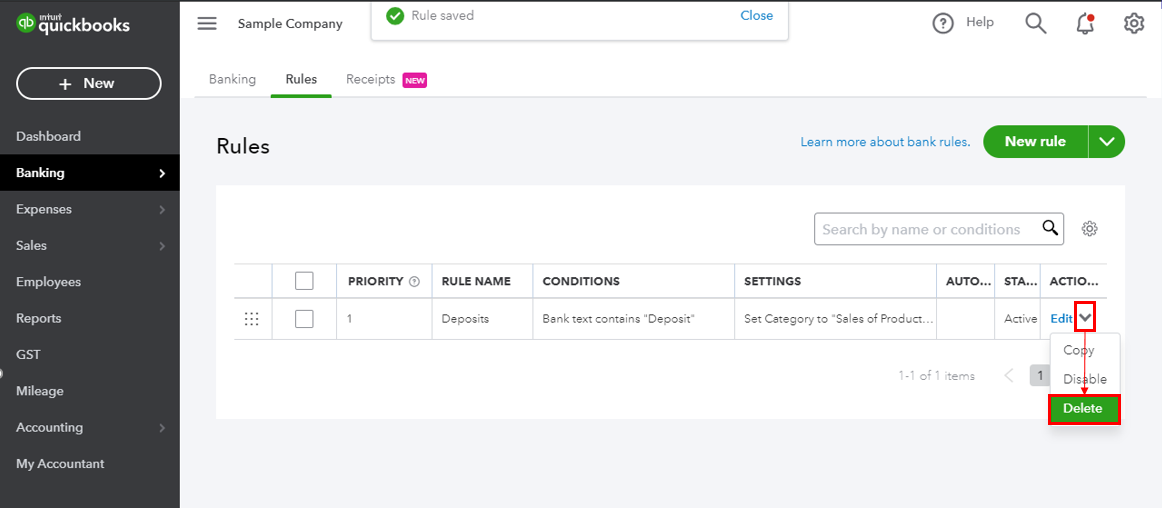
However, if you already did this step and still has the same issue. I suggest contacting our Support Team directly. They can create an investigation under your account and provide additional workaround to get this task completed.
To contact us:
- Go to the Help menu then select Contact us.
- Enter your concern in the What can we help you with? box.
- On the next screen, scroll down to the Choose a way to connect with us section and choose how you would like to connect with them: either via Callback or Chat.
Please check this article for our support hours: Get help with QuickBooks products and services.
Refer to the steps found in this article on how to manage Rules: How to set and use banking rules for downloaded transactions?
You can also visit our Resource Hub for more help articles about QuickBooks: QuickBooks Online Resource Center
I want to make sure this is resolved in no time. Let me know how this goes in the comment. I'll be right here to help.


