Let's unlock the finalised pay run, jpetho4.
Unlocking it will enable us to edit the date. Please note that this can't be unlocked if automated super payments have been made. Let me show you how:
- Click on the required pay run in the "Pay Runs" screen.
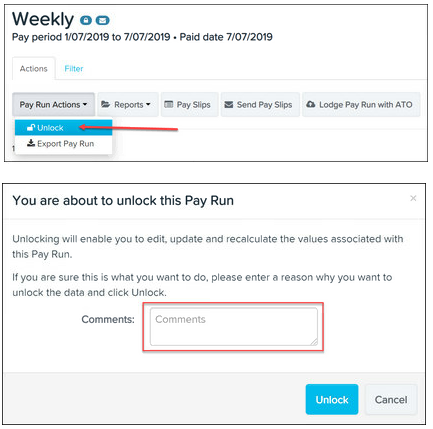
- Click on the Pay Run Actions button and select the Unlock option.
- Enter a reason for unlocking the pay run.
- Click the Unlock button.
I've added screenshots for your reference:
After making the required adjustments, you can then finalise it again.
Please tag me if you need more help with managing your payroll in QuickBooks.


