Turn on suggestions
Auto-suggest helps you quickly narrow down your search results by suggesting possible matches as you type.
Showing results for
I had encounter the message promptly for few products as mentioned above. I had checked the start tracking which is no problem with that. This issue make me unable to save my sales invoice. Please assist to resolve the issue as soon as possible.
Hello May, welcome to the Community!
The error "Select a date that's after the date you started tracking this inventory item" means the date on your Sales Invoice must be after the inventory starting date or as of date you set for that item in QuickBooks Online.
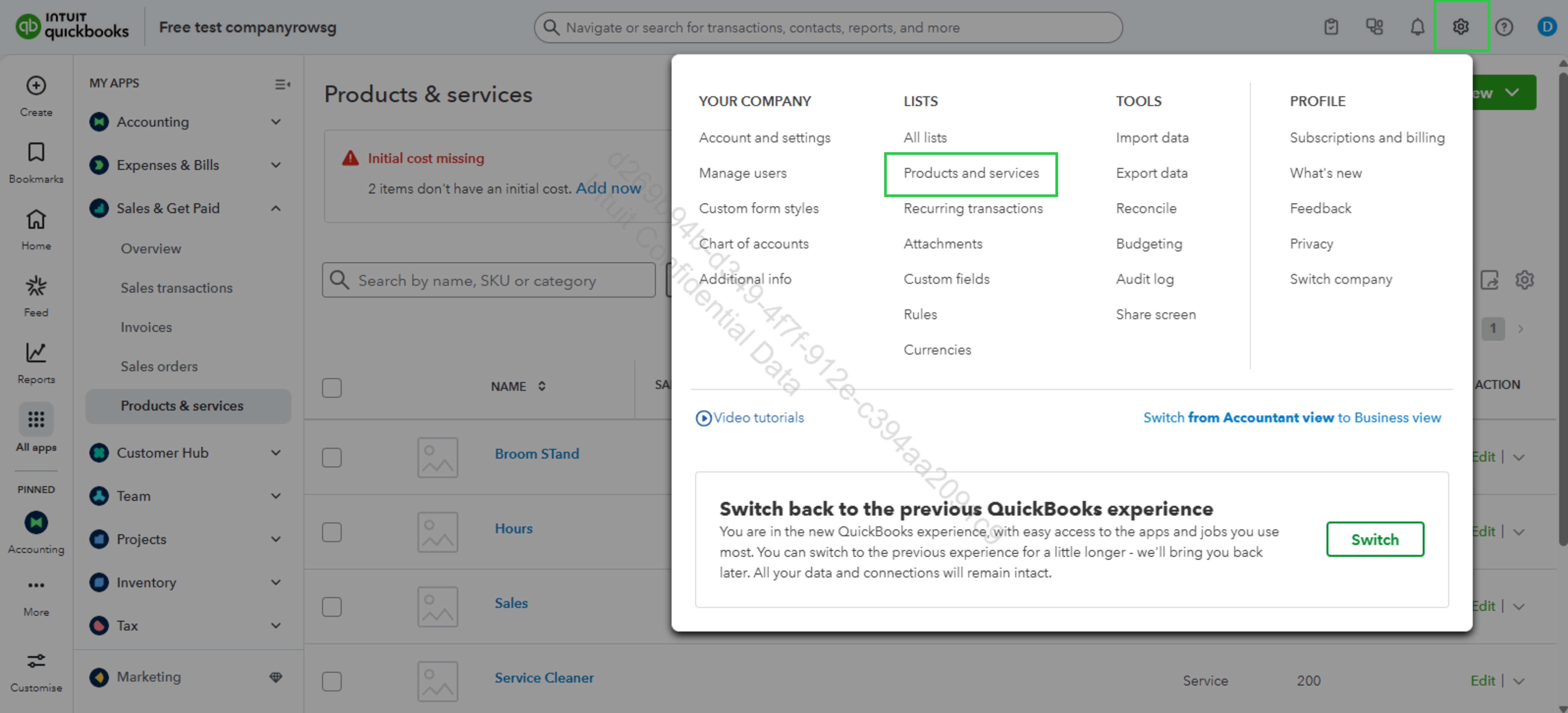
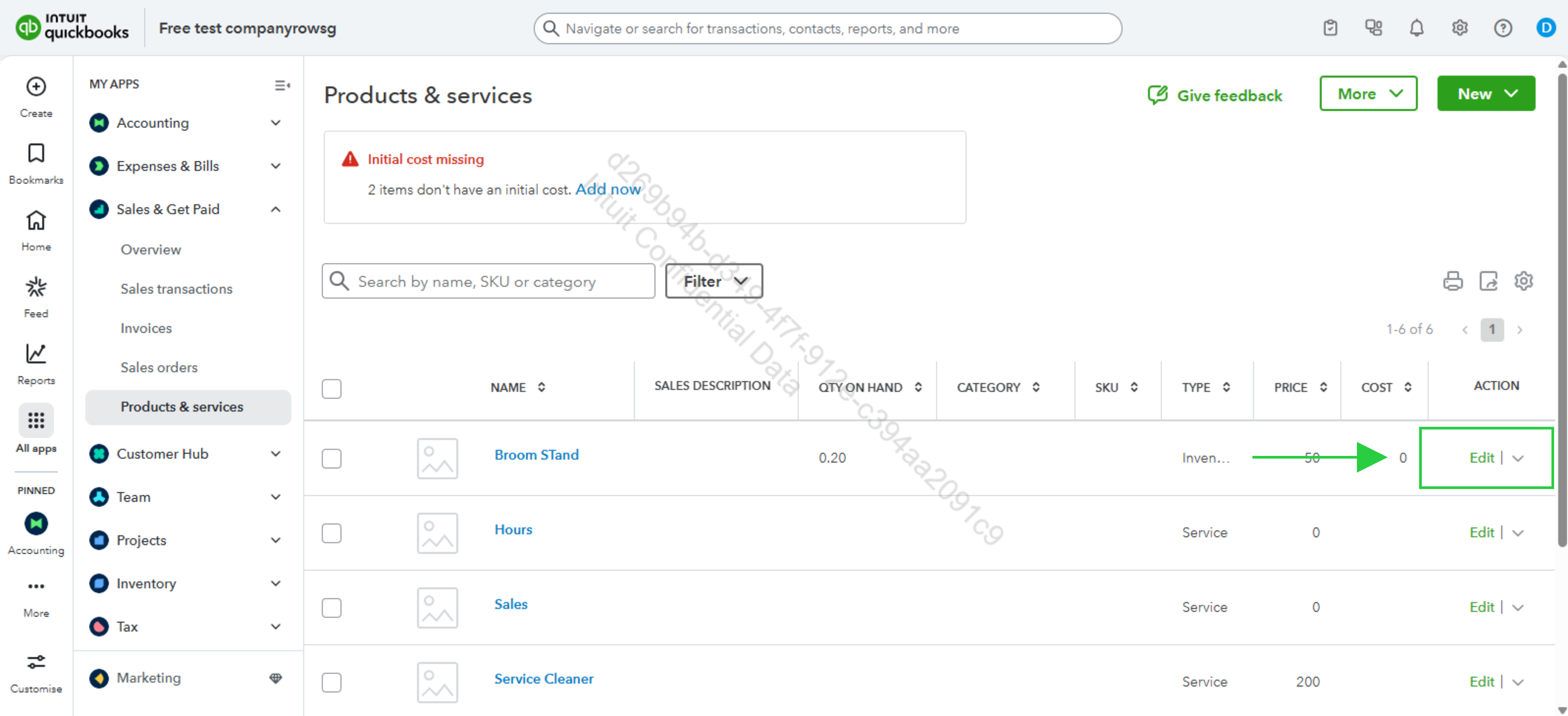
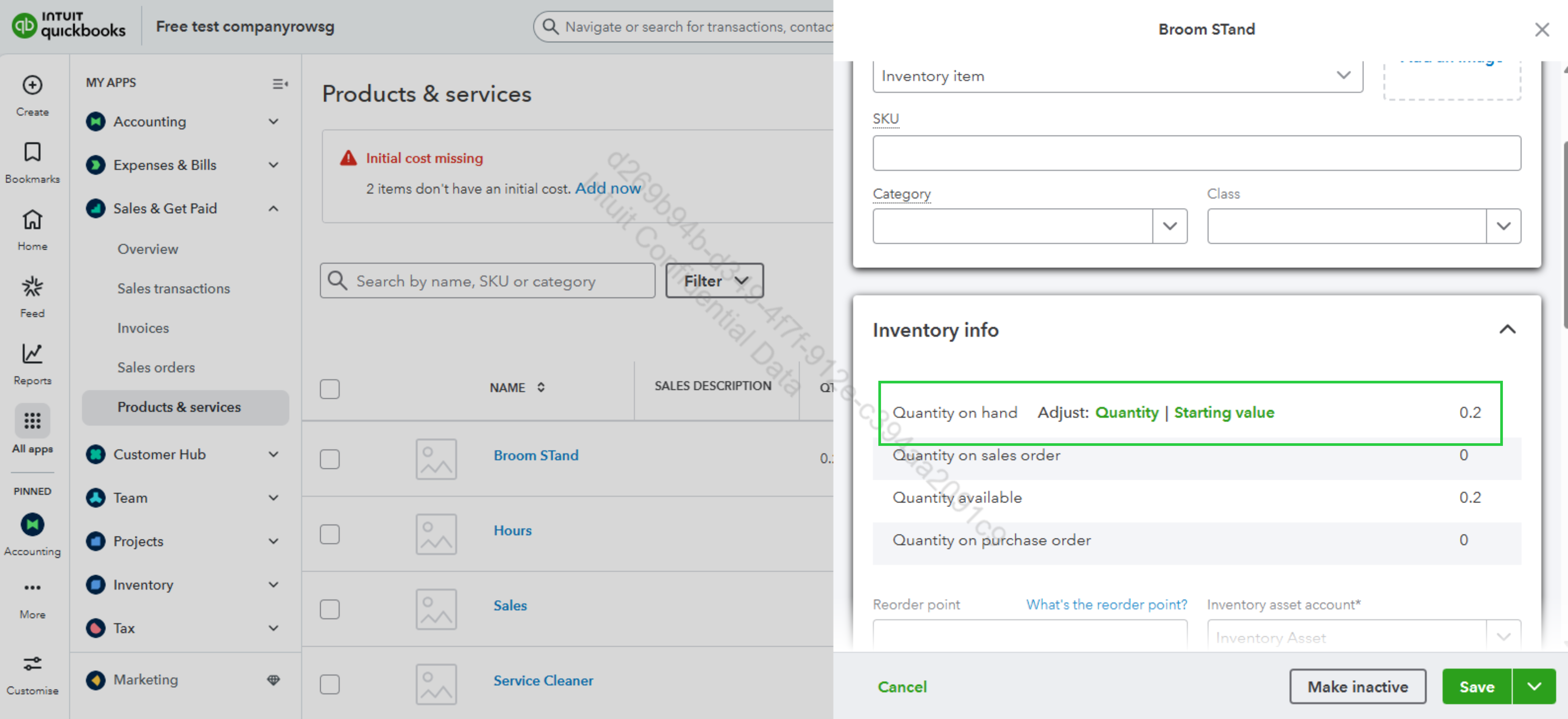
Now, If the date on your invoice must remain exactly as it is, you can adjust the item's tracking date.
Here's how:
You have clicked a link to a site outside of the QuickBooks or ProFile Communities. By clicking "Continue", you will leave the community and be taken to that site instead.
For more information visit our Security Center or to report suspicious websites you can contact us here


