Intuit QuickBooks
Community
Sign In Sign Up
Go to QuickBooks.com
United States United Kingdom Australia Canada (English) Canada (French) France Singapore South Africa Global Ireland
cancel
Turn on suggestions
Auto-suggest helps you quickly narrow down your search results by suggesting possible matches as you type.
Showing results for 
Search instead for 
Did you mean: 
Announcements
  • Top
  • :
  • Albums for Community
  • :
  • Images in Profile (ParkwayInc)
  • :
  • My Images for ParkwayInc

My Images for ParkwayInc

  • Albums
  • All Images
Image Options
  • Flag Image for Review
  • Bookmark

Album: Profile (ParkwayInc)

by ParkwayInc
1000x1000_Parkway Transparent.png
Parkway Business Solutions Logo.png
Circle1000x1000_Parkway.png
Parkway Business Solutions 805 419-9197.png
Parkway Elevator Pitch.png
Parkway Elevator Pitch 1.png
What was you big Ah-Ha Moment?
Mini-Matthew.png
Found this on Amazon and purchased for 239.95
Matthew Fulton CTO.png
5 Memories From QB Connect.PNG
mathew fulton.png
My New Years Resolution... scheduled for after tax season
The Power of Google My Business.png
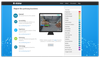
workflow Automation.PNG
http://nibbler.silktide.com/
https://gtmetrix.com/
https://www.google.com/analytics
https://ryte.com
https://website.grader.com/
https://ahrefs.com/
Nibbler Results.png
This is one of the many tables of useful data provided by Ahrefs.com
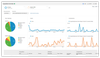
Google Analytics is full of valuable data!
Ryte.png
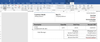
GSI-QuickBooks-Online-Invoices-lg
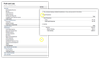
When editing your management reports select the Include breakdown of sub-accounts options and the report will automatically create supporting footnotes.
The 2 represents the second supporting notation in the financial reporting
Sometimes changing the Form Name can make help a companies workflow
In this image you can see where to access the additional table design controls after click on a table in the document.
Check out the new class feature in your item lists
Anycast
Belkin Miracast
Money well spent
Google Chromecast
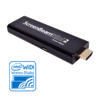
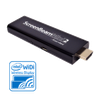
ScreenBeam Mini 2
ScreenBeam Mini 2.png
AnyCast.jpg
Belkin.jpg
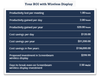
Three Tiers.png
workflow Automation.PNG
Previous
workflow Automation.PNG
Next
Added ‎March 04, 2018 03:19 PM
0
Cheer
Posted in: The Secret Workflow Optimization Tool: Process Street: - ( ‎March 04, 2018 03:04 PM )

You must be a registered user to add a comment on this image. If you've already registered, sign in. Otherwise, register and sign in.

  • Comment

Products

  • QuickBooks Self-Employed
  • QuickBooks Online
  • QuickBooks Pro
  • QuickBooks Premier
  • QuickBooks Enterprise
  • QuickBooks for Mac
  • QuickBooks Payments
  • QuickBooks Payroll
  • QuickBooks Point of Sale
  • QuickBooks Apps

Business Types

  • Independent Contractor
  • Professional and Field Services
  • Product Sellers
  • Non-profit Organization

Resources

  • QuickBooks FAQs
  • QuickBooks Reviews
  • QuickBooks Tutorials
  • Switch to QuickBooks Online
  • QuickBooks User Community
  • QuickBooks Training Classes
  • Product License Agreements
  • QuickBooks Resource Center
  • QuickBooks Online Blog
  • Currency Converter

For Developers

  • Intuit Developer
  • Developer Community
  • Sitemap
  • Careers
  • Contact
  • Intuit Community
  • QuickBooks Resource Center
©2026 Intuit Inc. All rights reserved.

Intuit and QuickBooks are registered trademarks of Intuit Inc. Terms and conditions, features, support, pricing, and service options subject to change without notice.
  • Legal
  • Privacy
  • Security