
Turn on suggestions
Auto-suggest helps you quickly narrow down your search results by suggesting possible matches as you type.
Showing results for
Hi @themewssligo,
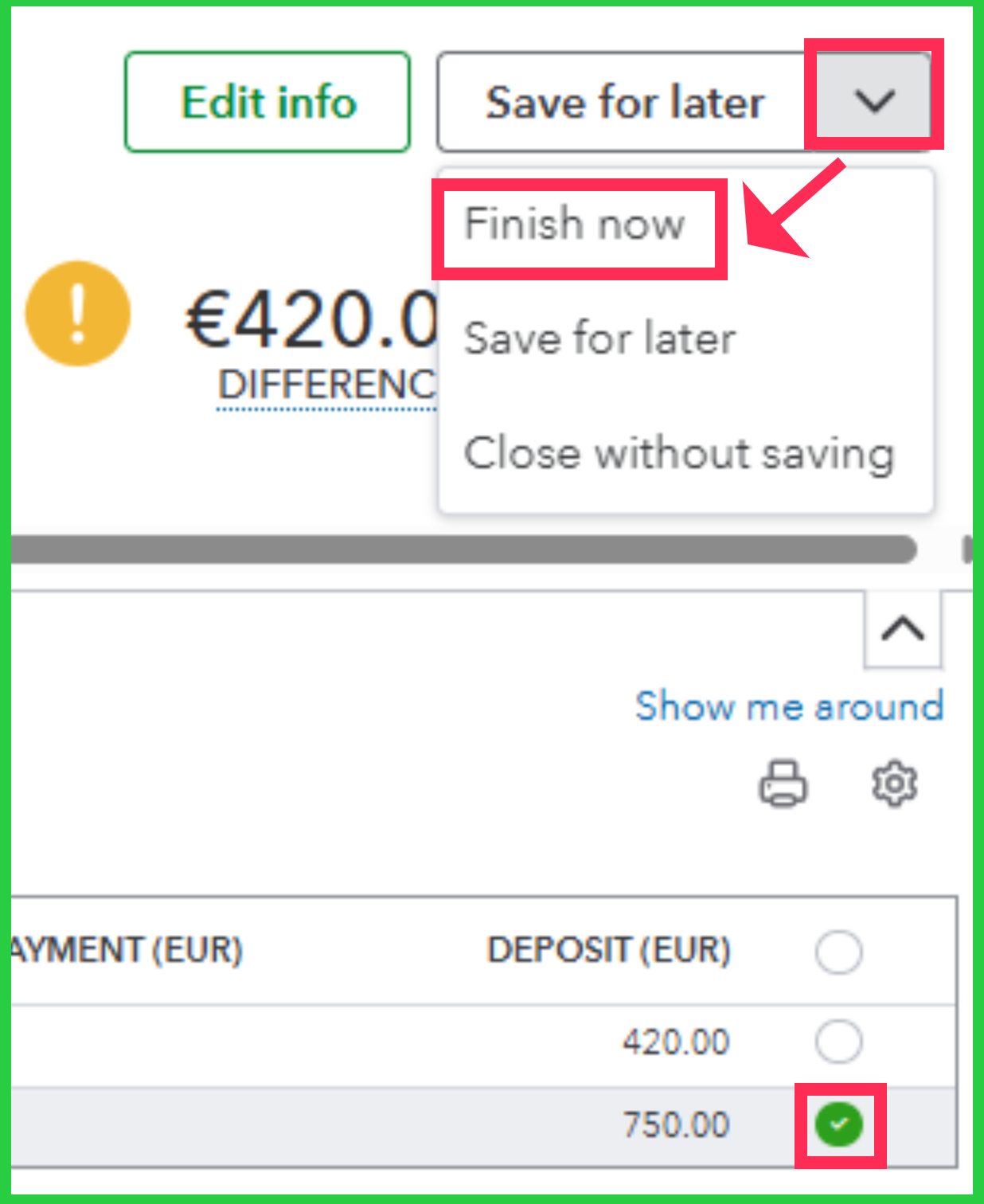
If you chose Save for later after unchecking the topmost tick box on the reconciliation screen, all transactions will be left uncleared. However, you can return to where you left off by selecting the Resume reconciling option for that account. Then get your bank or credit card statement and clear the transactions by checking their corresponding matches in the reconciliation screen. Afterwards, click the Finish now option to complete the reconciliation for the account.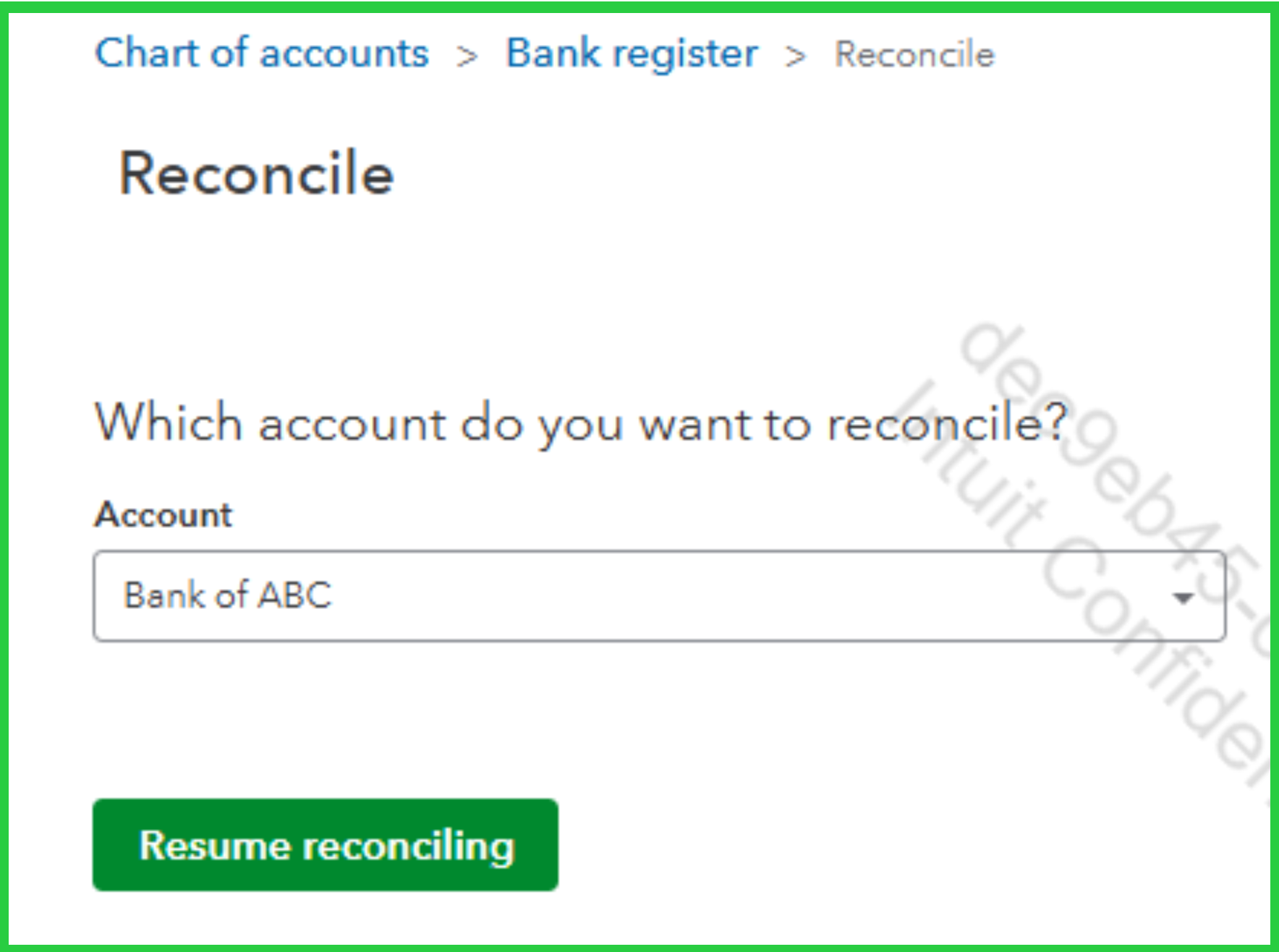
To help with reconciliation, you can use the Filter (funnel icon) and choose either Cleared or Not cleared from the Cleared status dropdown to sort transactions.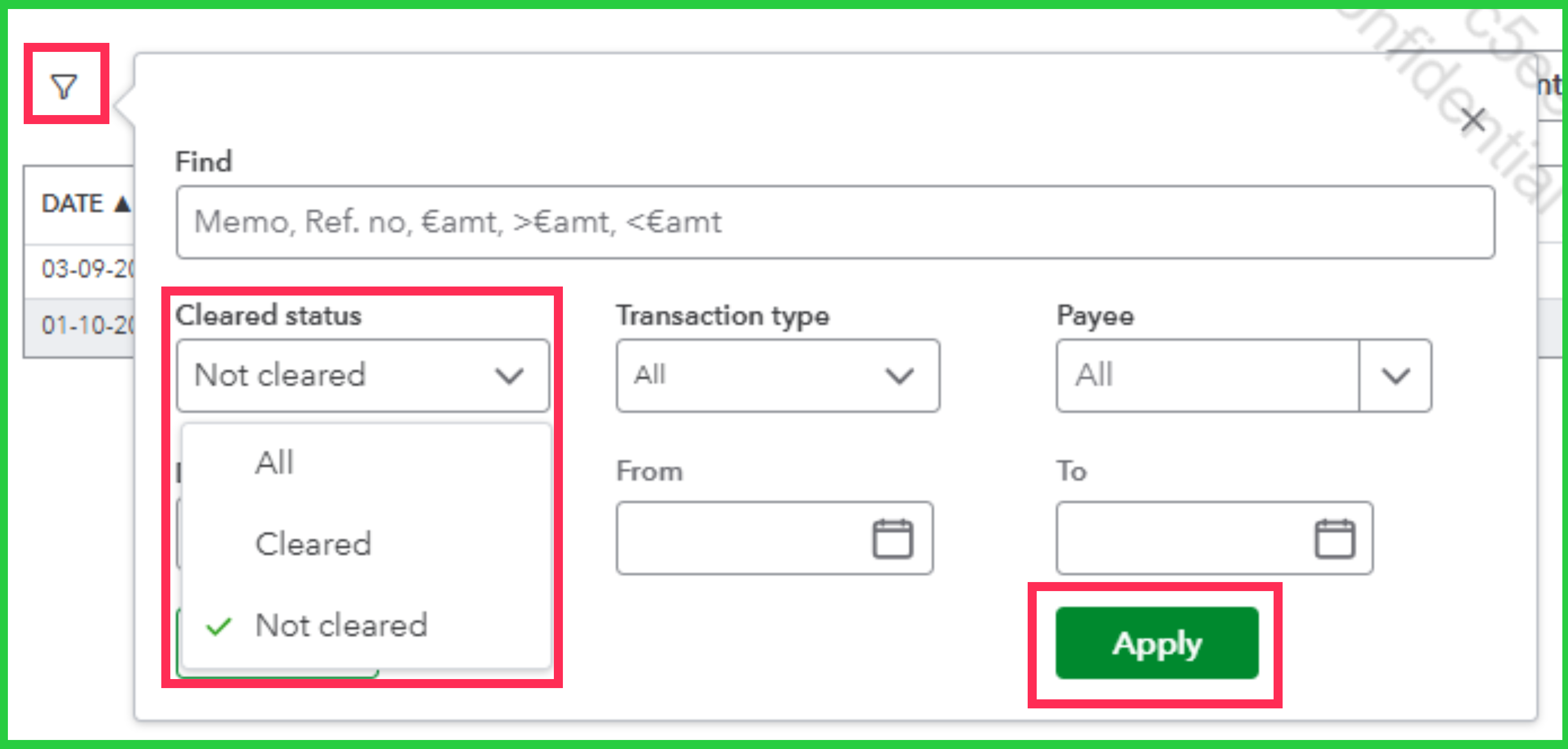
If you have any other concerns, feel free to leave a comment.
You have clicked a link to a site outside of the QuickBooks or ProFile Communities. By clicking "Continue", you will leave the community and be taken to that site instead.
For more information visit our Security Center or to report suspicious websites you can contact us here


