
Turn on suggestions
Auto-suggest helps you quickly narrow down your search results by suggesting possible matches as you type.
Showing results for
Hi there, Ramakant. The only direct transaction import option available under the standard Import data menu is Invoices. The built-in tool is designed primarily to help users bring in unpaid balances (Accounts Receivable) from other systems.
If you have the Advanced version of QuickBooks Online, you can batch import Sales Receipts or Invoices.
Here's how:
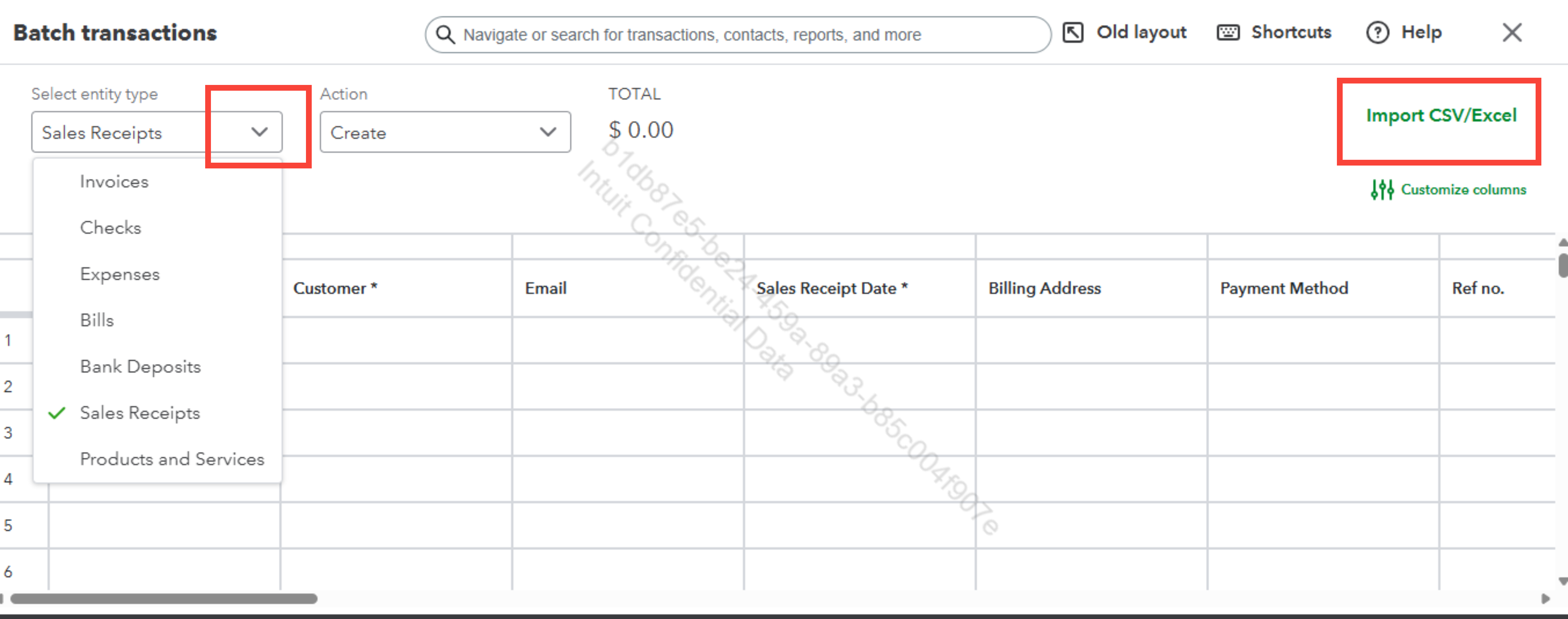
However, if you are not using the Advanced version, you can use a third-party app to import your Sales in QBO.
Feel free to return here anytime you need assistance.
You have clicked a link to a site outside of the QuickBooks or ProFile Communities. By clicking "Continue", you will leave the community and be taken to that site instead.
For more information visit our Security Center or to report suspicious websites you can contact us here


