
Turn on suggestions
Auto-suggest helps you quickly narrow down your search results by suggesting possible matches as you type.
Showing results for
Hello there, Puiu. There is no need to reset the entire bank connection to handle duplicates. You can exclude the duplicate transactions from the For Review tab. Check the boxes for duplicate transactions and select Exclude in the banner that appears.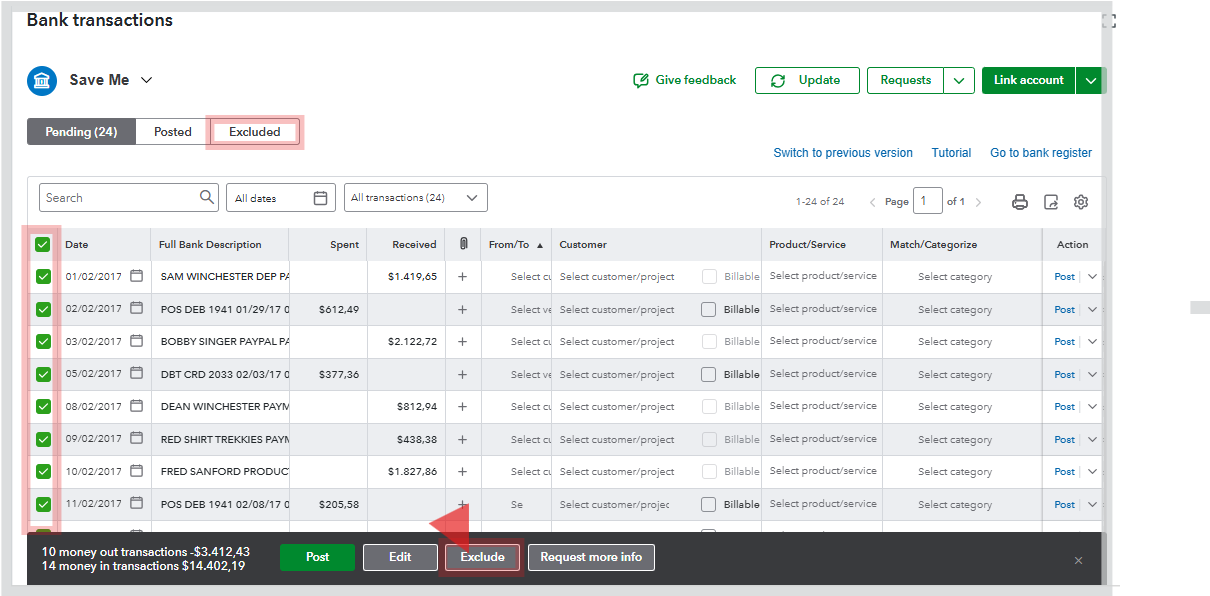
If any of those duplicates have already been categorized or added to your books, you'll have to go to the Posted tab and click Undo. This will move them back to the For Review tab, where you can then safely exclude them. This keeps your bank reconciliation clean and prevents double entries.
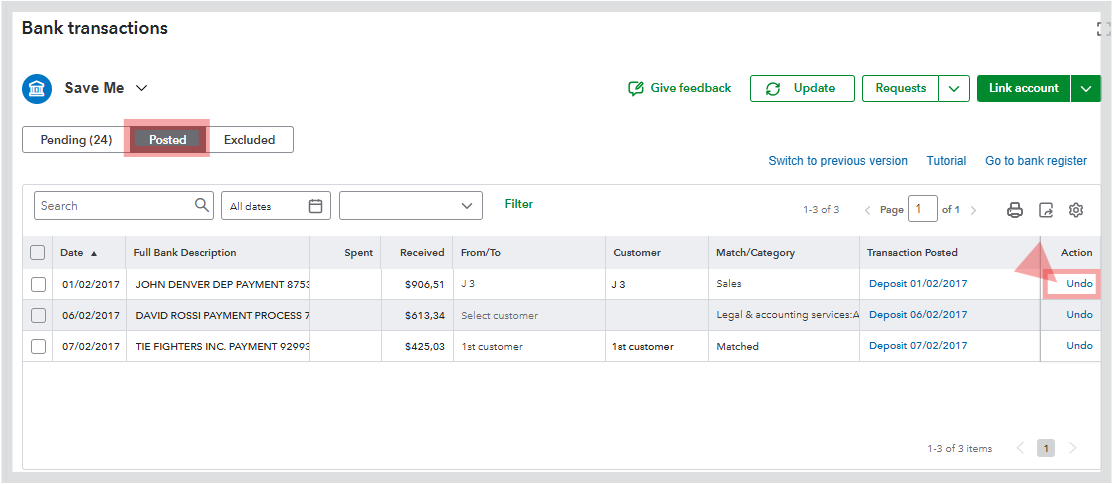
After excluding a downloaded transaction, QuickBooks will prevent the bank from bringing the transaction into the bank feed again.
Feel free to reach out if you have any other questions. I’m always here to help!
You have clicked a link to a site outside of the QuickBooks or ProFile Communities. By clicking "Continue", you will leave the community and be taken to that site instead.
For more information visit our Security Center or to report suspicious websites you can contact us here


