
Turn on suggestions
Auto-suggest helps you quickly narrow down your search results by suggesting possible matches as you type.
Showing results for
Hello, Verimach. Welcome to the QuickBooks Community space.
We can rename the existing tax agency name you mistakenly created. Once you've fixed the name, you can also make the old, incorrect tax rates inactive so they don't cause any more confusion.
Here are the steps to change the name:
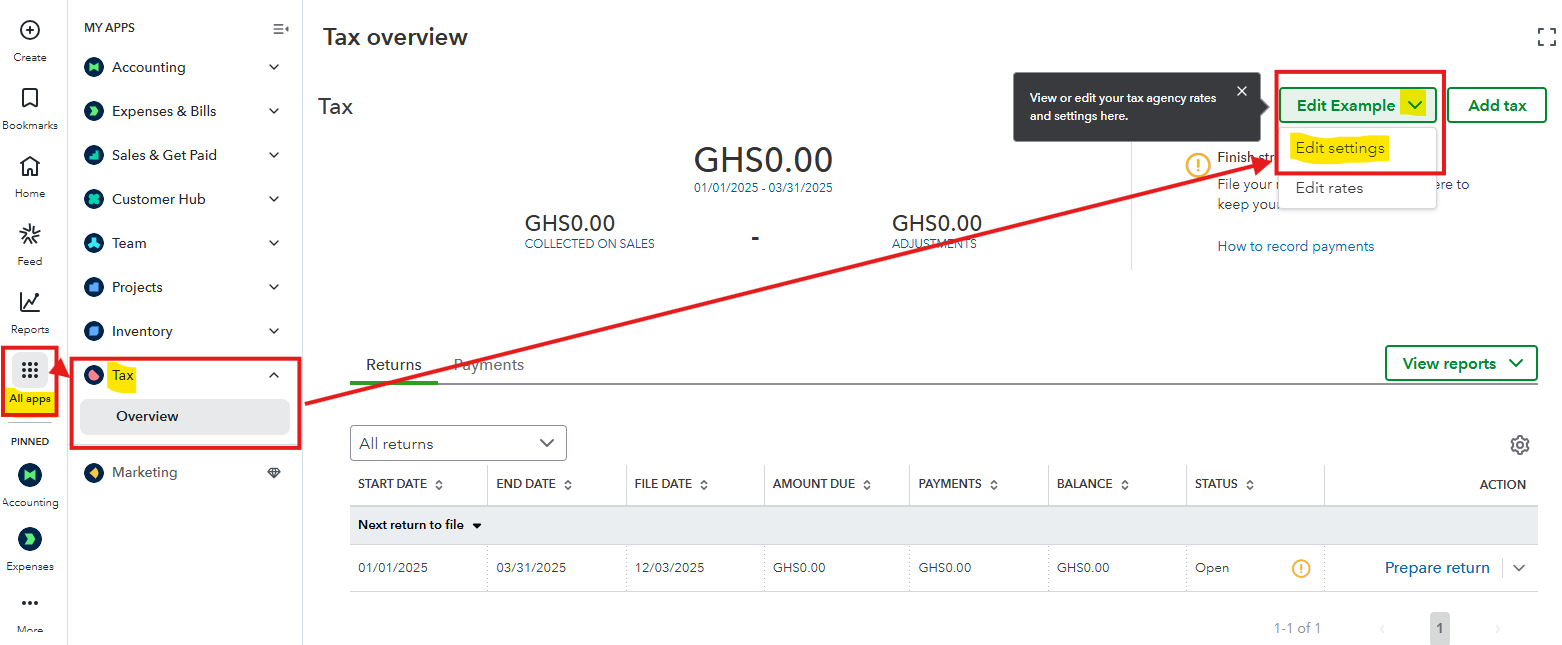
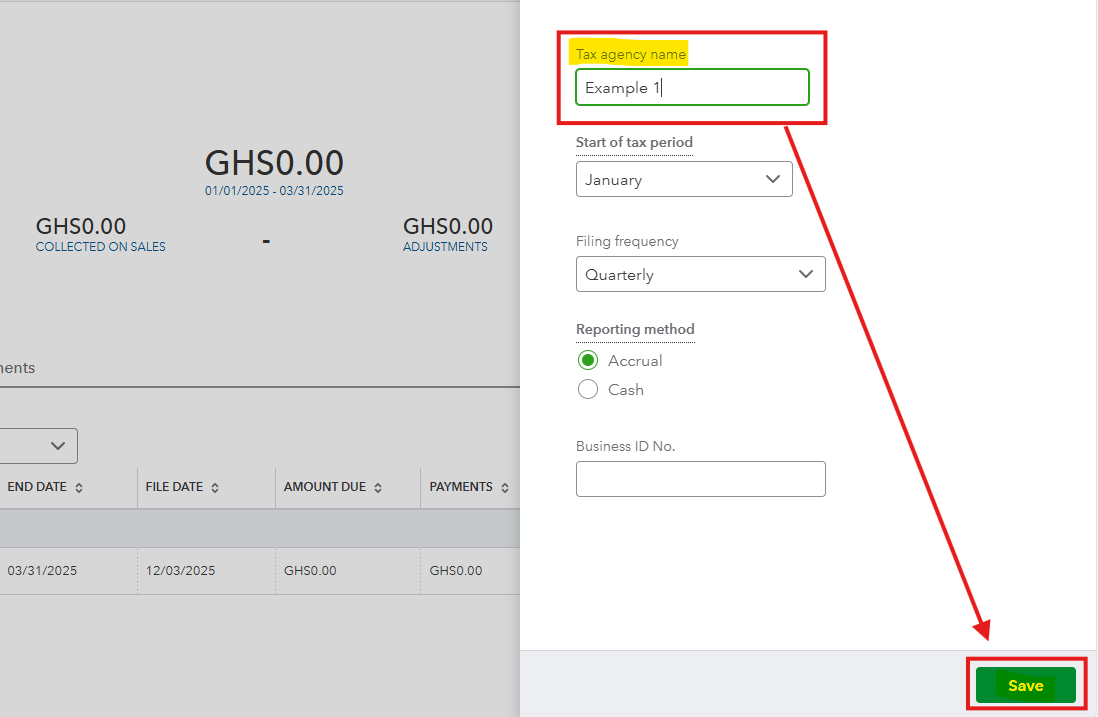
After you rename your tax agency, the change will automatically sync to all the invoices you've created.
If you have other tax rates using the old name that you don't need anymore, you can make them inactive. Just go to Edit rates, find the specific rate, click the dropdown next to Edit, and choose Make inactive.
If you ever need to see or reactivate an old tax rate, simply click the small Gear icon (Settings icon) above the list, select Include inactive, and then choose Make active for the rate you want to bring back.
Don't be a stranger if you have more questions.
You have clicked a link to a site outside of the QuickBooks or ProFile Communities. By clicking "Continue", you will leave the community and be taken to that site instead.
For more information visit our Security Center or to report suspicious websites you can contact us here


