
Turn on suggestions
Auto-suggest helps you quickly narrow down your search results by suggesting possible matches as you type.
Showing results for
I want to make one payment method inactive from my payment method list, but I'm getting the 'payment method is used on a customer' and now I'm trying to figure out which customer is using this old payment method, but without any luck.
Is there a way to search or sort customers based on their payment method?
Hi, @VincentHS. I understand that you're looking to identify customers associated with a specific payment method so you can deactivate it in your QuickBooks system.
In QuickBooks Online (QBO), you can generate a Customer Contact List report and apply filters to identify customers associated with a specific payment method.
Here’s how to do it step by step:
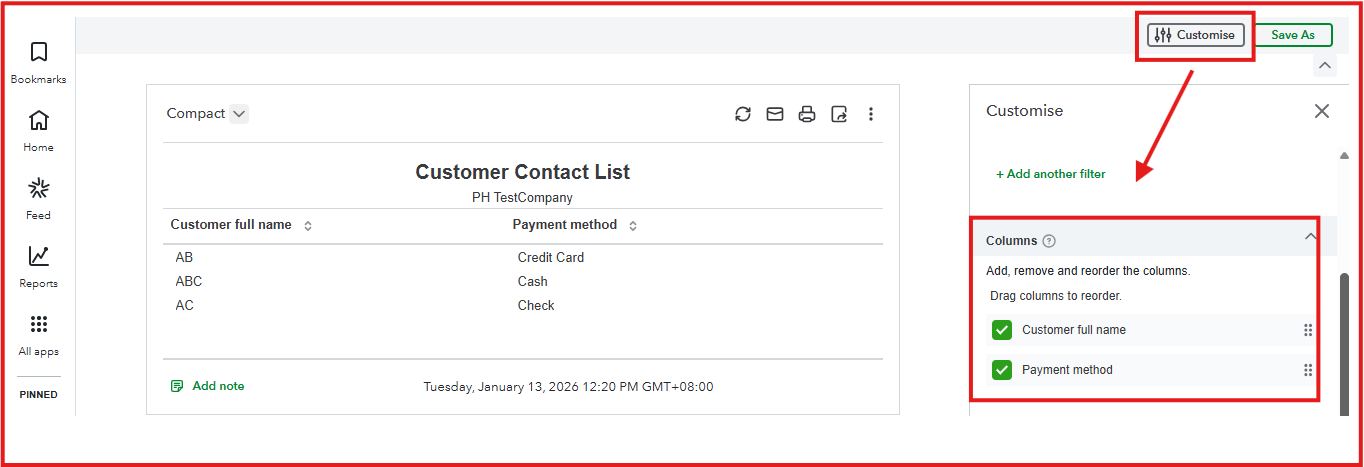
Once you’ve identified the customer's name, navigate to their profile and update their assigned payment method to reflect the new preferred option. Please see the attached screenshot below for reference: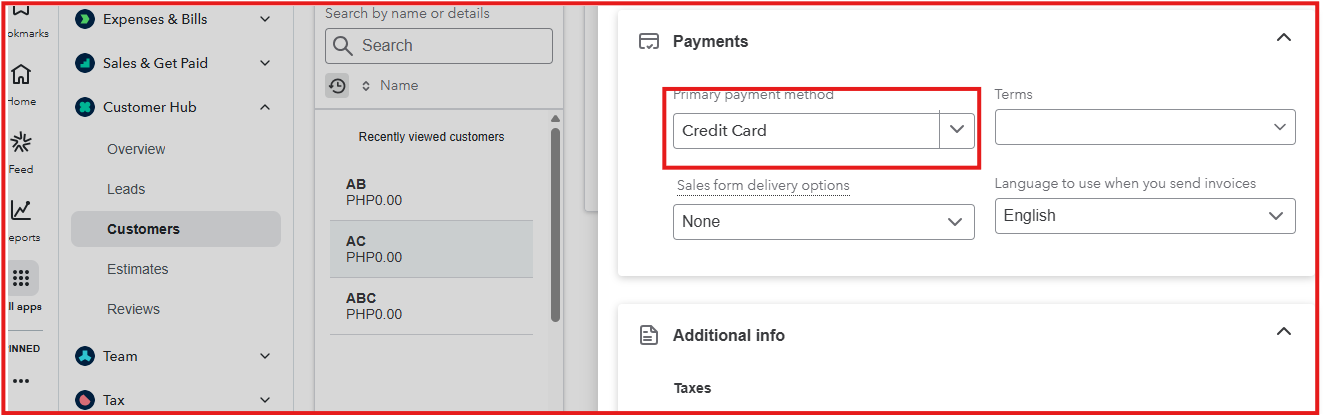
Sorting customers by payment method before deactivating it in QBO helps us identify active users, update their payment preferences, and avoid disruptions or errors in transactions. This proactive approach ensures a smooth transition, prevents payment failures, and maintains accurate financial records.
If you have any questions or need help managing your payment methods, please leave a comment below. I'm here to help.
You have clicked a link to a site outside of the QuickBooks or ProFile Communities. By clicking "Continue", you will leave the community and be taken to that site instead.
For more information visit our Security Center or to report suspicious websites you can contact us here


