
Turn on suggestions
Auto-suggest helps you quickly narrow down your search results by suggesting possible matches as you type.
Showing results for
Buy now and save 90% off today
xyzI understand the importance of adding sufficient fields for your customers and suppliers and extra space for your company information to record the number accordingly, @tlheah. I'm here to share some valuable information to achieve your goal.
QuickBooks Online (QBO) establishes specific fields for your customers/suppliers' profiles, as well as for your company information.
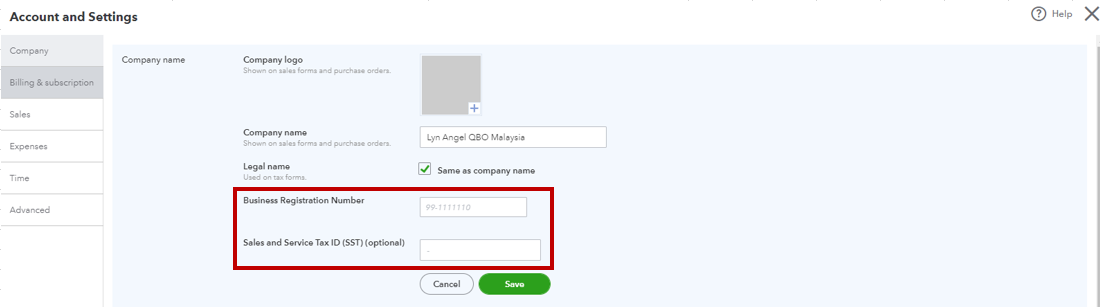
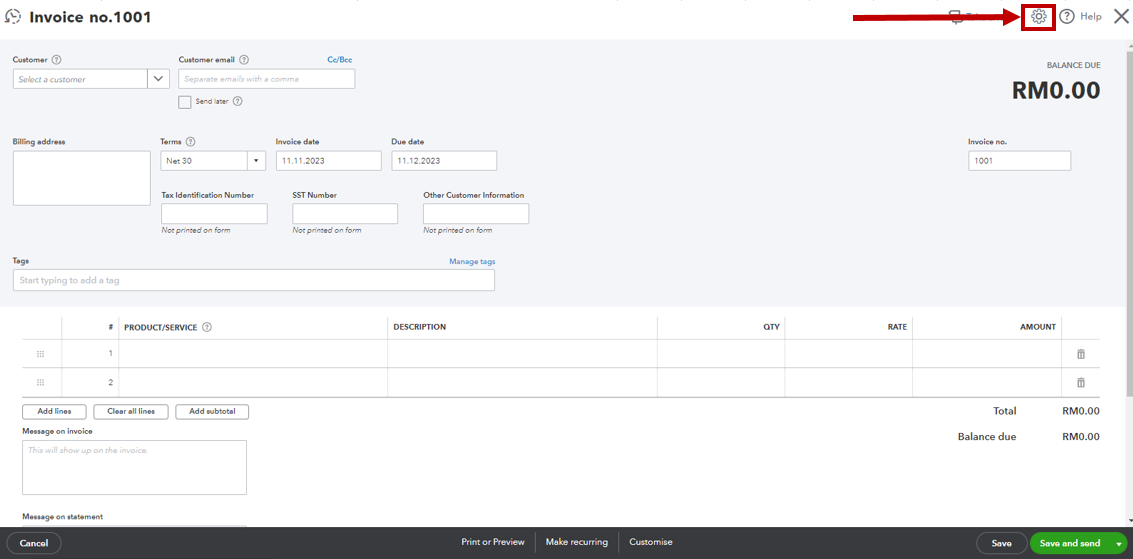
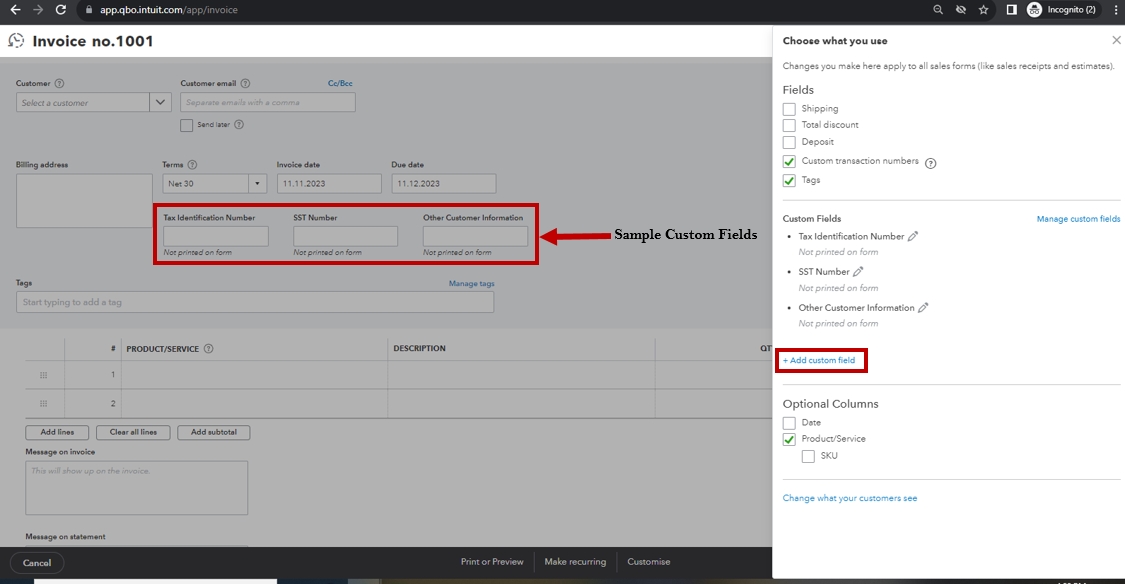
While adding more areas for your customers/suppliers and Business Registration Number and SST is not an option, you may utilize the Custom Fields feature when recording your customer's invoices. This way, you can input the business and other tax information. Here's how:
On top of that, I also recommend sending a feature request directly to our product developers. This way, they can determine what enhancements and improvements are needed to make our product more effective and convenient for our users.
Here's how:
Once done, your valuable feedback goes to our Product Development team to help improve your QBO experience. You can track feature requests through the QuickBooks Online Feature Requests website.
Tap on me if you have other questions while utilizing extra fields for your company numbers and customers/suppliers' profiles. I'm just a few clicks away to help you again. Have a great weekend!
You have clicked a link to a site outside of the QuickBooks or ProFile Communities. By clicking "Continue", you will leave the community and be taken to that site instead.
For more information visit our Security Center or to report suspicious websites you can contact us here


