
Turn on suggestions
Auto-suggest helps you quickly narrow down your search results by suggesting possible matches as you type.
Showing results for
Thanks for reaching out, @accountspayable10. I know how important the My Team menu is for managing your team, especially since you mentioned no settings were changed. Let’s take a look at what might be causing this and get your access restored.
To start, please know that the My Team menu is only accessible to users with administrative access. To ensure you have the right access to utilize this feature, I suggest contacting your account administrator.
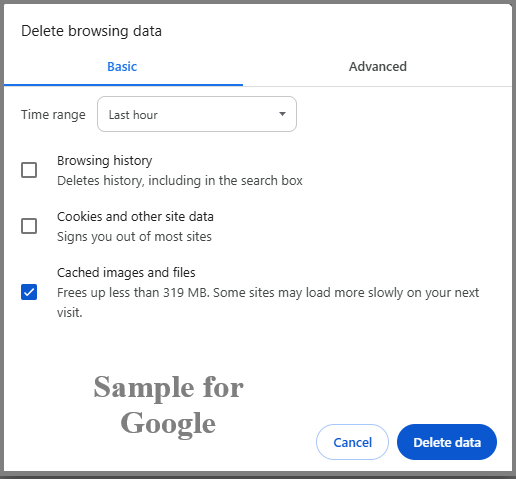
If you have the administrative rights but still cannot access the menu, I recommend clearing your browser's cache to access the program with a clean slate. You can also switch to other supported browsers for better compatibility.
For more information on managing team members and their access rights, please refer to this article: Team member settings and permissions in QuickBooks Time. Please note that this is a United States (US) based article, but the guidance remains applicable regardless of location.
If you have further questions, please don't hesitate to click the Reply button below. I'm always here to respond promptly.
You have clicked a link to a site outside of the QuickBooks or ProFile Communities. By clicking "Continue", you will leave the community and be taken to that site instead.
For more information visit our Security Center or to report suspicious websites you can contact us here


