
Turn on suggestions
Auto-suggest helps you quickly narrow down your search results by suggesting possible matches as you type.
Showing results for
Thanks for sharing the detailed error, @bnyemba.
Before anything else, we'd like to know the names of the financial institutions connected to the five accounts that are unable to get transactions to help us determine if the issue originated within QuickBooks or in your bank.
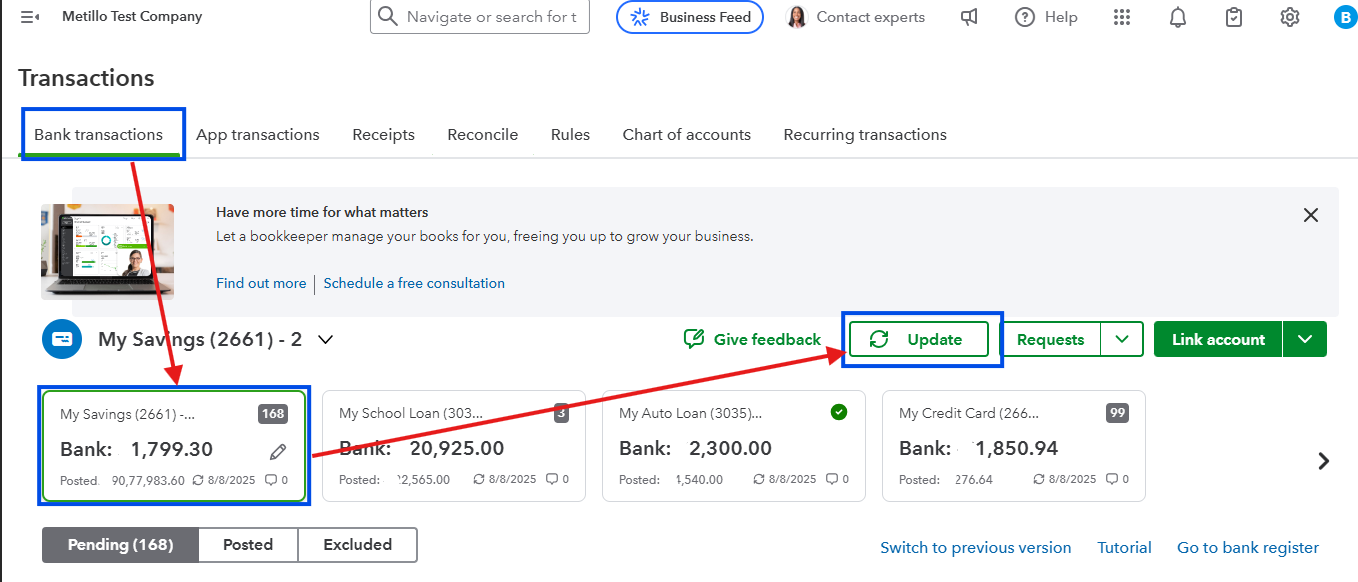
For now, let's perform some basic troubleshooting steps to resolve banking issues. Let's start by doing the manual update to trigger the connection and download the latest transactions. Here's how:
If this doesn't work, log in to your bank's website and review your account for messages, notifications, or alerts about any issues that block QuickBooks from downloading new transactions.
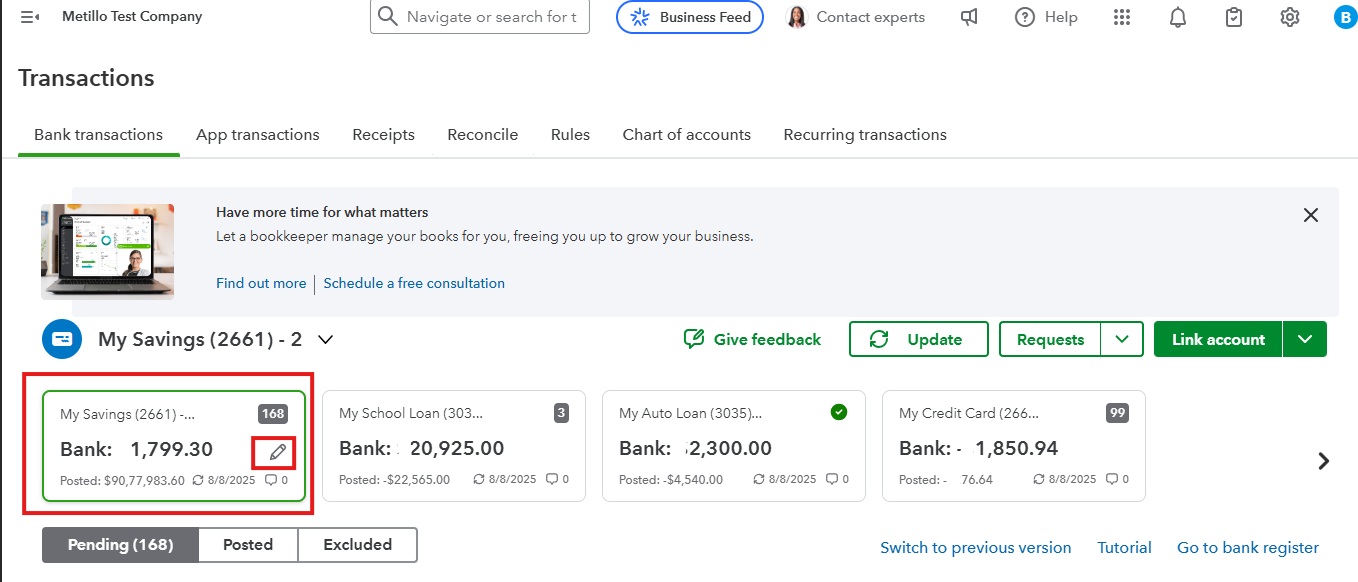
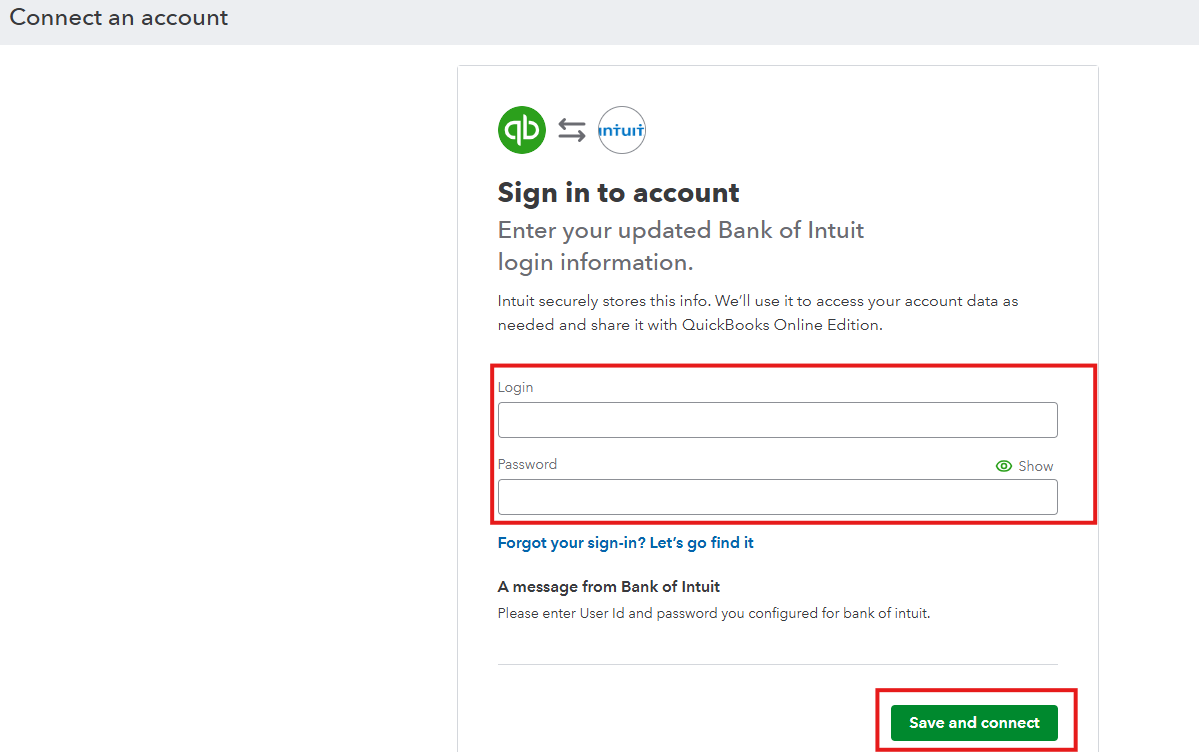
If there are no error alerts, check for updates about changes to the bank's URL or if you recently updated your bank account number, username, or password. These are the details QuickBooks uses to ensure the connection between the system is working.
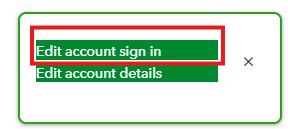
If you made changes or the bank has updated information, follow these steps to edit it in QuickBooks:
If the issue persists, I recommend uploading your bank transactions manually in the meantime to continue your banking tasks and avoid delays.
Once the uploading issue is resolved, transactions will automatically download again. This can create duplicates of the entries you manually uploaded. To avoid discrepancies in your book, Exclude them to prevent redownloading.
You can always return if you have additional questions.
You have clicked a link to a site outside of the QuickBooks or ProFile Communities. By clicking "Continue", you will leave the community and be taken to that site instead.
For more information visit our Security Center or to report suspicious websites you can contact us here


