
Turn on suggestions
Auto-suggest helps you quickly narrow down your search results by suggesting possible matches as you type.
Showing results for

You need to link a customer in the Name field of the Journal Entry (JE) to successfully save it, Shashikhan.
When recording Accounts Receivable (A/R) in a JE, you have to connect it to a customer, as this represents money owed to your business by that specific customer. Linking the Name ensures accurate record-keeping, keeps customer balances organized, and simplifies the process of tracking transactions and outstanding amounts.
To select a customer, you can follow these steps:
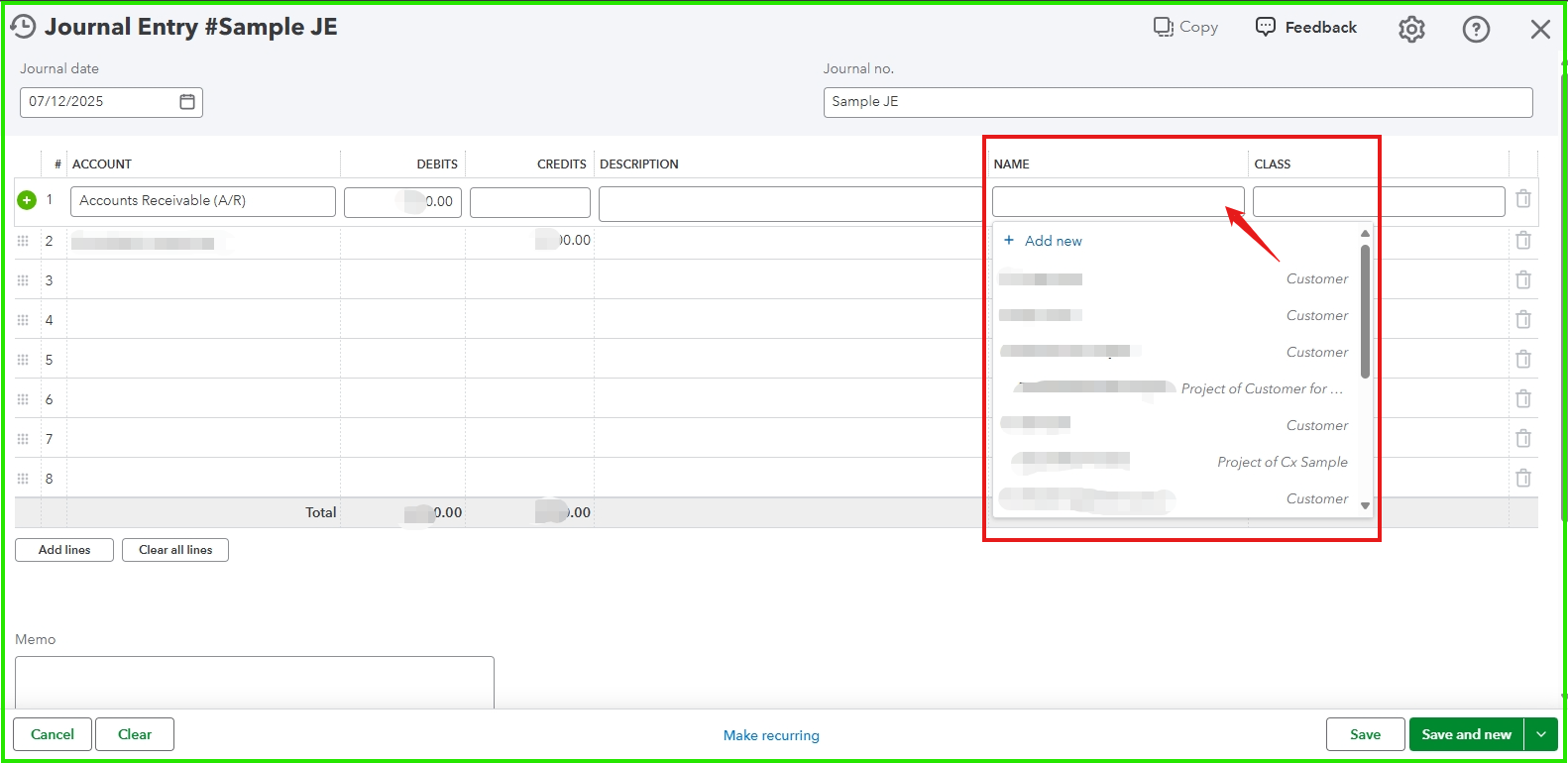
For a detailed guide on creating JE in QuickBooks Online, you can refer to this article: Create journal entries in QuickBooks Online.
Let us know if there's anything else we can assist you with.
You have clicked a link to a site outside of the QuickBooks or ProFile Communities. By clicking "Continue", you will leave the community and be taken to that site instead.
For more information visit our Security Center or to report suspicious websites you can contact us here

