
Turn on suggestions
Auto-suggest helps you quickly narrow down your search results by suggesting possible matches as you type.
Showing results for
QuickBooks Online currently doesn’t have a built-in feature for a Statement of Account for suppliers. However, you can run the Transaction List by Supplier report, Samah.
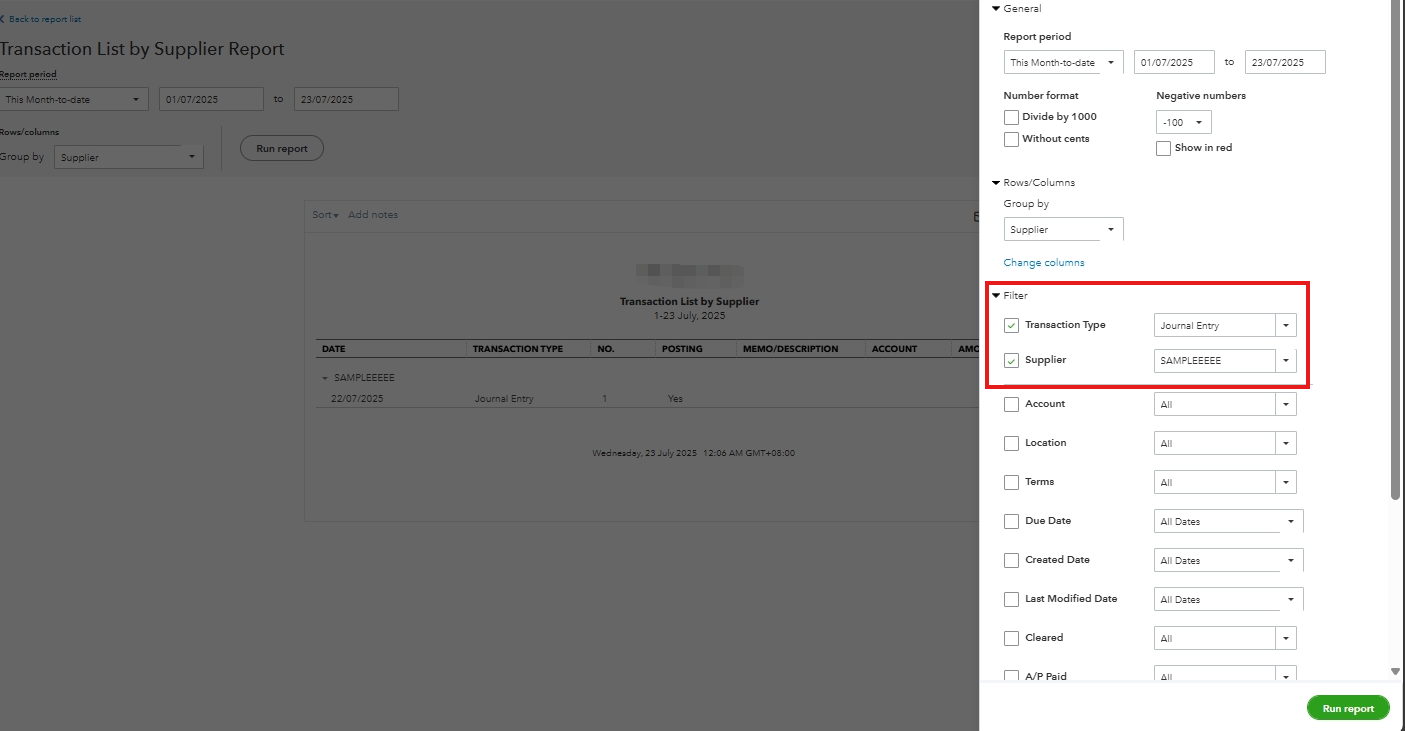
You can customize it by filtering for journal entries and other transactions related to a specific vendor.
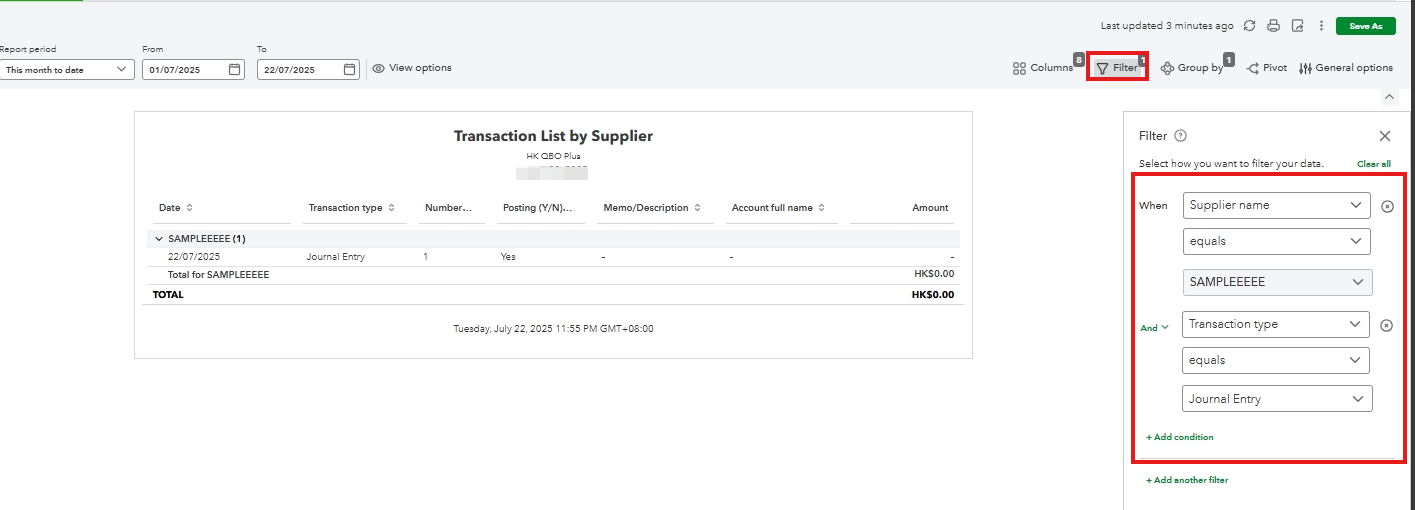
Modern view:
Please see the attached screenshot below for the applied filters:
Classic view:
Don’t hesitate to add your comment below if you have additional questions. We’re always here to help.
You have clicked a link to a site outside of the QuickBooks or ProFile Communities. By clicking "Continue", you will leave the community and be taken to that site instead.
For more information visit our Security Center or to report suspicious websites you can contact us here


