
Turn on suggestions
Auto-suggest helps you quickly narrow down your search results by suggesting possible matches as you type.
Showing results for
Hi there, Joseph. Thank you for your inquiry regarding sales reports by category.
If you are referring to items assigned to specific categories, QuickBooks Online (QBO) currently does not generate a report that groups sales transactions solely by category. However, you can pull up the Sales by Customer Detail report, which allows you to see the categories assigned to each product in your sales transactions.
To access the report, here's how:
If you are referring to transactions categorized by specific income accounts, you can filter your reports accordingly. You can add the Distribution account in the report filters to determine which specific account the transactions are associated with.
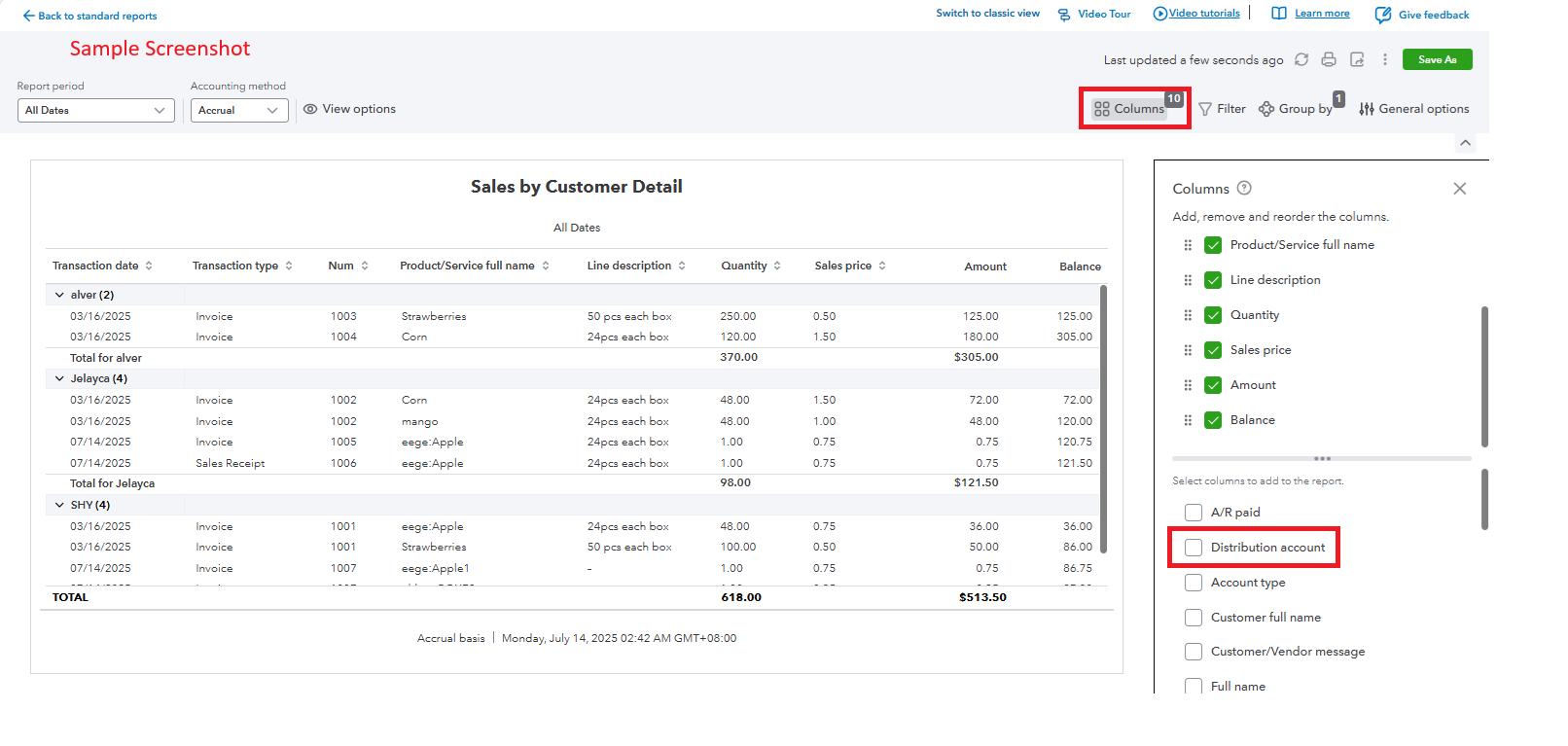
This way, you can effectively analyze your sales based on item categories or account distributions as needed.
If you have any further questions or need assistance in generating these reports, please feel free to reach out. I'm here to help.
You have clicked a link to a site outside of the QuickBooks or ProFile Communities. By clicking "Continue", you will leave the community and be taken to that site instead.
For more information visit our Security Center or to report suspicious websites you can contact us here


