Intuit helps put more money in consumers’ and small businesses’ pockets, saving them time by eliminating work, and ensuring they have confidence in every financial decision they make.
Quickbooks vs Zoho
Intuit QuickBooks offers small and growing businesses a simpler alternative to Zoho. Built with business owners in mind, QuickBooks is packed with intuitive features designed to simplify accounting tasks for Filipino businesses.

Comprehensive accounting solutions
Easy-to-use platform
Affordable plans
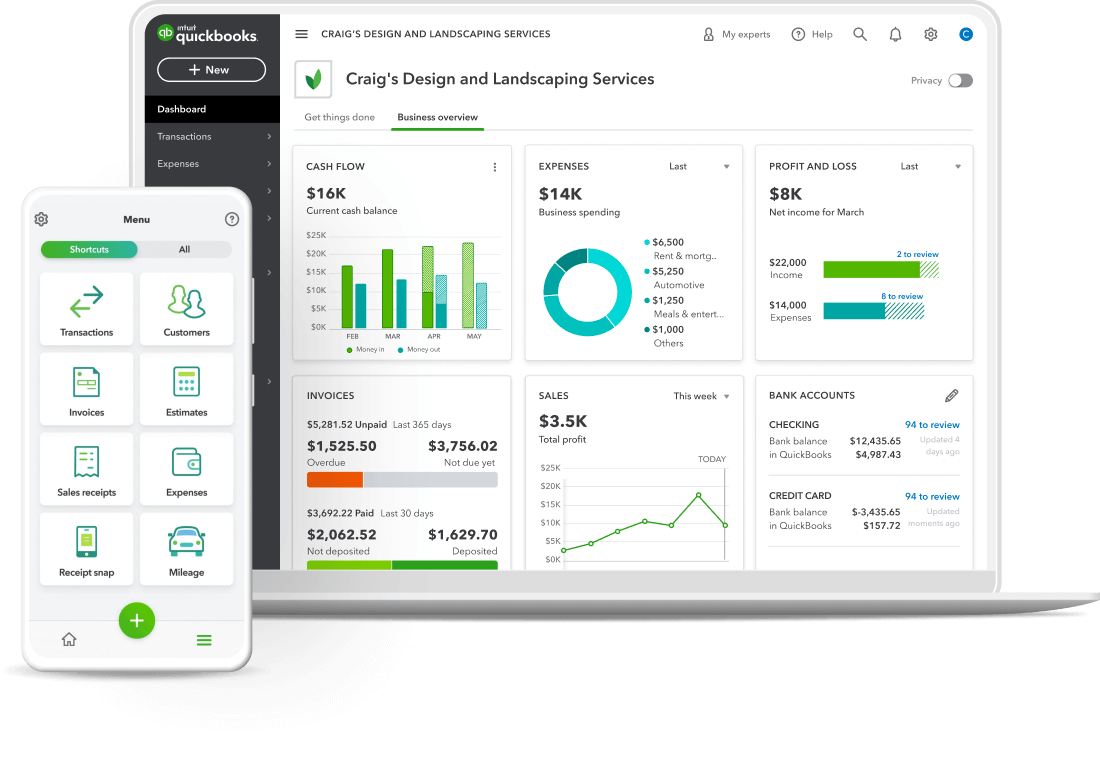
QuickBooks, an alternative to Zoho
With intelligent features and third-party integrations designed for business owners, QuickBooks offers comprehensive accounting solutions to simplify how you run your business.

For small to mid size businesses
Whether you’re scaling up or starting a small business, QuickBooks helps to simplify your financial management processes — so you can focus on growing.

Plans for every stage
Built for every stage and working phase, QuickBooks offers a range of affordable pricing tiers to support your business growth.

Smart, easy features to use
Running a business can be complicated, which is why our features and interface are designed to simplify your day-to-day finance and accounting tasks.
Compare QuickBooks vs Zoho features and pricing
Designed to streamline business operations, QuickBooks offers smart, easy-to-use features that deliver a complete accounting solution for small to medium-sized businesses. With flexible pricing, global credibility, and unlimited support, here’s how QuickBooks compares to Zoho.
QuickBooks Online Simple Start |
Zoho Books Standard |
QuickBooks Online Advanced |
Zoho Books Ultimate |
||||
| Agentic AI features | |||||||
| Users | 1 user, plus an accountant | 3 users | 25 users, plus an accountant + custom roles & permissions | 15 users | |||
| Send invoices & quotes | Up to 5,000 per year | Up to 100,000 per year | |||||
| Manage budgets | |||||||
| Track VAT | |||||||
| Automated workflow | |||||||
| Reporting | Up to 10 custom reports | Yes + Powerful custom reports | |||||
| Capture bills & receipts | |||||||
| Manage suppliers & bills | |||||||
| Claim expenses | Up to 5,000 per year | Up to 100,000 expenses per year | |||||
| Track mileage | |||||||
| Customer support you can call | |||||||
| Free onboarding call | |||||||
* Accurate as of Nov 25, 2025 from zoho.com/books/
Move for free with Intuit QuickBooks
We’ve made it easy for you to move from Zoho to QuickBooks.
Follow the below steps and get started on switching your data over:
- Sign up to QuickBooks
- Import your data as a CSV file, making sure you’re ready to go with our free switching service.

Build the right plan for your business
Make the switch from Zoho to QuickBooks and discover easy-to-use features and comprehensive plans designed to meet the needs of your business, even as you grow.
Cancel anytime
Unlimited support
Free guided setup
Loading pricing information...
Which is better, Zoho or QuickBooks?
Unsure of whether Zoho or QuickBooks is right for your business? From easy data migration to time-saving features designed to help your business grow, there’s a reason we’re a trusted partner to thousands of businesses in the Philippines.
Chat to our support team for more information about using our software before you make the switch to QuickBooks.
Hear from customers who made the switch
From a simple set-up to easy-to-use features, there’s plenty of reasons why Filipino businesses have made the move to QuickBooks. Here’s what our customers had to say.
“I would like to express my happiness from the quick solution to my client data conversion. I’ve experienced disappointment with another migration company in the past, but I’m overwhelmed by your quick service and reliable time lines.”
QuickBooks Desktop to QuickBooks Online
KMK Ventures customer

Keep growing with Intuit Intelligence
Get started today and automate your path to growth with confidence.


