Thank you for visiting the QuickBooks Community, watandcha. Let's perform troubleshooting steps so you can log out of your QuickBooks Online smoothly.
Please know that the logout option for your QuickBooks account is under the Profile icon. I've attached a screenshot below for visual reference.
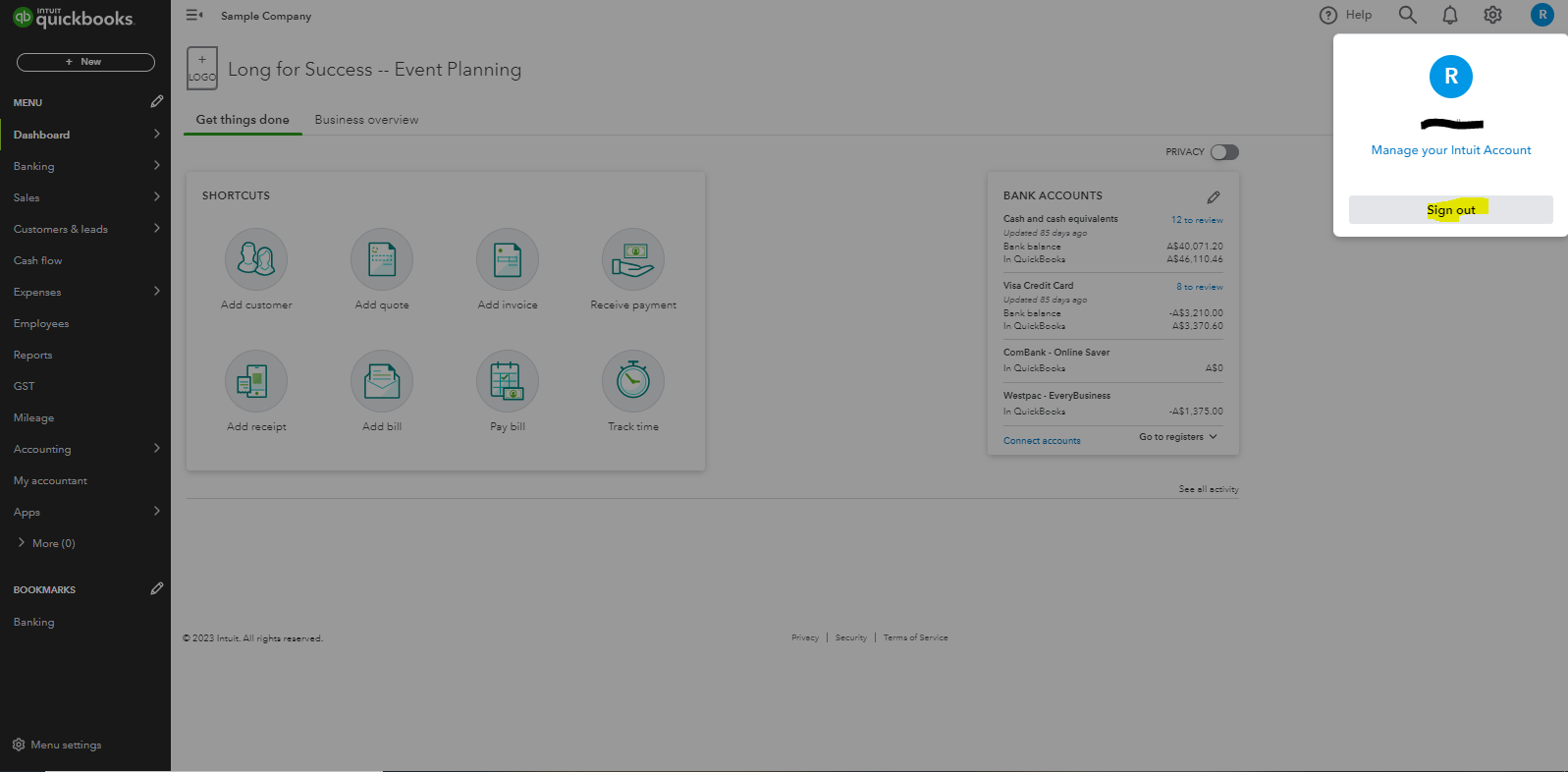
If you are still unable to see the logout/Signout option, I recommend logging into your QBO account on a private browser and logging out of your account from there. This is to rule out the possibility of a webpage issue that causes the signout button to be missing.
Use these keyboard shortcuts based on the browser you're using:
- For Firefox or Microsoft Edge, press Ctrl + Shift + P.
- For Chrome, press Ctrl + Shift + N.
- For Safari, hold down Command + Shift + N.
If it works in incognito, you can clear the cache of your regular browser. This clears the history or log of sites so you can start with a clean slate. If the steps above don't work, use another supported browser as an alternative.
Lastly, I'm adding this article if you need steps to change your contact information and company addresses in QBO: Change your company name, contact info, or ABN in QuickBooks Online.
Feel free to click the comment section below if you have other concerns n QBO. I'll be sure to get back to you, watandcha. Have a good day!


