Turn on suggestions
Auto-suggest helps you quickly narrow down your search results by suggesting possible matches as you type.
Showing results for
Welcome to the Community, waipenglau84.
If your QuickBooks Online (QBO) subscription is suspended due to a missed payment, updating your card information will prompt Intuit to automatically retry processing the payment within 24 hours. You don't have to make manual payments.
For more questions, reply to this thread.
How do I update my card?
Hello there, Plow.
To update your card information in QuickBooks Online, you'll need to select the Subscription and Billing under Profile tab. Here's how:
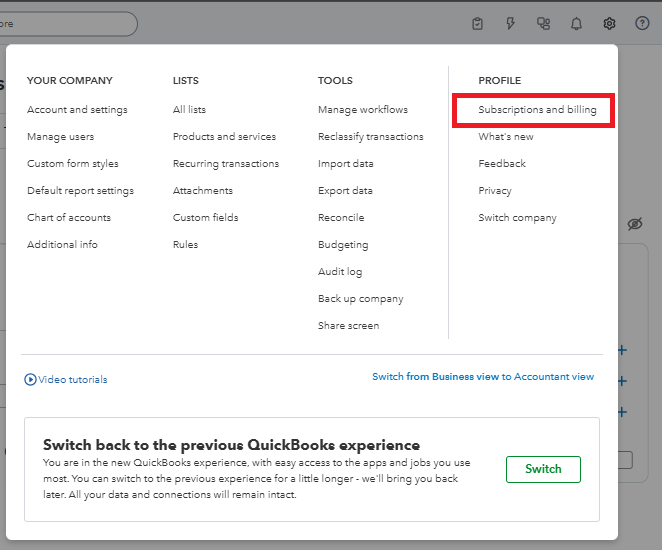
For a detailed view of your payment history, refer to this helpful article: Manage billing, payment, and subscription info.
Feel free to reply to this thread if you have further questions. We're here to help.
You have clicked a link to a site outside of the QuickBooks or ProFile Communities. By clicking "Continue", you will leave the community and be taken to that site instead.
For more information visit our Security Center or to report suspicious websites you can contact us here


