Glad you're here, @CJ GOOCH.
I've got the detailed steps to apply an early settlement discount to bills.
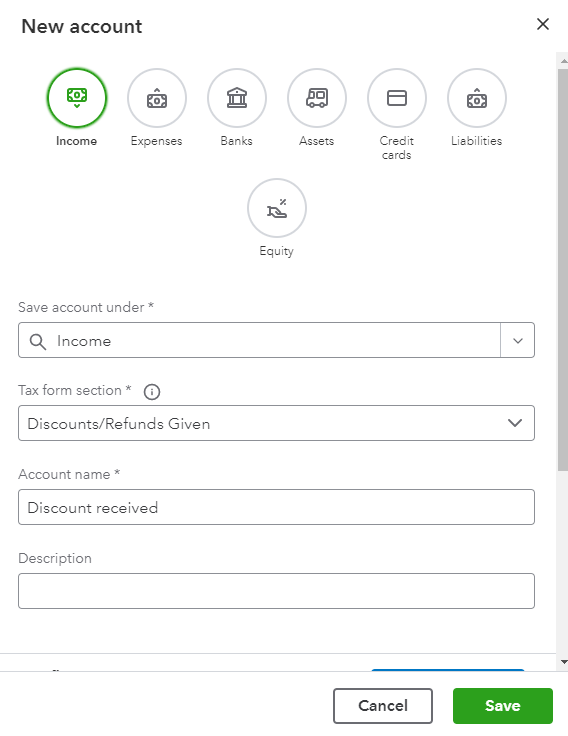
When you receive a bill from a supplier, you can record it and pay it when it’s due. To record an early payment discount, you may create a new income account to track the amount. Then, add it as a new line item on the supplier bill.
Here's how:
- Go to Accounting.
- Choose Chart of accounts.
- Click New.
- Tap Income from the Account Type drop-down.
- Select Discounts/Refunds Given from the Detail Type drop-down menu.
- Add a discount name and hit Save and Close.
Once done, add this account and enter the early settlement discount as a negative amount on the bill.
- Go to the Expenses tab on the left menu and choose Vendors.
- Open the vendor's profile and locate the bill to open.
- On the next line under the category column, select the discount income account.
- Enter the amount as negative in the Amount column.
- Hit Save.
As an alternative way, you may record the discount by entering and creating the supplier credit.
Get back to me if you have other concerns about applying supplier credits. I'll be around to answer them all for you. Keep safe and have a good one!


