Turn on suggestions
Auto-suggest helps you quickly narrow down your search results by suggesting possible matches as you type.
Showing results for

Both the Modern and Classic Views are showing incorrect quantities for several stock items. When we click on the quantity to drill down into the transaction details, the balance shown there differs from the balance displayed on the main report. This inconsistency makes it extremely difficult to complete our stock reconciliation.
Hi, Minette. I hear you, and it’s tough to balance the books when the reports don't align. Stock reports can show different results because they rely on different data and dates.
To identify the root cause, reproduce the reports with All Dates to see if the totals match. If they do, you have a dating/timing issue.
Here's how:
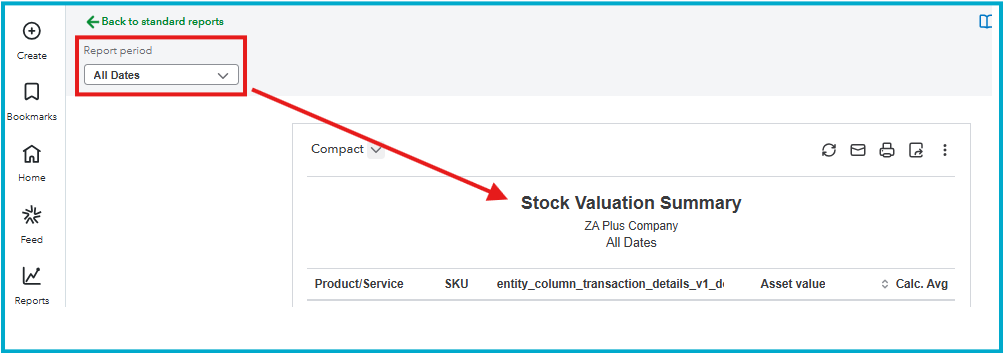
Once done, check the setup and method. Ensure that the items are marked as inventory and that your costing method (like FIFO) is set correctly. I've also added some helpful articles for future reference:
Please try these steps and let us know if the summary report now matches the detail report. If the reports still do not align after trying these steps, please reply to this thread. I'd be happy to provide additional steps.
You have clicked a link to a site outside of the QuickBooks or ProFile Communities. By clicking "Continue", you will leave the community and be taken to that site instead.
For more information visit our Security Center or to report suspicious websites you can contact us here

