
Turn on suggestions
Auto-suggest helps you quickly narrow down your search results by suggesting possible matches as you type.
Showing results for
Bonjour. Bienvenue dans la Communauté.
Laissez-moi vous diriger vers le meilleur support qui peut vous aider à vérifier vos détails de facturation et vos conditions de paiement afin que vous puissiez mettre à niveau votre abonnement QuickBooks en ligne (QBO).
Étant donné que vous avez déjà été facturé (facturation annuelle) pour votre forfait QuickBooks actuel, je vous encourage à contacter notre équipe du service client. Ils peuvent vérifier votre compte en toute sécurité et vous donner la possibilité de choisir le meilleur abonnement qui répond aux besoins de votre entreprise. Pour ce faire, voici comment :
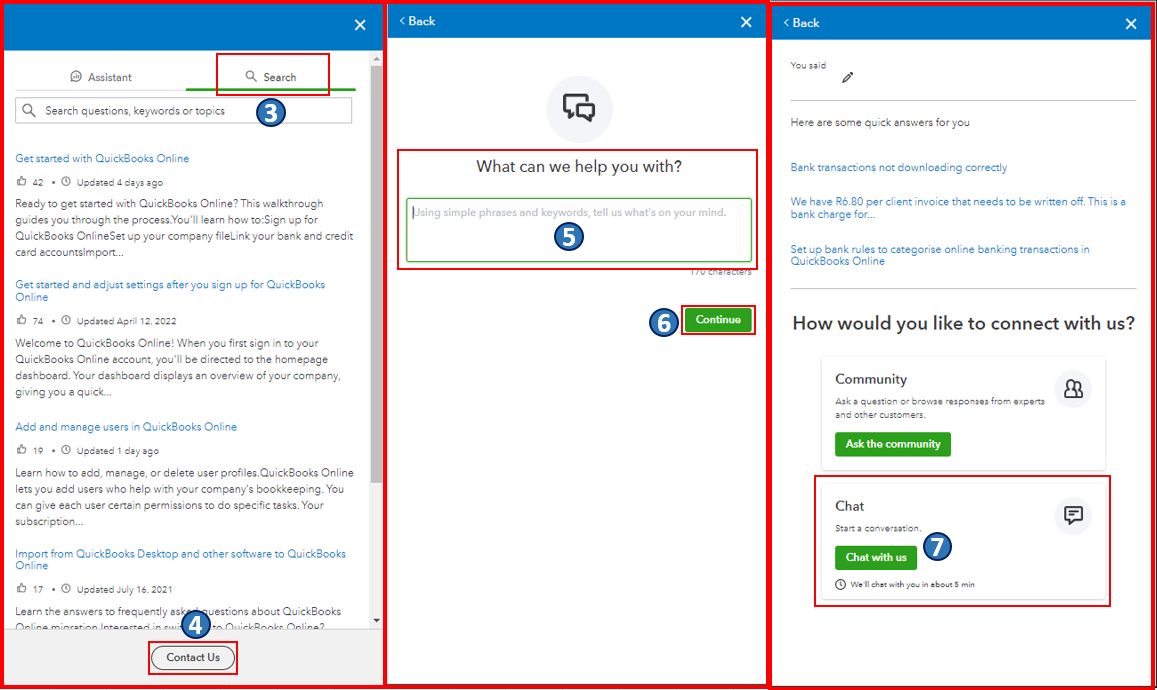
Une fois que tout est réglé, vous pouvez également consulter cet article comme référence pour vous guider dans la gestion de vos informations de facturation, de paiement et d'abonnement directement depuis QBO : Update billing, payment, and subscription info in QuickBooks Online.
Sachez que je suis toujours prêt à vous aider si vous avez d'autres problèmes de gestion de compte dans QBO. Prenez soin de vous et je vous souhaite une bonne continuation.
Clause de non-responsabilité : cet article est créé en anglais et traduit à l'aide de l'outil Google Traduction.
----------------------------------------------------------------------------------------------------------------------------------------------------------------
Hello there. Welcome to the Community.
Let me route you to the best support who can help check your billing details and payment terms so you can upgrade your QuickBooks Online (QBO) subscription.
Since you've already been billed (annual billing) for your current QuickBooks plan, I encourage you to reach out to our Customer Care team. They can securely verify your account and give you options to choose the best subscription that suits your business needs. To do this, here's how:
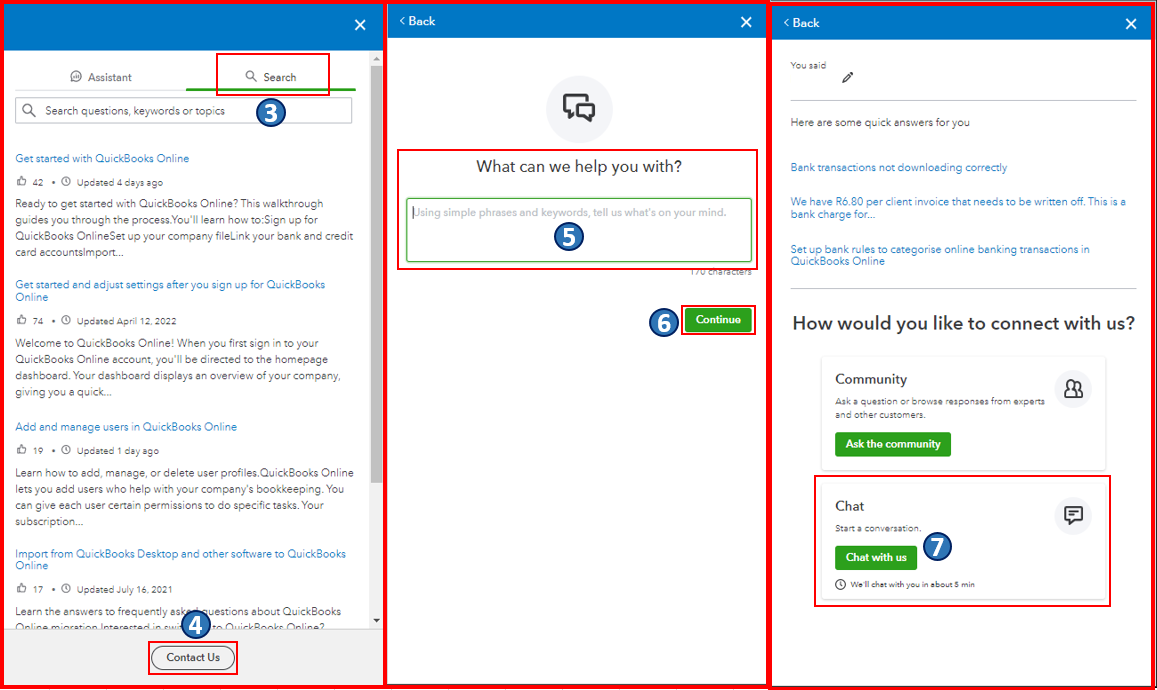
Once everything is all set, you may also want to check out this article as your reference to guide you in managing your billing, payment, and subscription information directly from QBO: Update billing, payment, and subscription info in QuickBooks Online.
Please know that I'm always ready to help if you have other account management concerns in QBO. Take care, and I wish you continued success.
Disclaimer: This post is created in English and translated using the Google Translate tool.

