
Turn on suggestions
Auto-suggest helps you quickly narrow down your search results by suggesting possible matches as you type.
Showing results for
Hello there, Derek. I can see that you’re already have QuickBooks Online Accountant (QBOA). To make sure the migration go smoothly, could you clarify which specific regions your accounting firm and your client's QuickBooks Desktop (QBDT) are registered in? This is a vital first step because QuickBooks Desktop is exclusive to the US, UK, and Canada, and company files can only be migrated to a QuickBooks Online (QBO) account within that same geographic region.
For the data transfer to work, your client will have to ensure their new QBO subscription matches their current QBDT version exactly. The link I've added is dedicated for US since migration isn't available for Global community.
It is also important to keep in mind that QBOA does not support managing clients across different different global regions from a single dashboard. If your firm and the client are not in the same regions, you would need to create a separate QBOA specifically for them.
Alternatively, you can always have them invite you to their company as a company admin. This allows you to access their data without needing a region-specific account.
If you have additional questions, feel free to revisit this thread.
Quickbooks for Windows? Is your client using QB Desktop or QB Online?
Hi Louise and SIAB
We are using QB Windows. and have subscribed to QBOA
I am migrating Desktop version to QBOA.
I need to migrate all the data, COA transactions etc.. from QBDesktop to QBOA "Your Practice"
I will then migrate client files once this is complete.
My challenge is migrating all the data. I expect this is using csv export but I need to know what will not be transferred or
is there a migration tool.
Which QB Desktop country and year version do you have? QB Desktop 2024 US version or else?
Where is your company located? US or another country?
we are in Kenya
QBW Desktop is UK 2017
QBOA is supported out of South Africa
even replying to this chat is a mission as authentication keeps failing! because Edge is over protective!
You need to purchase a 3rd party service to convert your data from QB Desktop UK version to QB Online Accountant Global version for Kenya or other QBOA region. You can contact @Fiat Lux - ASIA directly via email for assistance. Another option, start your QBOA account from scratch and you will still need QB Desktop to open your historical data for good.
This whole thing is becoming more of a mission than it's worth.
It costs at every turn to set this up.
The Desktop versions ... work.
Another option, as I see, it is maintain the Desktop version just for our own accounting purposes and deploy the client licenses on the QBOA for clients that opt to migrate or start fresh. We can still manage their books and audits.
Clients that invite us to be Accountant can then also be maintained within QBOA with their own licenses.
Is this reasoning valid?
I need to migrate all the data, COA transactions etc.. from QBDesktop to QBOA "Your Practice"
You will need to migrate data manually from QB Desktop to QBOA "Your Practice" or purchase a 3rd party service as I mentioned earlier.
You can help to convert your client's data from QB Desktop to QB Online and you will use QBOA to manage all QBO accounts.
I appreciate you getting back on this thread, Derek. You can maintain your QuickBooks Desktop 2017 United Kingdom for your own firm's internal accounts.
However, since this version has been discontinued, you'll not be able to receive live updates. But it will continue to function as a standalone offline ledger.
You can also add an accounting firm to your QuickBooks Online Accountant account for free. While multiple client invites can sometimes result in separate practice companies, they all share the same login. No worries, you'll need to click the Switch Company button to move between them.
If you transition fully to QuickBooks Online Accountant, you can run the entire firm from a single, unified dashboard with one login. You can easily switch between the firm's books and your client's books without needing to log in and out. Adding team members is also streamlined through this process.
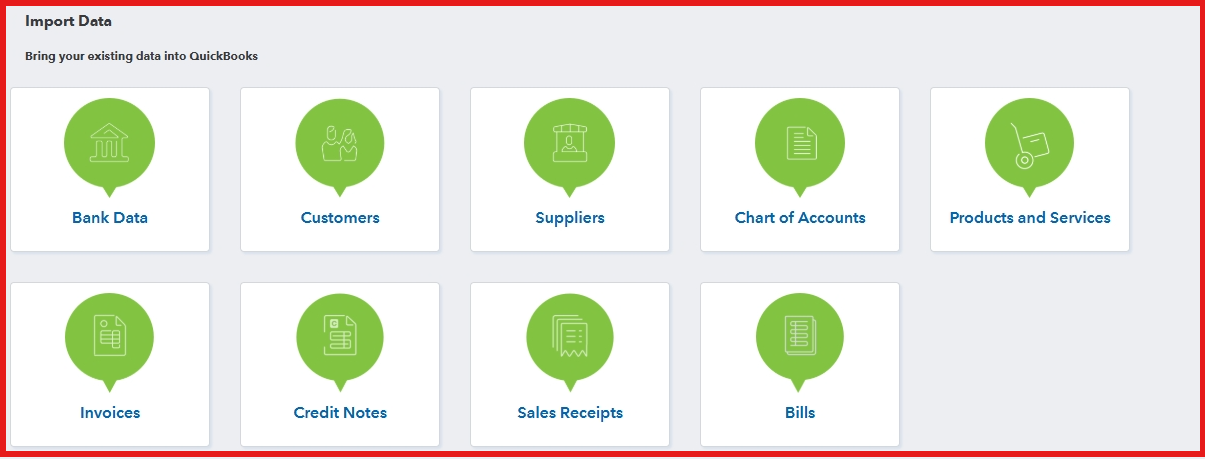
Lastly, when migrating data, you can manually import these transactions via a CSV file. You can also consider the SIAB suggestion.
Feel free to comment below if you have further questions regarding any QuickBooks concerns.
You have clicked a link to a site outside of the QuickBooks or ProFile Communities. By clicking "Continue", you will leave the community and be taken to that site instead.
For more information visit our Security Center or to report suspicious websites you can contact us here


