
Turn on suggestions
Auto-suggest helps you quickly narrow down your search results by suggesting possible matches as you type.
Showing results for
Hi alicia-barnard-r,
Hope you're having a good day!
The attachments will not show up on account reports, but you can check them when you open the individual transactions. You can also check all your attachment files by going to the Gear icon and choosing Attachments.
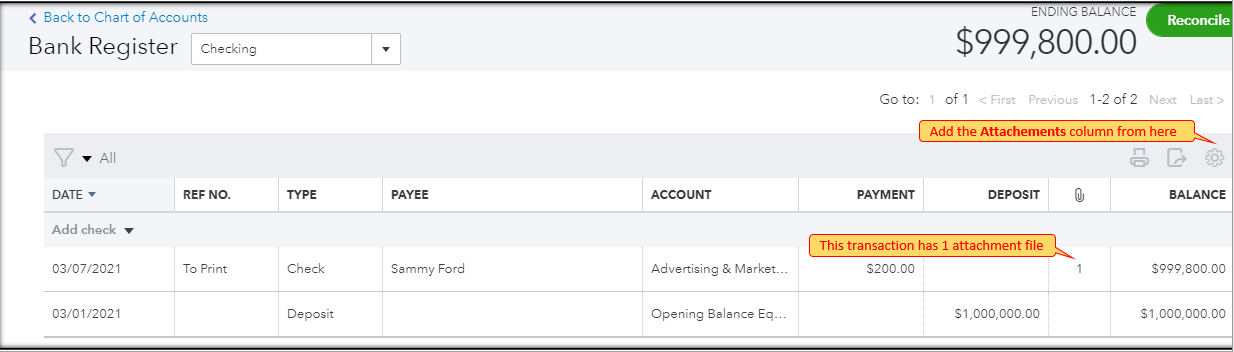
On the other hand, when you open an account register and add the Attachments column, you will see how many files are attached to your transactions.
Feel free to go back to this thread if you have other questions in mind.
You have clicked a link to a site outside of the QuickBooks or ProFile Communities. By clicking "Continue", you will leave the community and be taken to that site instead.
For more information visit our Security Center or to report suspicious websites you can contact us here


